See Details
Logo CPaaS Help Center Developer Premium Support Status
Sign in Contact Support
  1. 8x8 CPaaS Help Center
  2. Other

Other

  • Video Interaction API
    Version: 1.0

    Video Interaction API

    This is the API to integrate 8x8 Video Interaction product.

    Contact

    8x8 Inc: cpaas-support@8x8.com

    URL: https://cpaas.8x8.com

    Terms of Service

    https://cpaas.8x8.com/sg/terms-and-conditions/

    Source: https://developer.8x8.com/connect/reference/video-interaction-api · 8x8 CPaaS Developer Docs. Synced for support deflection.

  • Update workflow definition

    Update workflow definition

    PUT https://automation.8x8.com/api/v1/accounts/:accountId/definitions/:definitionId

    Use this resource to update an existing workflow definition. Updating a workflow definition creates and registers a new version of the definition and preserves the old definition in version history. This ensures that any workflows that have already been started from the old version runs to completion while new workflows are started based on the latest version of the workflow definition.

    Request

    Path Parameters

      accountId stringrequired

      Account id

      definitionId stringrequired

      Workflow definition id.

    Body

      subAccountIdstring

      8x8 subaccount id. If subaccount id is set, workflows with triggers like inbound message will only be started when that subaccount receives a message. If the subaccount id is null, workflows will be started when any subaccount under your account receives an inbound message.

      triggertrigger (string)required

      Triggers are external events that start workflows. Supported triggers are

      • inbound_sms (starts workflows when the account receives a SMS.)
      • inbound_chat_apps (starts workflows when the account receives a message via a chat apps channel).
      • http_request (starts workflows when a HTTP request is made to the trigger).

      Possible values: [inbound_sms, inbound_chat_apps, http_request]

      statusstatus (string)

      The status property allows to deactivate an existing workflow definition or to save a new one, without making it active.

      • enabled (this workflow definition is active and will start based on the trigger)
      • disabled (this workflow definition is not active and will not start, regardless of the trigger)

      Possible values: [enabled, disabled]

      Default value: disabled

      definition objectrequired

      namestringrequired

      Descriptive name for the definition. Name does not need to be unique.

      steps object[]required

      Collection of steps that defines the activities to be executed when a workflow from the definition is run.

    • Array [
    • anyOf
      stepTypestring

      Type of the step.

      Possible values: [SMS]

      Default value: SMS

      inputs object

      Input parameters supported by the SMS step. All input parameters can be dynamically computed using JavaScript expressions.

      subAccountIdstringrequired

      SMS enabled 8x8 subaccount.

      destinationstringrequired

      Valid phone number.

      textstringrequired

      Content of the SMS.

      countrystring

      Two letter country code of the destination phone number.

      sourcestring

      Sender id.

      clientMessageIdstring

      Client message id to identify the SMS on the client platform.

      encodingstring

      Messaging encoding type. Supported encodings are

      • AUTO (automatically detect encoding)
      • GSM7
      • UCS2
      scheduledstring

      ISO 8601 formatted date and time to send the SMS at a future time.

      expirystring

      ISO 8601 formatted date and time after which the message will not be sent.

      dlrCallbackUrlstring

      Callback URL to receive delivery receipts.

      outputs object

      Step output values that are available for saving to workflow context.

      umidstring

      Unique message id assigned by the 8x8 messaging platform.

      statusstring

      Last known status of the message.

      descriptionstring

      Detailed description of the message status.

      destinationstring

      Phone number to which the message was sent.

      encodingstring

      Encoding used to send the message.

      clientMessageIdstring

      Client message id sent when the message was being sent.

      nextStepIdstring

      Step id of the step to be executed after the current step. If not set, workflow terminates after executing the current step.

      idstringrequired

      Step id. Step id must be unique within the workflow definition.

      stepTypestring

      Type of the step.

      Possible values: [SMS]

      Default value: SMS

      inputs object

      Input parameters supported by the SMS step. All input parameters can be dynamically computed using JavaScript expressions.

      subAccountIdstringrequired

      SMS enabled 8x8 subaccount.

      destinationstringrequired

      Valid phone number.

      textstringrequired

      Content of the SMS.

      countrystring

      Two letter country code of the destination phone number.

      sourcestring

      Sender id.

      clientMessageIdstring

      Client message id to identify the SMS on the client platform.

      encodingstring

      Messaging encoding type. Supported encodings are

      • AUTO (automatically detect encoding)
      • GSM7
      • UCS2
      scheduledstring

      ISO 8601 formatted date and time to send the SMS at a future time.

      expirystring

      ISO 8601 formatted date and time after which the message will not be sent.

      dlrCallbackUrlstring

      Callback URL to receive delivery receipts.

      outputs object

      Step output values that are available for saving to workflow context.

      umidstring

      Unique message id assigned by the 8x8 messaging platform.

      statusstring

      Last known status of the message.

      descriptionstring

      Detailed description of the message status.

      destinationstring

      Phone number to which the message was sent.

      encodingstring

      Encoding used to send the message.

      clientMessageIdstring

      Client message id sent when the message was being sent.

      nextStepIdstring

      Step id of the step to be executed after the current step. If not set, workflow terminates after executing the current step.

      stepTypestringrequired

      Type of the step.

      Possible values: [ChatAppsMessage]

      Default value: ChatAppsMessage

      inputs objectrequired

      Input parameters supported by the chat apps message step. All input parameters can be dynamically computed using JavaScript expressions.

      subAccountIdstringrequired

      Chat apps enabled 8x8 subaccount id.

      userobjectrequired

      Recipient details. User object depends on the channel message is being sent to. Refer to chat apps documentation for more information.

      typestringrequired

      Message content type. For a list of supported content types, please refer to chat apps documentation.

      contentobjectrequired

      Message content. Message content depends on the type of content being sent. Refer to chat apps documentation for more information.

      clientMessageIdstring

      Unique message identifier provided by the client.

      outputs object

      Output properties supported by ChatAppsMessage step.

      umidstring

      Unique message id assigned by the 8x8 messaging platform.

      statusstring

      Last known status of the message.

      descriptionstring

      Detailed description of the message status.

      requestIdstring

      Unique id of the chat apps message request. If the request failed before a umid is assigned by the messaging platform, request id can be used to troubleshoot the error.

      nextStepIdstring

      Step id of the step to be executed after the current step. If not set, workflow terminates after executing the current step.

      idstringrequired

      Step id. Step id must be unique within the workflow definition.

      stepTypestringrequired

      Type of the step.

      Possible values: [ChatAppsMessage]

      Default value: ChatAppsMessage

      inputs objectrequired

      Input parameters supported by the chat apps message step. All input parameters can be dynamically computed using JavaScript expressions.

      subAccountIdstringrequired

      Chat apps enabled 8x8 subaccount id.

      userobjectrequired

      Recipient details. User object depends on the channel message is being sent to. Refer to chat apps documentation for more information.

      typestringrequired

      Message content type. For a list of supported content types, please refer to chat apps documentation.

      contentobjectrequired

      Message content. Message content depends on the type of content being sent. Refer to chat apps documentation for more information.

      clientMessageIdstring

      Unique message identifier provided by the client.

      outputs object

      Output properties supported by ChatAppsMessage step.

      umidstring

      Unique message id assigned by the 8x8 messaging platform.

      statusstring

      Last known status of the message.

      descriptionstring

      Detailed description of the message status.

      requestIdstring

      Unique id of the chat apps message request. If the request failed before a umid is assigned by the messaging platform, request id can be used to troubleshoot the error.

      nextStepIdstring

      Step id of the step to be executed after the current step. If not set, workflow terminates after executing the current step.

      stepTypestringrequired

      Type of the step.

      Possible values: [HttpRequest]

      Default value: HttpRequest

      inputs objectrequired

      Input properties supported by HTTP request step.

      urlstringrequired

      URL to make the HTTP request to.

      methodstringrequired

      HTTP method to use when making the HTTP request. All standard HTTP methods like GET, POST, PUT, DELETE, PATCH, etc are supported.

      headers object

      Map of HTTP headers to use in the request. Note that for Content-Type header, we only currently support application/json.

      Authorizationstring

      Authorization header.

      Acceptstring

      Accept header.

      parameters object

      Map of query parameters to use in the request.

      query_param1string

      An example query parameter.

      bodyobject

      Object containing request data. The object will be serialized as JSON before sending the request.

      timeoutSecondsinteger

      HTTP request timeout. Default timeout is 5 seconds.

      outputs object

      Output properties supported by http request step.

      responseCodeinteger

      HTTP response status code received from the server.

      reasonPhrasestring

      HTTP response message that summarizes the meaning of the HTTP status code.

      responseBodyobject

      HTTP response data.

      nextStepIdstring

      Step id of the step to be executed after the current step. If not set, workflow terminates after executing the current step.

      idstringrequired

      Step id. Step id must be unique within the workflow definition.

      stepTypestringrequired

      Type of the step.

      Possible values: [HttpRequest]

      Default value: HttpRequest

      inputs objectrequired

      Input properties supported by HTTP request step.

      urlstringrequired

      URL to make the HTTP request to.

      methodstringrequired

      HTTP method to use when making the HTTP request. All standard HTTP methods like GET, POST, PUT, DELETE, PATCH, etc are supported.

      headers object

      Map of HTTP headers to use in the request. Note that for Content-Type header, we only currently support application/json.

      Authorizationstring

      Authorization header.

      Acceptstring

      Accept header.

      parameters object

      Map of query parameters to use in the request.

      query_param1string

      An example query parameter.

      bodyobject

      Object containing request data. The object will be serialized as JSON before sending the request.

      timeoutSecondsinteger

      HTTP request timeout. Default timeout is 5 seconds.

      outputs object

      Output properties supported by http request step.

      responseCodeinteger

      HTTP response status code received from the server.

      reasonPhrasestring

      HTTP response message that summarizes the meaning of the HTTP status code.

      responseBodyobject

      HTTP response data.

      nextStepIdstring

      Step id of the step to be executed after the current step. If not set, workflow terminates after executing the current step.

      stepTypestringrequired

      Type of the step.

      Possible values: [Branch]

      Default value: Branch
      selectNextStepobjectrequired

      Map containing step ids as keys and JavaScript expressions as values to dynamically choose the next steps to execute. All conditions are evaluated and tried. Therefore, if more than one condition evaluates to true, more than one step will be executed. For the default branch, condition can be set to null.

      Default value: null
      idstringrequired

      Step id. Step id must be unique within the workflow definition.

      stepTypestringrequired

      Type of the step.

      Possible values: [Branch]

      Default value: Branch
      selectNextStepobjectrequired

      Map containing step ids as keys and JavaScript expressions as values to dynamically choose the next steps to execute. All conditions are evaluated and tried. Therefore, if more than one condition evaluates to true, more than one step will be executed. For the default branch, condition can be set to null.

      Default value: null
      stepTypestringrequired

      Type of the step.

      Possible values: [Wait]

      Default value: Wait

      inputs objectrequired

      Input properties supported by wait step.

      durationstringrequired

      Timespan in the format "d.HH:mm:ss" to pause the workflow for. For example, "1.6:30:15" makes the workflow pause for 1 day, 6 hours, 30 minutes, and 15 seconds. If the timespan is in days, "HH:mm:ss" can be omitted. For instance, "2" pauses the workflow for two days.

      nextStepIdstring

      Step id of the step to be executed after the current step. If not set, workflow terminates after executing the current step.

      idstringrequired

      Step id. Step id must be unique within the workflow definition.

      stepTypestringrequired

      Type of the step.

      Possible values: [Wait]

      Default value: Wait

      inputs objectrequired

      Input properties supported by wait step.

      durationstringrequired

      Timespan in the format "d.HH:mm:ss" to pause the workflow for. For example, "1.6:30:15" makes the workflow pause for 1 day, 6 hours, 30 minutes, and 15 seconds. If the timespan is in days, "HH:mm:ss" can be omitted. For instance, "2" pauses the workflow for two days.

      nextStepIdstring

      Step id of the step to be executed after the current step. If not set, workflow terminates after executing the current step.

      stepTypestringrequired

      Type of the step.

      Possible values: [WaitForReply]

      Default value: WaitForReply

      inputs objectrequired

      Input properties supported by wait for reply step.

      fromstringrequired

      Phone number or channel user id of the user for whose reply the workflow is waiting for. If the channel is SMS, from should be the msisdn. If the channel is a chat apps channel, from should be based on the channel user id of the inbound message.

      channelstringrequired

      Messaging channel like sms, whatsapp, etc. For a complete list, refer to channel type values.

      timeoutstring

      Timeout in the format "d.HH:mm:ss". For example, "1.6:30:15" indicates the workflow to move on if a reply from the user is not received within 1 day, 6 hours, 30 minutes, and 15 seconds. If the timeout is in days, "HH:mm:ss" can be omitted. For instance, "2" waits for 2 days before timing out.

      Default value: 1.00:00:00

      outputs objectrequired

      Outputs supported by wait for reply step.

      replyobjectrequired

      Inbound message data. Exact nature of the payload depends on the version of the inbound message webhook configured for your account. Refer to webhook object structure for more information.

      selectNextStepobject

      Steps to execute depending on whether a reply is received or not. Presence or absence of the reply in the outputs indicates whether a reply was received within the timeout. Alternatively, you can set the nextStepId to a Branch step and check the conditions there.

      Example: {"reply_received":"{{data.reply != null}}","no_reply_received":"{{data.reply == null}}"}
      nextStepIdstring

      Step id of the step to be executed after the current step. If not set, workflow terminates after executing the current step. Do not use nextStepId and selectNextStep at the same time. Use one or the other.

      idstringrequired

      Step id. Step id must be unique within the workflow definition.

      stepTypestringrequired

      Type of the step.

      Possible values: [WaitForReply]

      Default value: WaitForReply

      inputs objectrequired

      Input properties supported by wait for reply step.

      fromstringrequired

      Phone number or channel user id of the user for whose reply the workflow is waiting for. If the channel is SMS, from should be the msisdn. If the channel is a chat apps channel, from should be based on the channel user id of the inbound message.

      channelstringrequired

      Messaging channel like sms, whatsapp, etc. For a complete list, refer to channel type values.

      timeoutstring

      Timeout in the format "d.HH:mm:ss". For example, "1.6:30:15" indicates the workflow to move on if a reply from the user is not received within 1 day, 6 hours, 30 minutes, and 15 seconds. If the timeout is in days, "HH:mm:ss" can be omitted. For instance, "2" waits for 2 days before timing out.

      Default value: 1.00:00:00

      outputs objectrequired

      Outputs supported by wait for reply step.

      replyobjectrequired

      Inbound message data. Exact nature of the payload depends on the version of the inbound message webhook configured for your account. Refer to webhook object structure for more information.

      selectNextStepobject

      Steps to execute depending on whether a reply is received or not. Presence or absence of the reply in the outputs indicates whether a reply was received within the timeout. Alternatively, you can set the nextStepId to a Branch step and check the conditions there.

      Example: {"reply_received":"{{data.reply != null}}","no_reply_received":"{{data.reply == null}}"}
      nextStepIdstring

      Step id of the step to be executed after the current step. If not set, workflow terminates after executing the current step. Do not use nextStepId and selectNextStep at the same time. Use one or the other.

      stepTypestringrequired

      Type of the step.

      Possible values: [VoiceMessage]

      Default value: VoiceMessage

      inputs objectrequired

      Input properties supported by the voice message step.

      subAccountIdstring

      Voice enabled subaccount id.

      clientRequestIdstring

      Unique identifier to reference the voice the message. JavaScript helper function uuid() can be used to generate a uuid.

      actionstringrequired

      Action to be performed as part of the voice message. Refer to voice messaging API documentation for more information.

      Possible values: [say, say&capture, playFile]

      Default value: say
      paramsobjectrequired

      Voice message parameters. Depends on the voice message action. Refer to voice messaging API documentation for supported voice message parameters.

      outputs object

      Supported output properties by the voice message step.

      responseobjectrequired

      HTTP response message received from the voice messaging API. Refer to voice messaging API documentation for more information.

      nextStepIdstring

      Step id of the step to be executed after the current step. If not set, workflow terminates after executing the current step. Do not use nextStepId and selectNextStep at the same time. Use one or the other.

      idstringrequired

      Step id. Step id must be unique within the workflow definition.

      stepTypestringrequired

      Type of the step.

      Possible values: [VoiceMessage]

      Default value: VoiceMessage

      inputs objectrequired

      Input properties supported by the voice message step.

      subAccountIdstring

      Voice enabled subaccount id.

      clientRequestIdstring

      Unique identifier to reference the voice the message. JavaScript helper function uuid() can be used to generate a uuid.

      actionstringrequired

      Action to be performed as part of the voice message. Refer to voice messaging API documentation for more information.

      Possible values: [say, say&capture, playFile]

      Default value: say
      paramsobjectrequired

      Voice message parameters. Depends on the voice message action. Refer to voice messaging API documentation for supported voice message parameters.

      outputs object

      Supported output properties by the voice message step.

      responseobjectrequired

      HTTP response message received from the voice messaging API. Refer to voice messaging API documentation for more information.

      nextStepIdstring

      Step id of the step to be executed after the current step. If not set, workflow terminates after executing the current step. Do not use nextStepId and selectNextStep at the same time. Use one or the other.

      stepTypestringrequired

      Type of the step.

      Possible values: [WaitForDTMF]

      Default value: WaitForDTMF

      inputs objectrequired

      Input properties supported by the wait for DTMF step.

      dtmfRequestIdstring

      Client request id or the uid of the DTMF response. Recommendation is to set the client request id in the voice message step, save it to workflow context and reference it here. If you did not set a client request id in the voice message step, save the uid of the voice message response to workflow context and reference it here.

      timeoutstring

      Timeout in the format "d.HH:mm:ss". For example, "1.6:30:15" indicates the workflow to move on if a reply from the user is not received within 1 day, 6 hours, 30 minutes, and 15 seconds. If the timeout is in days, "HH:mm:ss" can be omitted. For instance, "2" waits for 2 days before timing out.

      Default value: 1.00:00:00

      outputs objectrequired

      Output properties supported by the wait for DTMF step.

      dtmfDataobjectrequired

      DTMF response data returned by the voice messaging API. Refer to voice messaging API documentation for more information.

      Example: {"uid":"AA562920-DD44-11EB-8FDE-A7A1C7823C5F","status":{"code":"DTMF","timestamp":"2021-07-05T03:54:31.271Z"},"destination":"xxxxxxxxxx","clientRequestId":"974eccfc-0607-4a99-a129-f9ee718e5fc1","actionDetails":{"dtmf":"2"}}
      selectNextStepobject

      Steps to execute depending on the DTMF code. Presence or absence of the dtmfData in the outputs indicates whether a reply was received within the timeout. Alternatively, you can set the nextStepId to a Branch step and check the conditions there.

      Example: {"dtmf_1":"{{data.dtmf == '1'}}","dtmf_2":"{{data.dtmf == '2'}}","no_reply":"{{data.dtmf == null}}","invalid_dtmf":"{{data.dtmf != null && data.dtmf != '1' && data.dtmf != '2'}}"}
      idstringrequired

      Step id. Step id must be unique within the workflow definition.

      stepTypestringrequired

      Type of the step.

      Possible values: [WaitForDTMF]

      Default value: WaitForDTMF

      inputs objectrequired

      Input properties supported by the wait for DTMF step.

      dtmfRequestIdstring

      Client request id or the uid of the DTMF response. Recommendation is to set the client request id in the voice message step, save it to workflow context and reference it here. If you did not set a client request id in the voice message step, save the uid of the voice message response to workflow context and reference it here.

      timeoutstring

      Timeout in the format "d.HH:mm:ss". For example, "1.6:30:15" indicates the workflow to move on if a reply from the user is not received within 1 day, 6 hours, 30 minutes, and 15 seconds. If the timeout is in days, "HH:mm:ss" can be omitted. For instance, "2" waits for 2 days before timing out.

      Default value: 1.00:00:00

      outputs objectrequired

      Output properties supported by the wait for DTMF step.

      dtmfDataobjectrequired

      DTMF response data returned by the voice messaging API. Refer to voice messaging API documentation for more information.

      Example: {"uid":"AA562920-DD44-11EB-8FDE-A7A1C7823C5F","status":{"code":"DTMF","timestamp":"2021-07-05T03:54:31.271Z"},"destination":"xxxxxxxxxx","clientRequestId":"974eccfc-0607-4a99-a129-f9ee718e5fc1","actionDetails":{"dtmf":"2"}}
      selectNextStepobject

      Steps to execute depending on the DTMF code. Presence or absence of the dtmfData in the outputs indicates whether a reply was received within the timeout. Alternatively, you can set the nextStepId to a Branch step and check the conditions there.

      Example: {"dtmf_1":"{{data.dtmf == '1'}}","dtmf_2":"{{data.dtmf == '2'}}","no_reply":"{{data.dtmf == null}}","invalid_dtmf":"{{data.dtmf != null && data.dtmf != '1' && data.dtmf != '2'}}"}
    • ]

    Updated workflow definition.

    Schema

      subAccountIdstring

      8x8 subaccount id. If subaccount id is set, workflows with triggers like inbound message will only be started when that subaccount receives a message. If the subaccount id is null, workflows will be started when any subaccount under your account receives an inbound message.

      triggertrigger (string)required

      Triggers are external events that start workflows. Supported triggers are

      • inbound_sms (starts workflows when the account receives a SMS.)
      • inbound_chat_apps (starts workflows when the account receives a message via a chat apps channel).
      • http_request (starts workflows when a HTTP request is made to the trigger).

      Possible values: [inbound_sms, inbound_chat_apps, http_request]

      statusstatus (string)

      The status property allows to deactivate an existing workflow definition or to save a new one, without making it active.

      • enabled (this workflow definition is active and will start based on the trigger)
      • disabled (this workflow definition is not active and will not start, regardless of the trigger)

      Possible values: [enabled, disabled]

      Default value: disabled

      definition objectrequired

      namestringrequired

      Descriptive name for the definition. Name does not need to be unique.

      steps object[]required

      Collection of steps that defines the activities to be executed when a workflow from the definition is run.

    • Array [
    • anyOf
      idstringrequired

      Step id. Step id must be unique within the workflow definition.

      stepTypestring

      Type of the step.

      Possible values: [SMS]

      Default value: SMS

      inputs object

      Input parameters supported by the SMS step. All input parameters can be dynamically computed using JavaScript expressions.

      subAccountIdstringrequired

      SMS enabled 8x8 subaccount.

      destinationstringrequired

      Valid phone number.

      textstringrequired

      Content of the SMS.

      countrystring

      Two letter country code of the destination phone number.

      sourcestring

      Sender id.

      clientMessageIdstring

      Client message id to identify the SMS on the client platform.

      encodingstring

      Messaging encoding type. Supported encodings are

      • AUTO (automatically detect encoding)
      • GSM7
      • UCS2
      scheduledstring

      ISO 8601 formatted date and time to send the SMS at a future time.

      expirystring

      ISO 8601 formatted date and time after which the message will not be sent.

      dlrCallbackUrlstring

      Callback URL to receive delivery receipts.

      outputs object

      Step output values that are available for saving to workflow context.

      umidstring

      Unique message id assigned by the 8x8 messaging platform.

      statusstring

      Last known status of the message.

      descriptionstring

      Detailed description of the message status.

      destinationstring

      Phone number to which the message was sent.

      encodingstring

      Encoding used to send the message.

      clientMessageIdstring

      Client message id sent when the message was being sent.

      nextStepIdstring

      Step id of the step to be executed after the current step. If not set, workflow terminates after executing the current step.

      idstringrequired

      Step id. Step id must be unique within the workflow definition.

      stepTypestringrequired

      Type of the step.

      Possible values: [ChatAppsMessage]

      Default value: ChatAppsMessage

      inputs objectrequired

      Input parameters supported by the chat apps message step. All input parameters can be dynamically computed using JavaScript expressions.

      subAccountIdstringrequired

      Chat apps enabled 8x8 subaccount id.

      userobjectrequired

      Recipient details. User object depends on the channel message is being sent to. Refer to chat apps documentation for more information.

      typestringrequired

      Message content type. For a list of supported content types, please refer to chat apps documentation.

      contentobjectrequired

      Message content. Message content depends on the type of content being sent. Refer to chat apps documentation for more information.

      clientMessageIdstring

      Unique message identifier provided by the client.

      outputs object

      Output properties supported by ChatAppsMessage step.

      umidstring

      Unique message id assigned by the 8x8 messaging platform.

      statusstring

      Last known status of the message.

      descriptionstring

      Detailed description of the message status.

      requestIdstring

      Unique id of the chat apps message request. If the request failed before a umid is assigned by the messaging platform, request id can be used to troubleshoot the error.

      nextStepIdstring

      Step id of the step to be executed after the current step. If not set, workflow terminates after executing the current step.

      idstringrequired

      Step id. Step id must be unique within the workflow definition.

      stepTypestringrequired

      Type of the step.

      Possible values: [HttpRequest]

      Default value: HttpRequest

      inputs objectrequired

      Input properties supported by HTTP request step.

      urlstringrequired

      URL to make the HTTP request to.

      methodstringrequired

      HTTP method to use when making the HTTP request. All standard HTTP methods like GET, POST, PUT, DELETE, PATCH, etc are supported.

      headers object

      Map of HTTP headers to use in the request. Note that for Content-Type header, we only currently support application/json.

      Authorizationstring

      Authorization header.

      Acceptstring

      Accept header.

      parameters object

      Map of query parameters to use in the request.

      query_param1string

      An example query parameter.

      bodyobject

      Object containing request data. The object will be serialized as JSON before sending the request.

      timeoutSecondsinteger

      HTTP request timeout. Default timeout is 5 seconds.

      outputs object

      Output properties supported by http request step.

      responseCodeinteger

      HTTP response status code received from the server.

      reasonPhrasestring

      HTTP response message that summarizes the meaning of the HTTP status code.

      responseBodyobject

      HTTP response data.

      nextStepIdstring

      Step id of the step to be executed after the current step. If not set, workflow terminates after executing the current step.

      idstringrequired

      Step id. Step id must be unique within the workflow definition.

      stepTypestringrequired

      Type of the step.

      Possible values: [Branch]

      Default value: Branch
      selectNextStepobjectrequired

      Map containing step ids as keys and JavaScript expressions as values to dynamically choose the next steps to execute. All conditions are evaluated and tried. Therefore, if more than one condition evaluates to true, more than one step will be executed. For the default branch, condition can be set to null.

      Default value: null
      idstringrequired

      Step id. Step id must be unique within the workflow definition.

      stepTypestringrequired

      Type of the step.

      Possible values: [Wait]

      Default value: Wait

      inputs objectrequired

      Input properties supported by wait step.

      durationstringrequired

      Timespan in the format "d.HH:mm:ss" to pause the workflow for. For example, "1.6:30:15" makes the workflow pause for 1 day, 6 hours, 30 minutes, and 15 seconds. If the timespan is in days, "HH:mm:ss" can be omitted. For instance, "2" pauses the workflow for two days.

      nextStepIdstring

      Step id of the step to be executed after the current step. If not set, workflow terminates after executing the current step.

      idstringrequired

      Step id. Step id must be unique within the workflow definition.

      stepTypestringrequired

      Type of the step.

      Possible values: [WaitForReply]

      Default value: WaitForReply

      inputs objectrequired

      Input properties supported by wait for reply step.

      fromstringrequired

      Phone number or channel user id of the user for whose reply the workflow is waiting for. If the channel is SMS, from should be the msisdn. If the channel is a chat apps channel, from should be based on the channel user id of the inbound message.

      channelstringrequired

      Messaging channel like sms, whatsapp, etc. For a complete list, refer to channel type values.

      timeoutstring

      Timeout in the format "d.HH:mm:ss". For example, "1.6:30:15" indicates the workflow to move on if a reply from the user is not received within 1 day, 6 hours, 30 minutes, and 15 seconds. If the timeout is in days, "HH:mm:ss" can be omitted. For instance, "2" waits for 2 days before timing out.

      Default value: 1.00:00:00

      outputs objectrequired

      Outputs supported by wait for reply step.

      replyobjectrequired

      Inbound message data. Exact nature of the payload depends on the version of the inbound message webhook configured for your account. Refer to webhook object structure for more information.

      selectNextStepobject

      Steps to execute depending on whether a reply is received or not. Presence or absence of the reply in the outputs indicates whether a reply was received within the timeout. Alternatively, you can set the nextStepId to a Branch step and check the conditions there.

      Example: {"reply_received":"{{data.reply != null}}","no_reply_received":"{{data.reply == null}}"}
      nextStepIdstring

      Step id of the step to be executed after the current step. If not set, workflow terminates after executing the current step. Do not use nextStepId and selectNextStep at the same time. Use one or the other.

      idstringrequired

      Step id. Step id must be unique within the workflow definition.

      stepTypestringrequired

      Type of the step.

      Possible values: [VoiceMessage]

      Default value: VoiceMessage

      inputs objectrequired

      Input properties supported by the voice message step.

      subAccountIdstring

      Voice enabled subaccount id.

      clientRequestIdstring

      Unique identifier to reference the voice the message. JavaScript helper function uuid() can be used to generate a uuid.

      actionstringrequired

      Action to be performed as part of the voice message. Refer to voice messaging API documentation for more information.

      Possible values: [say, say&capture, playFile]

      Default value: say
      paramsobjectrequired

      Voice message parameters. Depends on the voice message action. Refer to voice messaging API documentation for supported voice message parameters.

      outputs object

      Supported output properties by the voice message step.

      responseobjectrequired

      HTTP response message received from the voice messaging API. Refer to voice messaging API documentation for more information.

      nextStepIdstring

      Step id of the step to be executed after the current step. If not set, workflow terminates after executing the current step. Do not use nextStepId and selectNextStep at the same time. Use one or the other.

      idstringrequired

      Step id. Step id must be unique within the workflow definition.

      stepTypestringrequired

      Type of the step.

      Possible values: [WaitForDTMF]

      Default value: WaitForDTMF

      inputs objectrequired

      Input properties supported by the wait for DTMF step.

      dtmfRequestIdstring

      Client request id or the uid of the DTMF response. Recommendation is to set the client request id in the voice message step, save it to workflow context and reference it here. If you did not set a client request id in the voice message step, save the uid of the voice message response to workflow context and reference it here.

      timeoutstring

      Timeout in the format "d.HH:mm:ss". For example, "1.6:30:15" indicates the workflow to move on if a reply from the user is not received within 1 day, 6 hours, 30 minutes, and 15 seconds. If the timeout is in days, "HH:mm:ss" can be omitted. For instance, "2" waits for 2 days before timing out.

      Default value: 1.00:00:00

      outputs objectrequired

      Output properties supported by the wait for DTMF step.

      dtmfDataobjectrequired

      DTMF response data returned by the voice messaging API. Refer to voice messaging API documentation for more information.

      Example: {"uid":"AA562920-DD44-11EB-8FDE-A7A1C7823C5F","status":{"code":"DTMF","timestamp":"2021-07-05T03:54:31.271Z"},"destination":"xxxxxxxxxx","clientRequestId":"974eccfc-0607-4a99-a129-f9ee718e5fc1","actionDetails":{"dtmf":"2"}}
      selectNextStepobject

      Steps to execute depending on the DTMF code. Presence or absence of the dtmfData in the outputs indicates whether a reply was received within the timeout. Alternatively, you can set the nextStepId to a Branch step and check the conditions there.

      Example: {"dtmf_1":"{{data.dtmf == '1'}}","dtmf_2":"{{data.dtmf == '2'}}","no_reply":"{{data.dtmf == null}}","invalid_dtmf":"{{data.dtmf != null && data.dtmf != '1' && data.dtmf != '2'}}"}
    • ]
    • accountIdstringrequired

      8x8 account id.

      idstringrequired

      Unique definition id.

      versionintegerrequired

      Version of the definition. When a definition is updated, version number is automatically incremented.

      Possible values: >= 1

      createdAtstringrequired

      Timestamp when the definition was created.

      Possible values: non-empty

    {
    "subAccountId":"string",
    "trigger":"inbound_sms",
    "status":"disabled",
    "definition":{
    "name":"string",
    "steps":[
    {
    "id":"string",
    "stepType":"SMS",
    "inputs":{
    "subAccountId":"string",
    "destination":"string",
    "text":"string",
    "country":"string",
    "source":"string",
    "clientMessageId":"string",
    "encoding":"string",
    "scheduled":"string",
    "expiry":"string",
    "dlrCallbackUrl":"string"
    },
    "outputs":{
    "umid":"string",
    "status":"string",
    "description":"string",
    "destination":"string",
    "encoding":"string",
    "clientMessageId":"string"
    },
    "nextStepId":"string"
    },
    {
    "id":"string",
    "stepType":"ChatAppsMessage",
    "inputs":{
    "subAccountId":"string",
    "user":{},
    "type":"string",
    "content":{},
    "clientMessageId":"string"
    },
    "outputs":{
    "umid":"string",
    "status":"string",
    "description":"string",
    "requestId":"string"
    },
    "nextStepId":"string"
    },
    {
    "id":"string",
    "stepType":"HttpRequest",
    "inputs":{
    "url":"string",
    "method":"string",
    "headers":{
    "Authorization":"string",
    "Accept":"string"
    },
    "parameters":{
    "query_param1":"string"
    },
    "body":{},
    "timeoutSeconds":0
    },
    "outputs":{
    "responseCode":0,
    "reasonPhrase":"string",
    "responseBody":{}
    },
    "nextStepId":"string"
    },
    {
    "id":"string",
    "stepType":"Branch",
    "selectNextStep":{}
    },
    {
    "id":"string",
    "stepType":"Wait",
    "inputs":{
    "duration":"string"
    },
    "nextStepId":"string"
    },
    {
    "id":"string",
    "stepType":"WaitForReply",
    "inputs":{
    "from":"string",
    "channel":"string",
    "timeout":"1.00:00:00"
    },
    "outputs":{
    "reply":{}
    },
    "selectNextStep":{
    "reply_received":"{{data.reply != null}}",
    "no_reply_received":"{{data.reply == null}}"
    },
    "nextStepId":"string"
    },
    {
    "id":"string",
    "stepType":"VoiceMessage",
    "inputs":{
    "subAccountId":"string",
    "clientRequestId":"string",
    "action":"say",
    "params":{}
    },
    "outputs":{
    "response":{}
    },
    "nextStepId":"string"
    },
    {
    "id":"string",
    "stepType":"WaitForDTMF",
    "inputs":{
    "dtmfRequestId":"string",
    "timeout":"1.00:00:00"
    },
    "outputs":{
    "dtmfData":{
    "uid":"AA562920-DD44-11EB-8FDE-A7A1C7823C5F",
    "status":{
    "code":"DTMF",
    "timestamp":"2021-07-05T03:54:31.271Z"
    },
    "destination":"xxxxxxxxxx",
    "clientRequestId":"974eccfc-0607-4a99-a129-f9ee718e5fc1",
    "actionDetails":{
    "dtmf":"2"
    }
    }
    },
    "selectNextStep":{
    "dtmf_1":"{{data.dtmf == '1'}}",
    "dtmf_2":"{{data.dtmf == '2'}}",
    "no_reply":"{{data.dtmf == null}}",
    "invalid_dtmf":"{{data.dtmf != null && data.dtmf != '1' && data.dtmf != '2'}}"
    }
    }
    ]
    },
    "accountId":"string",
    "id":"string",
    "version":0,
    "createdAt":"string"
    }
    {
    "accountId":"8x8_test_account",
    "subaccountId":"8x8_test_subaccount",
    "trigger":"inbound_chat_apps",
    "status":"enabled",
    "createdAt":"2021-07-12T04:49:30.27Z",
    "definition":{
    "id":"ae54eaf1-b86d-43c5-8982-2818f9bbe52c",
    "name":"Send automatic reply",
    "version":1,
    "steps":[
    {
    "id":"step1",
    "stepType":"Wait",
    "inputs":{
    "duration":"00:02:00"
    },
    "nextStepId":"step2"
    },
    {
    "id":"step2",
    "stepType":"ChatAppsMessage",
    "inputs":{
    "subAccountId":"8x8_subaccount_id",
    "user":{
    "msisdn":"{{data.payload.user.msisdn}}"
    },
    "type":"text",
    "content":{
    "text":"Hello, world!"
    }
    },
    "nextStepId":"step3"
    }
    ]
    }
    }

    Request is invalid.

    Schema

      codeintegerrequired

      Error code.

      messagestringrequired

      Description of the error.

      errorIdstringrequired

      Unique error id.

      timestampstringrequired

      Timestamp when the error occurred.

    {
    "code":0,
    "message":"string",
    "errorId":"string",
    "timestamp":"string"
    }
    {
    "code":5001,
    "message":"Workflow name is required.",
    "errorId":"e1e9961a-2d5f-4221-9a18-ad6300846626",
    "timestamp":"2021-07-12T08:02:03.03Z"
    }

    Workflow definition is not found.

    Schema

      codeintegerrequired

      Error code.

      messagestringrequired

      Description of the error.

      errorIdstringrequired

      Unique error id.

      timestampstringrequired

      Timestamp when the error occurred.

    {
    "code":0,
    "message":"string",
    "errorId":"string",
    "timestamp":"string"
    }
    {
    "code":1300,
    "message":"Definition 2aa9465e-dec7-4c3e-8fa6-bd168af9eaca not found.",
    "errorId":"2558ff83-c8db-4890-805e-ad64001857a1",
    "timestamp":"2021-07-13T01:28:37.66Z"
    }

    Source: https://developer.8x8.com/connect/reference/update-existing-definition · 8x8 CPaaS Developer Docs. Synced for support deflection.

  • Start log export job

    Start log export job

    POST https://chatapps.8x8.com/api/v1/subaccounts/:subAccountId/messages/exports
    • Sending a POST request on this endpoint allows to request an Messaging Apps logs file.

    URL

    The 8x8 Messaging Apps subAccountId needs to be provided in the URL as shown below: https://chatapps.8x8.com/api/v1/subaccounts/{subAccountID}/messages/exports

    You must replace {subAccountId} in the URL above with the subaccountid that you want to use.

    Request

    Path Parameters

      subAccountId stringrequired

      Possible values: >= 3 characters and <= 50 characters, Value must match regular expression ^[A-Za-z0-9\-._&]{3,50}$

      You must replace {subAccountId} with the subaccountid that you want to use. By default this is generated once you signed up with a new account at https://connect.8x8.com.

    Body

      fromstring<date-time>

      The values can be entered either as:

      • UTC date (yyyy-MM-dd format).
      • UTC timezone datetime, then the expected format is yyyy-MM-ddTHH:mm:ssZ
      • or as local timezone datetime, then the expected format is yyyy-MM-ddTHH:mm:sszzz

      The API will automatically determine whether the datetime is UTC or local based on the format of the value.
      The default value is UTC today - 7 days.
      The value should less than value of to parameter.

      Example values:

      • 2020-07-01 Date without time
      • 2020-07-01T13:00:00 (UTC Time)
      • 2020-07-01T13:00:00+07:00 Datetime with timezone
      tostring<date-time>

      The values can be entered either as:

      • UTC date (yyyy-MM-dd format).
      • UTC timezone datetime, then the expected format is yyyy-MM-ddTHH:mm:ssZ
      • or as local timezone datetime, then the expected format is yyyy-MM-ddTHH:mm:sszzz

      The API will automatically determine whether the datetime is UTC or local based on the format of the value.
      The default value is today in UTC timezone.
      The value should less than value of to parameter.

      Example values:

      • 2020-07-01 Date without time
      • 2020-07-01T13:00:00 (UTC Time)
      • 2020-07-01T13:00:00+07:00 Datetime with timezone
      phoneNumberstring

      Valid phone number in E.164 format.

      Example: 6511111111
      countriesstring[]

      The list of two-letter ISO 3166 country codes that the message has been sent to

      Possible values: >= 2 characters and <= 2 characters

      Example: ["US","SG"]
      limitinteger

      You also need to define if you would like to limit the number of records to fetch using the parameter limit and an integer value

      If you do not want to put a limit on the number of records to retrieve, setting limit to 0 allows to set is as unlimited.

      • NB: a longer time-span (eg: several months) and no limit on the records number will increase the time required to generate the logs file.
      Default value: 0

    Schema

      jobIdstringrequired

      Identifier of the job started. Use this value to query job result.

    {
    "jobId":"string"
    }
    {
    "jobId":"F1T6z9C5tW2QV1pdMzO9xpMXrYEmfnvqORGqpePJGpgzjTJ80TSaZEE7aX2wrgix"
    }

    Source: https://developer.8x8.com/connect/reference/start-log-export-job-1 · 8x8 CPaaS Developer Docs. Synced for support deflection.

  • Test workflow definition

    Test workflow definition

    POST https://automation.8x8.com/api/v1/accounts/:accountId/definitions/:definitionId/workflows

    Use this resource to test workflow definition by starting workflow instances. This endpoint is useful for testing your workflows without involving external triggers like inbound messages.

    Request

    Path Parameters

      accountId stringrequired

      Account id

      definitionId stringrequired

      Workflow definition id.

    Query Parameters

      version integer

      Possible values: >= 1

      Version of the definition to test. If not specified, latest version is used.

    Body

      objectobject

      Workflow data required by the workflow. For instance, if you are trying to test a workflow that is supposed to be started by an inbound chat apps message, the request data should simulate an actual inbound webhook call. If you are unsure what the webhook payload is like for your account, please refer to webhook object structure or contact support.

    A new workflow instance has been started from the specified workflow.

    Response Headers

      Location

      Path to the newly started workflow instance.

    Definition id is invalid (not a valid uuid).

    Schema

      codeintegerrequired

      Error code.

      messagestringrequired

      Description of the error.

      errorIdstringrequired

      Unique error id.

      timestampstringrequired

      Timestamp when the error occurred.

    {
    "code":0,
    "message":"string",
    "errorId":"string",
    "timestamp":"string"
    }
    {
    "code":1000,
    "message":"Invalid definition id.",
    "errorId":"2558ff83-c8db-4890-805e-ad64001857a1",
    "timestamp":"2021-07-13T01:28:37.66Z"
    }

    Workflow definition is not found.

    Schema

      codeintegerrequired

      Error code.

      messagestringrequired

      Description of the error.

      errorIdstringrequired

      Unique error id.

      timestampstringrequired

      Timestamp when the error occurred.

    {
    "code":0,
    "message":"string",
    "errorId":"string",
    "timestamp":"string"
    }
    {
    "code":1300,
    "message":"Definition 2aa9465e-dec7-4c3e-8fa6-bd168af9eaca not found.",
    "errorId":"2558ff83-c8db-4890-805e-ad64001857a1",
    "timestamp":"2021-07-13T01:28:37.66Z"
    }

    Source: https://developer.8x8.com/connect/reference/start-workflow-instance · 8x8 CPaaS Developer Docs. Synced for support deflection.

  • SMA coverage check

    SMA coverage check

    POST https://verify.8x8.com/api/v2/subaccounts/:subAccountId/sma/coverage

    This method allows you to check if user's device is supported by Silent Mobile Authentication (SMA). Could be used to perform pre-check before initiating SMA verification as SMA only support devices using a mobile data connection and does not support all phone numbers.

    Request

    Path Parameters

      subAccountId stringrequired

      Possible values: >= 3 characters and <= 50 characters, Value must match regular expression ^[A-Za-z0-9\-._&]{3,50}$

      You must replace {subAccountId} with the subaccountid that you want to use. By default this is generated once you signed up with a new account at https://connect.8x8.com.

    Body

      clientIpstringrequired

      This value is mandatory.

      • This value designates the originated IP address of the active data session on client's device.
      Example: 123.123.123.123
      destinationstring<phone>

      This parameter is not mandatory.

      • This value is the destination phone number to check.
      • The destination can be submitted in two different formats:
        • Local: a phone number without the international dialing prefix for the country. NB: when submitting a request with a destination in local format, the country parameter should not be empty.
        • International: when using a destination in international format, the destination should be submitted as follow: it should include the international dialing prefix for the country (ex:65 for Singapore). 8x8 API accepts destination phone number with a leading + sign or without. The leading 0 of the local phone number, coming after the international dialing prefix has to be removed.
      Example: +19876543210
      countrystring

      This parameter is not mandatory.

      • When using a local phone number (see above), the country parameter should not be left empty, it should contain the ISO Alpha-2 designating the country of origin of the destination phone number. 8x8 will then automatically adapt the destination for international routing by prepending the local phone number by with the international dialing prefix and removing any potential leading 0 from the local phone number.
      • Without submitting this parameter for a local phone number, the 8x8 platform will not be able correctly process the phone number.

      Possible values: <= 2 characters

      Example: US

    The response returned is the following:

    Schema

      isAvailableboolean

      The value indicates whether request could be supported by SMA.

    {
    "isAvailable":true
    }
    {
    "isAvailable":true
    }

    Bad request error response

    Schema

      codeintegerrequired

      Error code

      messagestring

      Error description

      errorIdstring<uuid>required

      Unique id of error. You can use it as reference when sending enquiries to 8x8 support

      timestampstring<date-time>required

      Date and time of the error occurrence

    {
    "code":1001,
    "message":"Provided subAccountId doesn't belong to your account",
    "errorId":"91b106f0-c0da-4aba-a43a-7af9c5893a80",
    "timestamp":"2025-12-18T10:31:19.4297387+00:00"
    }

    Request was not authenticated response

    Schema

      codeintegerrequired

      Error code

      messagestring

      Error description

      errorIdstring<uuid>required

      Unique id of error. You can use it as reference when sending enquiries to 8x8 support

      timestampstring<date-time>required

      Date and time of the error occurrence

    {
    "code":1001,
    "message":"Provided subAccountId doesn't belong to your account",
    "errorId":"91b106f0-c0da-4aba-a43a-7af9c5893a80",
    "timestamp":"2025-12-18T10:31:19.4297387+00:00"
    }

    Internal server error

    Schema

      codeintegerrequired

      Error code

      messagestring

      Error description

      errorIdstring<uuid>required

      Unique id of error. You can use it as reference when sending enquiries to 8x8 support

      timestampstring<date-time>required

      Date and time of the error occurrence

    {
    "code":1001,
    "message":"Provided subAccountId doesn't belong to your account",
    "errorId":"91b106f0-c0da-4aba-a43a-7af9c5893a80",
    "timestamp":"2025-12-18T10:31:19.4297387+00:00"
    }

    Source: https://developer.8x8.com/connect/reference/sma-coverage-check · 8x8 CPaaS Developer Docs. Synced for support deflection.

  • Send Typing Indicator

    Send Typing Indicator

    POST https://chatapps.8x8.com/api/v1/subaccounts/:subAccountId/events

    This endpoint is used to send typing indicators to messaging channels. This allows brands to provide real-time feedback to end users, showing that a response is being composed. The umid parameter should reference the unique message ID of an inbound message that you are responding to.

    Important: Typing indicators can only be sent for inbound messages received within the last 2 hours.

    Request

    Path Parameters

      subAccountId stringrequired

      Possible values: >= 3 characters and <= 50 characters, Value must match regular expression ^[A-Za-z0-9\-._&]{3,50}$

      You must replace {subAccountId} with the subaccountid that you want to use. By default this is generated once you signed up with a new account at https://connect.8x8.com.

    Body

    Send a typing indicator to a messaging channel to show that the brand or official account is composing a message.

      channelChannel type (string)required

      Messaging Apps channel to send the typing indicator to

      Possible values: [whatsapp, rcs]

      Example: whatsapp
      typeEvent type (string)required

      Type of event

      Possible values: [typing]

      Example: typing
      umidstring<uuid>required

      Unique message ID of the inbound message to respond to

      Example: cf3cbbf5-3e2d-ea11-815d-020897df5459

    Request is successful.

    Bad request error response

    Schema

      codeintegerrequired

      Error code

      messagestring

      Error description

      errorIdstring<uuid>required

      Unique id of error. You can use it as reference when sending enquiries to 8x8 support

      timestampstring<date-time>required

      Data and time of the error occurence

    {
    "code":1001,
    "message":"Provided subAccountId doesn't belongs to your account",
    "errorId":"91b106f0-c0da-4aba-a43a-7af9c5893a80",
    "timestamp":"2017-04-19T02:31:19.4297387+00:00"
    }
    {
    "code":1002,
    "message":"Invalid MSISDN format (not E.164 international number)",
    "errorId":"b4478860-b76c-e811-814e-022a35cc1c71",
    "timestamp":"2018-08-04T09:25:40.9235752+00:00"
    }

    Request was not authenticated response

    Schema

      codeintegerrequired

      Error code

      messagestring

      Error description

      errorIdstring<uuid>required

      Unique id of error. You can use it as reference when sending enquiries to 8x8 support

      timestampstring<date-time>required

      Data and time of the error occurence

    {
    "code":1001,
    "message":"Provided subAccountId doesn't belongs to your account",
    "errorId":"91b106f0-c0da-4aba-a43a-7af9c5893a80",
    "timestamp":"2017-04-19T02:31:19.4297387+00:00"
    }
    {
    "code":1200,
    "message":"Request was not authenticated properly",
    "errorId":"db9dced4-3534-4d86-9d18-6b448af0d621",
    "timestamp":"2018-08-02T09:42:38.8988997+00:00"
    }

    Internal server error

    Schema

      codeintegerrequired

      Error code

      messagestring

      Error description

      errorIdstring<uuid>required

      Unique id of error. You can use it as reference when sending enquiries to 8x8 support

      timestampstring<date-time>required

      Data and time of the error occurence

    {
    "code":1001,
    "message":"Provided subAccountId doesn't belongs to your account",
    "errorId":"91b106f0-c0da-4aba-a43a-7af9c5893a80",
    "timestamp":"2017-04-19T02:31:19.4297387+00:00"
    }
    {
    "code":2000,
    "message":"Internal server error",
    "errorId":"db9dced4-3534-4d86-9d18-6b448af0d621",
    "timestamp":"2018-07-02T09:42:38.8988997+00:00"
    }

    Source: https://developer.8x8.com/connect/reference/send-typing-indicator · 8x8 CPaaS Developer Docs. Synced for support deflection.

  • Retrieve Image

    Retrieve Image

    GET https://video-agent.8x8.com//:link

    This operation allows you to download an image from a conversation.

    Request

    Path Parameters

      link stringrequired
      Default value: /s3/uploads/snapshots/2019/3/8/1552018607812/snapshot.png

    Header Parameters

      x-token stringrequired
      Default value: {YourAuthToken}

    Schema

      object
    {}

    Source: https://developer.8x8.com/connect/reference/retrieve-image · 8x8 CPaaS Developer Docs. Synced for support deflection.

  • Update workflow instance status

    Update workflow instance status

    PATCH https://automation.8x8.com/api/v1/accounts/:accountId/definitions/:definitionId/workflows/:workflowId

    Use this resource to control the state of a workflow instance. For example, you can suspend a workflow to be resumed later or terminate a workflow due to an error.

    Request

    Path Parameters

      accountId stringrequired

      Account id

      definitionId stringrequired

      Workflow definition id.

      workflowId stringrequired

      Workflow instance id.

    Body

      statusstring

      List of commands available. Supported commands are

      • suspend (suspends a workflow that is currently in progress)
      • resume (resumes a currently suspended workflow)
      • terminate (terminates the workflow. A terminated workflow cannot be resumed)

      Possible values: [suspend, resume, terminate]

    Workflow status successfully updated.

    Request is invalid.

    Schema

      codeintegerrequired

      Error code.

      messagestringrequired

      Description of the error.

      errorIdstringrequired

      Unique error id.

      timestampstringrequired

      Timestamp when the error occurred.

    {
    "code":0,
    "message":"string",
    "errorId":"string",
    "timestamp":"string"
    }
    {
    "code":1000,
    "message":"Invalid definition id.",
    "errorId":"2558ff83-c8db-4890-805e-ad64001857a1",
    "timestamp":"2021-07-13T01:28:37.66Z"
    }

    Workflow instance or definition is not found.

    Schema

      codeintegerrequired

      Error code.

      messagestringrequired

      Description of the error.

      errorIdstringrequired

      Unique error id.

      timestampstringrequired

      Timestamp when the error occurred.

    {
    "code":0,
    "message":"string",
    "errorId":"string",
    "timestamp":"string"
    }
    {
    "code":1300,
    "message":"Definition 2aa9465e-dec7-4c3e-8fa6-bd168af9eaca not found.",
    "errorId":"2558ff83-c8db-4890-805e-ad64001857a1",
    "timestamp":"2021-07-13T01:28:37.66Z"
    }

    Source: https://developer.8x8.com/connect/reference/patch-workflow-instance · 8x8 CPaaS Developer Docs. Synced for support deflection.

  • Retrieve a list of workflow instances

    Retrieve a list of workflow instances

    GET https://automation.8x8.com/api/v1/accounts/:accountId/definitions/:definitionId/workflows

    Use this resource to explore workflows created based on a specific workflow definition. If the definition version is not specified, workflows for the latest version are returned. Results are ordered in descending order of their creation time. Use parameters limit and offset to paginate through the list.

    Request

    Path Parameters

      accountId stringrequired

      Account id

      definitionId stringrequired

      Workflow definition id.

    Query Parameters

      limit integer

      Possible values: >= 1 and <= 500

      Number of items to include in the response.

      Default value: 100
      offset integer

      Possible values: >= 0

      Page offset. Setting limit to 10 and offset to 0 returns the first 10 items. Increment offset to retrieve more items.

      Default value: 0
      version integer

      Possible values: >= 1

      Version of the workflow definition.

      status string

      Possible values: [Runnable, Suspended, Complete, Terminated]

      startTimeFrom string

      Minimum workflow instance start time in ISO 8601 format

      startTimeTo string

      Maximum workflow instance start time in ISO 8601 format

    List of workflow instances. If there are no workflows by the specified definition id, an empty list is returned.

    Schema

    • Array [
    • workflowIdstringrequired

      Unique id of the workflow instance.

      data objectrequired

      Workflow context.

      accountIdstringrequired

      Id of the account to which the workflow definition belongs.

      triggeredAtstringrequired

      ISO 8601 formatted timestamp when the trigger that started the workflow was raised.

      subAccountIdstring

      Subaccount id under which the workflow is running. Subaccount id is only available if the trigger was raised with the subaccount id. For inbound SMS and chat apps triggers subaccount id is usually available.

      definitionIdstringrequired

      Id of the workflow definition to which the workflow instance belongs to.

      versionintegerrequired

      Version of the workflow definition to which the workflow instance belongs to.

      Possible values: >= 1

      statusstringrequired

      Last known status of the workflow instance. Supported statuses are

      • Runnable (Workflow is either currently running, waiting for an event, or pausing for a duration).
      • Suspended (Workflow is suspended (usually by issuing the suspend command). A suspended workflow can be resumed by issuing the resume command).
      • Complete (Workflow has run to completion without errors).
      • Terminated (Workflow has either been terminated manually or faulted). If the workflow has faulted, you can use the workflow error resource to figure out what caused the error.
      startedAtstringrequired

      ISO 8601 formatted timestamp of the workflow start time.

      completedAtstringrequired

      If the workflow has been completed, ISO 8601 formatted timestamp of the completion time. Otherwise, null.

      Default value: null
    • ]
    [
    {
    "workflowId":"string",
    "data":{
    "accountId":"string",
    "triggeredAt":"string",
    "subAccountId":"string"
    },
    "definitionId":"string",
    "version":0,
    "status":"string",
    "startedAt":"string",
    "completedAt":null
    }
    ]
    [
    {
    "workflowId":"60dbe307fe55d99fc083db61",
    "data":{
    "payload":{
    "umid":"9e09ac86-bd74-5465-851d-1eb5a5fdbb9a",
    "user":{
    "channelUserId":"test_user_id",
    "name":"test_user_name"
    },
    "content":{
    "text":"Hello, world!"
    }
    },
    "accountId":"test_account_id",
    "subAccountId":"test_subaccount_id",
    "triggeredAt":"2021-06-30T03:20:39.3857479Z"
    },
    "definitionId":"5870442f-3ddd-4657-b74c-6e17308f5230",
    "version":1,
    "status":"Complete",
    "startedAt":"2021-06-30T03:20:39.49Z",
    "completedAt":"2021-06-30T03:21:25.83Z"
    },
    {
    "workflowId":"60dbe307fe55d99fc083db62",
    "data":{
    "payload":{
    "umid":"9e09ac86-bd74-5465-851d-1eb5a5fdbb9a",
    "user":{
    "channelUserId":"test_user_id",
    "name":"test_user_name"
    },
    "content":{
    "text":"Hello, world!"
    }
    },
    "accountId":"test_account_id",
    "subAccountId":"test_subaccount_id",
    "triggeredAt":"2021-06-30T03:20:39.3857479Z"
    },
    "definitionId":"5870442f-3ddd-4657-b74c-6e17308f5230",
    "version":1,
    "status":"Complete",
    "startedAt":"2021-06-30T03:20:39.49Z",
    "completedAt":"2021-06-30T03:21:25.83Z"
    }
    ]

    Definition id is invalid (not a valid uuid).

    Schema

      codeintegerrequired

      Error code.

      messagestringrequired

      Description of the error.

      errorIdstringrequired

      Unique error id.

      timestampstringrequired

      Timestamp when the error occurred.

    {
    "code":0,
    "message":"string",
    "errorId":"string",
    "timestamp":"string"
    }
    {
    "code":1000,
    "message":"Invalid definition id.",
    "errorId":"2558ff83-c8db-4890-805e-ad64001857a1",
    "timestamp":"2021-07-13T01:28:37.66Z"
    }

    Workflow definition is not found.

    Schema

      codeintegerrequired

      Error code.

      messagestringrequired

      Description of the error.

      errorIdstringrequired

      Unique error id.

      timestampstringrequired

      Timestamp when the error occurred.

    {
    "code":0,
    "message":"string",
    "errorId":"string",
    "timestamp":"string"
    }
    {
    "code":1300,
    "message":"Definition 2aa9465e-dec7-4c3e-8fa6-bd168af9eaca not found.",
    "errorId":"2558ff83-c8db-4890-805e-ad64001857a1",
    "timestamp":"2021-07-13T01:28:37.66Z"
    }

    Source: https://developer.8x8.com/connect/reference/get-workflow-instances · 8x8 CPaaS Developer Docs. Synced for support deflection.

  • Get My Virtual Numbers

    Get My Virtual Numbers

    GET https://voice.8x8.com/api/v1/subaccounts/:subAccountId/numbers

    The Number Health Service provides insights about the reachability/availability for the numbers assigned to your subaccount.

    Request

    Path Parameters

      subAccountId stringrequired

      Possible values: >= 3 characters and <= 50 characters, Value must match regular expression ^[A-Za-z0-9\-._&]{3,50}$

      You must replace {subAccountId} with the subaccountid that you want to use. By default this is generated once you have completed the voice onboarding.

    Should the request be authenticated successfully and Virtual Numbers are assigned to your subaccount, the response will contain a list of Number objects with health details for the numbers.

    The following is an example of successful response:

    Schema

      totalNumbersinteger

      The total number of assigned Virtual Numbers to your subaccount.

      lastUpdatedAtstring

      Date and Time of the last time a status update was made to any of the assigned Virtual Numbers

      numbers object[]

    • Array [
    • msisdnstring

      Virtual Number in E.164 format

      dateCreatedstring

      Date and Time the Virtual number has been assigned to the subaccount

      dateUpdatedstring

      Date and Time when any information for the Virtual Number has been changed

      countryCodestring

      Two-letter country code of the Virtual Number

      operationalStatusstring

      Number status:

      • Active
      • Expiring
      • Inactive
      referenceIdstring

      Unique identifier for the number range the Virtual number belongs to

      rentalPricenumber

      Reccuring monthly fee for the Virtual Number

      incomingRatenumber

      Minute based inbound fee for calls made to the Virtual Number

      billingUnitinteger

      Billing increment for inbound call duration . Applied to all inbound calls to the Virtual Number

      uristring

      Individual Virtual Number URI, to get the Number Health information for a single Virtual Number

      numberHealthCheckEnabledboolean

      Boolean check if Number Health services are enabled for this Virtual Number

      billingCurrencystring
      numberTypestring

      numberHealth object

      isHealthyboolean

      Last Virtual Number Health status

      statusstring
      lastCheckedTimestring

      Date and Time of the last time a status update was made to this Virtual Number

    • ]
    • statusCodeinteger
      statusMessagestring
    {
    "totalNumbers":0,
    "lastUpdatedAt":"string",
    "numbers":[
    {
    "msisdn":"string",
    "dateCreated":"string",
    "dateUpdated":"string",
    "countryCode":"string",
    "operationalStatus":"string",
    "referenceId":"string",
    "rentalPrice":0,
    "incomingRate":0,
    "billingUnit":0,
    "uri":"string",
    "numberHealthCheckEnabled":true,
    "billingCurrency":"string",
    "numberType":"string",
    "numberHealth":{
    "isHealthy":true,
    "status":"string",
    "lastCheckedTime":"string"
    }
    }
    ],
    "statusCode":0,
    "statusMessage":"string"
    }

    Source: https://developer.8x8.com/connect/reference/get-virtual-numbers · 8x8 CPaaS Developer Docs. Synced for support deflection.

  • Retrieve a list of executed workflow counts by yearly

    Retrieve a list of executed workflow counts by yearly

    GET https://automation.8x8.com/api/v1/accounts/:accountId/usage/history

    API which can be used to fetch usage historical data for Automation service

    Request

    Path Parameters

      accountId stringrequired

      Account id

    List of supported functions.

    Schema

    • Array [
    • accountIdstringrequired

      8x8 AccountId.

    • ]
    [
    {
    "accountId":"string"
    }
    ]
    [
    {
    "id":"62d139439708c8a504dedf15",
    "accountId":"test_account_id",
    "executedWorkflowCount":6700,
    "month":7,
    "year":2022
    },
    {
    "id":"60e6b22fc517c0785de3ca22",
    "accountId":"test_account_id",
    "executedWorkflowCount":2800,
    "month":6,
    "year":2022
    }
    ]

    Source: https://developer.8x8.com/connect/reference/get-usage-history · 8x8 CPaaS Developer Docs. Synced for support deflection.

  • Retrieve the allowed workflow counts and current usage

    Retrieve the allowed workflow counts and current usage

    GET https://automation.8x8.com/api/v1/accounts/:accountId/usage

    API which can be used to fetch usage and billing-related information for Automation service

    Request

    Path Parameters

      accountId stringrequired

      Account id

    List of supported functions.

    Schema

    • Array [
    • accountIdstringrequired

      8x8 AccountId.

    • ]
    [
    {
    "accountId":"string"
    }
    ]
    {
    "allowedWorkflowCount":50000,
    "allowedOverage":true,
    "overagePrice":0.005,
    "executedWorkflowCount":1200,
    "countStartedMonth":7,
    "countStartedYear":2022
    }

    Source: https://developer.8x8.com/connect/reference/get-usage · 8x8 CPaaS Developer Docs. Synced for support deflection.

  • Retrieve a list of supported time zones

    Retrieve a list of supported time zones

    GET https://automation.8x8.com/api/v1/accounts/:accountId/steps/timezones

    Use this resource to explore supported time zones. Time zones are used as parameters in some of our time related JavaScript helper functions like IsTimeOfDayBetween(time, start, end, timeZone).

    Request

    Path Parameters

      accountId stringrequired

      Account id

    Query Parameters

      contains string

      Filter time zones by name. For instance, setting the contains to "europe" lists all time zones with names that contain the string "europe" (case insensitive match).

    List of time zones.

    Schema

    • Array [
    • idstringrequired

      Timezone id which is the value used as parameters in our JavaScript functions.

      namestringrequired

      Timezone name.

    • ]
    [
    {
    "id":"string",
    "name":"string"
    }
    ]
    [
    {
    "id":"W. Europe Standard Time",
    "name":"Amsterdam, Berlin, Bern, Rome, Stockholm, Vienna (UTC+01:00)"
    },
    {
    "id":"Central Europe Standard Time",
    "name":"Belgrade, Bratislava, Budapest, Ljubljana, Prague (UTC+01:00)"
    },
    {
    "id":"Central European Standard Time",
    "name":"Sarajevo, Skopje, Warsaw, Zagreb (UTC+01:00)"
    },
    {
    "id":"E. Europe Standard Time",
    "name":"Chisinau (UTC+02:00)"
    }
    ]

    Source: https://developer.8x8.com/connect/reference/get-timezones · 8x8 CPaaS Developer Docs. Synced for support deflection.

  • Retrieve the version history of a workflow definition.

    Retrieve the version history of a workflow definition.

    GET https://automation.8x8.com/api/v1/accounts/:accountId/definitions/:definitionId

    Use this resource to explore different versions of a workflow definition. Results are ordered in the descending order of the version.

    Request

    Path Parameters

      accountId stringrequired

      Account id

      definitionId stringrequired

      Workflow definition id.

    Query Parameters

      limit integer

      Possible values: >= 1 and <= 500

      Number of items to include in the response.

      Default value: 100
      offset integer

      Possible values: >= 0

      Page offset. Setting limit to 10 and offset to 0 returns the first 10 items. Increment offset to retrieve more items.

      Default value: 0

    List of definitions. If there are no definitions by the specified definition id, an empty list is returned.

    Schema

    • Array [
    • subAccountIdstring

      8x8 subaccount id. If subaccount id is set, workflows with triggers like inbound message will only be started when that subaccount receives a message. If the subaccount id is null, workflows will be started when any subaccount under your account receives an inbound message.

      triggertrigger (string)required

      Triggers are external events that start workflows. Supported triggers are

      • inbound_sms (starts workflows when the account receives a SMS.)
      • inbound_chat_apps (starts workflows when the account receives a message via a chat apps channel).
      • http_request (starts workflows when a HTTP request is made to the trigger).

      Possible values: [inbound_sms, inbound_chat_apps, http_request]

      statusstatus (string)

      The status property allows to deactivate an existing workflow definition or to save a new one, without making it active.

      • enabled (this workflow definition is active and will start based on the trigger)
      • disabled (this workflow definition is not active and will not start, regardless of the trigger)

      Possible values: [enabled, disabled]

      Default value: disabled

      definition objectrequired

      namestringrequired

      Descriptive name for the definition. Name does not need to be unique.

      steps object[]required

      Collection of steps that defines the activities to be executed when a workflow from the definition is run.

    • Array [
    • anyOf
      idstringrequired

      Step id. Step id must be unique within the workflow definition.

      stepTypestring

      Type of the step.

      Possible values: [SMS]

      Default value: SMS

      inputs object

      Input parameters supported by the SMS step. All input parameters can be dynamically computed using JavaScript expressions.

      subAccountIdstringrequired

      SMS enabled 8x8 subaccount.

      destinationstringrequired

      Valid phone number.

      textstringrequired

      Content of the SMS.

      countrystring

      Two letter country code of the destination phone number.

      sourcestring

      Sender id.

      clientMessageIdstring

      Client message id to identify the SMS on the client platform.

      encodingstring

      Messaging encoding type. Supported encodings are

      • AUTO (automatically detect encoding)
      • GSM7
      • UCS2
      scheduledstring

      ISO 8601 formatted date and time to send the SMS at a future time.

      expirystring

      ISO 8601 formatted date and time after which the message will not be sent.

      dlrCallbackUrlstring

      Callback URL to receive delivery receipts.

      outputs object

      Step output values that are available for saving to workflow context.

      umidstring

      Unique message id assigned by the 8x8 messaging platform.

      statusstring

      Last known status of the message.

      descriptionstring

      Detailed description of the message status.

      destinationstring

      Phone number to which the message was sent.

      encodingstring

      Encoding used to send the message.

      clientMessageIdstring

      Client message id sent when the message was being sent.

      nextStepIdstring

      Step id of the step to be executed after the current step. If not set, workflow terminates after executing the current step.

      idstringrequired

      Step id. Step id must be unique within the workflow definition.

      stepTypestringrequired

      Type of the step.

      Possible values: [ChatAppsMessage]

      Default value: ChatAppsMessage

      inputs objectrequired

      Input parameters supported by the chat apps message step. All input parameters can be dynamically computed using JavaScript expressions.

      subAccountIdstringrequired

      Chat apps enabled 8x8 subaccount id.

      userobjectrequired

      Recipient details. User object depends on the channel message is being sent to. Refer to chat apps documentation for more information.

      typestringrequired

      Message content type. For a list of supported content types, please refer to chat apps documentation.

      contentobjectrequired

      Message content. Message content depends on the type of content being sent. Refer to chat apps documentation for more information.

      clientMessageIdstring

      Unique message identifier provided by the client.

      outputs object

      Output properties supported by ChatAppsMessage step.

      umidstring

      Unique message id assigned by the 8x8 messaging platform.

      statusstring

      Last known status of the message.

      descriptionstring

      Detailed description of the message status.

      requestIdstring

      Unique id of the chat apps message request. If the request failed before a umid is assigned by the messaging platform, request id can be used to troubleshoot the error.

      nextStepIdstring

      Step id of the step to be executed after the current step. If not set, workflow terminates after executing the current step.

      idstringrequired

      Step id. Step id must be unique within the workflow definition.

      stepTypestringrequired

      Type of the step.

      Possible values: [HttpRequest]

      Default value: HttpRequest

      inputs objectrequired

      Input properties supported by HTTP request step.

      urlstringrequired

      URL to make the HTTP request to.

      methodstringrequired

      HTTP method to use when making the HTTP request. All standard HTTP methods like GET, POST, PUT, DELETE, PATCH, etc are supported.

      headers object

      Map of HTTP headers to use in the request. Note that for Content-Type header, we only currently support application/json.

      Authorizationstring

      Authorization header.

      Acceptstring

      Accept header.

      parameters object

      Map of query parameters to use in the request.

      query_param1string

      An example query parameter.

      bodyobject

      Object containing request data. The object will be serialized as JSON before sending the request.

      timeoutSecondsinteger

      HTTP request timeout. Default timeout is 5 seconds.

      outputs object

      Output properties supported by http request step.

      responseCodeinteger

      HTTP response status code received from the server.

      reasonPhrasestring

      HTTP response message that summarizes the meaning of the HTTP status code.

      responseBodyobject

      HTTP response data.

      nextStepIdstring

      Step id of the step to be executed after the current step. If not set, workflow terminates after executing the current step.

      idstringrequired

      Step id. Step id must be unique within the workflow definition.

      stepTypestringrequired

      Type of the step.

      Possible values: [Branch]

      Default value: Branch
      selectNextStepobjectrequired

      Map containing step ids as keys and JavaScript expressions as values to dynamically choose the next steps to execute. All conditions are evaluated and tried. Therefore, if more than one condition evaluates to true, more than one step will be executed. For the default branch, condition can be set to null.

      Default value: null
      idstringrequired

      Step id. Step id must be unique within the workflow definition.

      stepTypestringrequired

      Type of the step.

      Possible values: [Wait]

      Default value: Wait

      inputs objectrequired

      Input properties supported by wait step.

      durationstringrequired

      Timespan in the format "d.HH:mm:ss" to pause the workflow for. For example, "1.6:30:15" makes the workflow pause for 1 day, 6 hours, 30 minutes, and 15 seconds. If the timespan is in days, "HH:mm:ss" can be omitted. For instance, "2" pauses the workflow for two days.

      nextStepIdstring

      Step id of the step to be executed after the current step. If not set, workflow terminates after executing the current step.

      idstringrequired

      Step id. Step id must be unique within the workflow definition.

      stepTypestringrequired

      Type of the step.

      Possible values: [WaitForReply]

      Default value: WaitForReply

      inputs objectrequired

      Input properties supported by wait for reply step.

      fromstringrequired

      Phone number or channel user id of the user for whose reply the workflow is waiting for. If the channel is SMS, from should be the msisdn. If the channel is a chat apps channel, from should be based on the channel user id of the inbound message.

      channelstringrequired

      Messaging channel like sms, whatsapp, etc. For a complete list, refer to channel type values.

      timeoutstring

      Timeout in the format "d.HH:mm:ss". For example, "1.6:30:15" indicates the workflow to move on if a reply from the user is not received within 1 day, 6 hours, 30 minutes, and 15 seconds. If the timeout is in days, "HH:mm:ss" can be omitted. For instance, "2" waits for 2 days before timing out.

      Default value: 1.00:00:00

      outputs objectrequired

      Outputs supported by wait for reply step.

      replyobjectrequired

      Inbound message data. Exact nature of the payload depends on the version of the inbound message webhook configured for your account. Refer to webhook object structure for more information.

      selectNextStepobject

      Steps to execute depending on whether a reply is received or not. Presence or absence of the reply in the outputs indicates whether a reply was received within the timeout. Alternatively, you can set the nextStepId to a Branch step and check the conditions there.

      Example: {"reply_received":"{{data.reply != null}}","no_reply_received":"{{data.reply == null}}"}
      nextStepIdstring

      Step id of the step to be executed after the current step. If not set, workflow terminates after executing the current step. Do not use nextStepId and selectNextStep at the same time. Use one or the other.

      idstringrequired

      Step id. Step id must be unique within the workflow definition.

      stepTypestringrequired

      Type of the step.

      Possible values: [VoiceMessage]

      Default value: VoiceMessage

      inputs objectrequired

      Input properties supported by the voice message step.

      subAccountIdstring

      Voice enabled subaccount id.

      clientRequestIdstring

      Unique identifier to reference the voice the message. JavaScript helper function uuid() can be used to generate a uuid.

      actionstringrequired

      Action to be performed as part of the voice message. Refer to voice messaging API documentation for more information.

      Possible values: [say, say&capture, playFile]

      Default value: say
      paramsobjectrequired

      Voice message parameters. Depends on the voice message action. Refer to voice messaging API documentation for supported voice message parameters.

      outputs object

      Supported output properties by the voice message step.

      responseobjectrequired

      HTTP response message received from the voice messaging API. Refer to voice messaging API documentation for more information.

      nextStepIdstring

      Step id of the step to be executed after the current step. If not set, workflow terminates after executing the current step. Do not use nextStepId and selectNextStep at the same time. Use one or the other.

      idstringrequired

      Step id. Step id must be unique within the workflow definition.

      stepTypestringrequired

      Type of the step.

      Possible values: [WaitForDTMF]

      Default value: WaitForDTMF

      inputs objectrequired

      Input properties supported by the wait for DTMF step.

      dtmfRequestIdstring

      Client request id or the uid of the DTMF response. Recommendation is to set the client request id in the voice message step, save it to workflow context and reference it here. If you did not set a client request id in the voice message step, save the uid of the voice message response to workflow context and reference it here.

      timeoutstring

      Timeout in the format "d.HH:mm:ss". For example, "1.6:30:15" indicates the workflow to move on if a reply from the user is not received within 1 day, 6 hours, 30 minutes, and 15 seconds. If the timeout is in days, "HH:mm:ss" can be omitted. For instance, "2" waits for 2 days before timing out.

      Default value: 1.00:00:00

      outputs objectrequired

      Output properties supported by the wait for DTMF step.

      dtmfDataobjectrequired

      DTMF response data returned by the voice messaging API. Refer to voice messaging API documentation for more information.

      Example: {"uid":"AA562920-DD44-11EB-8FDE-A7A1C7823C5F","status":{"code":"DTMF","timestamp":"2021-07-05T03:54:31.271Z"},"destination":"xxxxxxxxxx","clientRequestId":"974eccfc-0607-4a99-a129-f9ee718e5fc1","actionDetails":{"dtmf":"2"}}
      selectNextStepobject

      Steps to execute depending on the DTMF code. Presence or absence of the dtmfData in the outputs indicates whether a reply was received within the timeout. Alternatively, you can set the nextStepId to a Branch step and check the conditions there.

      Example: {"dtmf_1":"{{data.dtmf == '1'}}","dtmf_2":"{{data.dtmf == '2'}}","no_reply":"{{data.dtmf == null}}","invalid_dtmf":"{{data.dtmf != null && data.dtmf != '1' && data.dtmf != '2'}}"}
    • ]
    • accountIdstringrequired

      8x8 account id.

      idstringrequired

      Unique definition id.

      versionintegerrequired

      Version of the definition. When a definition is updated, version number is automatically incremented.

      Possible values: >= 1

      createdAtstringrequired

      Timestamp when the definition was created.

      Possible values: non-empty

    • ]
    [
    {
    "subAccountId":"string",
    "trigger":"inbound_sms",
    "status":"disabled",
    "definition":{
    "name":"string",
    "steps":[
    {
    "id":"string",
    "stepType":"SMS",
    "inputs":{
    "subAccountId":"string",
    "destination":"string",
    "text":"string",
    "country":"string",
    "source":"string",
    "clientMessageId":"string",
    "encoding":"string",
    "scheduled":"string",
    "expiry":"string",
    "dlrCallbackUrl":"string"
    },
    "outputs":{
    "umid":"string",
    "status":"string",
    "description":"string",
    "destination":"string",
    "encoding":"string",
    "clientMessageId":"string"
    },
    "nextStepId":"string"
    },
    {
    "id":"string",
    "stepType":"ChatAppsMessage",
    "inputs":{
    "subAccountId":"string",
    "user":{},
    "type":"string",
    "content":{},
    "clientMessageId":"string"
    },
    "outputs":{
    "umid":"string",
    "status":"string",
    "description":"string",
    "requestId":"string"
    },
    "nextStepId":"string"
    },
    {
    "id":"string",
    "stepType":"HttpRequest",
    "inputs":{
    "url":"string",
    "method":"string",
    "headers":{
    "Authorization":"string",
    "Accept":"string"
    },
    "parameters":{
    "query_param1":"string"
    },
    "body":{},
    "timeoutSeconds":0
    },
    "outputs":{
    "responseCode":0,
    "reasonPhrase":"string",
    "responseBody":{}
    },
    "nextStepId":"string"
    },
    {
    "id":"string",
    "stepType":"Branch",
    "selectNextStep":{}
    },
    {
    "id":"string",
    "stepType":"Wait",
    "inputs":{
    "duration":"string"
    },
    "nextStepId":"string"
    },
    {
    "id":"string",
    "stepType":"WaitForReply",
    "inputs":{
    "from":"string",
    "channel":"string",
    "timeout":"1.00:00:00"
    },
    "outputs":{
    "reply":{}
    },
    "selectNextStep":{
    "reply_received":"{{data.reply != null}}",
    "no_reply_received":"{{data.reply == null}}"
    },
    "nextStepId":"string"
    },
    {
    "id":"string",
    "stepType":"VoiceMessage",
    "inputs":{
    "subAccountId":"string",
    "clientRequestId":"string",
    "action":"say",
    "params":{}
    },
    "outputs":{
    "response":{}
    },
    "nextStepId":"string"
    },
    {
    "id":"string",
    "stepType":"WaitForDTMF",
    "inputs":{
    "dtmfRequestId":"string",
    "timeout":"1.00:00:00"
    },
    "outputs":{
    "dtmfData":{
    "uid":"AA562920-DD44-11EB-8FDE-A7A1C7823C5F",
    "status":{
    "code":"DTMF",
    "timestamp":"2021-07-05T03:54:31.271Z"
    },
    "destination":"xxxxxxxxxx",
    "clientRequestId":"974eccfc-0607-4a99-a129-f9ee718e5fc1",
    "actionDetails":{
    "dtmf":"2"
    }
    }
    },
    "selectNextStep":{
    "dtmf_1":"{{data.dtmf == '1'}}",
    "dtmf_2":"{{data.dtmf == '2'}}",
    "no_reply":"{{data.dtmf == null}}",
    "invalid_dtmf":"{{data.dtmf != null && data.dtmf != '1' && data.dtmf != '2'}}"
    }
    }
    ]
    },
    "accountId":"string",
    "id":"string",
    "version":0,
    "createdAt":"string"
    }
    ]
    [
    {
    "accountId":"8x8_test_account",
    "subaccountId":"8x8_test_subaccount",
    "trigger":"inbound_chat_apps",
    "status":"enabled",
    "createdAt":"2021-07-12T04:49:30.27Z",
    "definition":{
    "id":"ae54eaf1-b86d-43c5-8982-2818f9bbe52c",
    "name":"Send automatic reply",
    "version":2,
    "steps":[
    {
    "id":"step1",
    "stepType":"ChatAppsMessage",
    "inputs":{
    "subAccountId":"8x8_subaccount_id",
    "user":{
    "msisdn":"{{data.payload.user.msisdn}}"
    },
    "type":"text",
    "content":{
    "text":"Updated hello, world!"
    }
    }
    }
    ]
    }
    },
    {
    "accountId":"8x8_test_account",
    "subaccountId":"8x8_test_subaccount",
    "trigger":"inbound_chat_apps",
    "status":"enabled",
    "createdAt":"2021-07-12T04:49:30.27Z",
    "definition":{
    "id":"ae54eaf1-b86d-43c5-8982-2818f9bbe52c",
    "name":"Send automatic reply",
    "version":1,
    "steps":[
    {
    "id":"step1",
    "stepType":"ChatAppsMessage",
    "inputs":{
    "subAccountId":"8x8_subaccount_id",
    "user":{
    "msisdn":"{{data.payload.user.msisdn}}"
    },
    "type":"text",
    "content":{
    "text":"Hello, world!"
    }
    }
    }
    ]
    }
    }
    ]

    Definition id is invalid (not a valid uuid).

    Schema

      codeintegerrequired

      Error code.

      messagestringrequired

      Description of the error.

      errorIdstringrequired

      Unique error id.

      timestampstringrequired

      Timestamp when the error occurred.

    {
    "code":0,
    "message":"string",
    "errorId":"string",
    "timestamp":"string"
    }
    {
    "code":1000,
    "message":"Invalid definition id.",
    "errorId":"2558ff83-c8db-4890-805e-ad64001857a1",
    "timestamp":"2021-07-13T01:28:37.66Z"
    }

    Source: https://developer.8x8.com/connect/reference/get-specific-definition · 8x8 CPaaS Developer Docs. Synced for support deflection.

  • Retrieve workflow instance status

    Retrieve workflow instance status

    GET https://automation.8x8.com/api/v1/accounts/:accountId/definitions/:definitionId/workflows/:workflowId

    Use this resource to view the status of a workflow instance.

    Request

    Path Parameters

      accountId stringrequired

      Account id

      definitionId stringrequired

      Workflow definition id.

      workflowId stringrequired

      Workflow instance id.

    Query Parameters

      includeLogs boolean

      If set to true, response includes detailed execution logs of workflow steps. This information is useful when debugging a workflow definition.

      Default value: false

    Workflow instance.

    Schema

      oneOf
      workflowIdstringrequired

      Unique id of the workflow instance.

      data objectrequired

      Workflow context.

      accountIdstringrequired

      Id of the account to which the workflow definition belongs.

      triggeredAtstringrequired

      ISO 8601 formatted timestamp when the trigger that started the workflow was raised.

      subAccountIdstring

      Subaccount id under which the workflow is running. Subaccount id is only available if the trigger was raised with the subaccount id. For inbound SMS and chat apps triggers subaccount id is usually available.

      definitionIdstringrequired

      Id of the workflow definition to which the workflow instance belongs to.

      versionintegerrequired

      Version of the workflow definition to which the workflow instance belongs to.

      Possible values: >= 1

      statusstringrequired

      Last known status of the workflow instance. Supported statuses are

      • Runnable (Workflow is either currently running, waiting for an event, or pausing for a duration).
      • Suspended (Workflow is suspended (usually by issuing the suspend command). A suspended workflow can be resumed by issuing the resume command).
      • Complete (Workflow has run to completion without errors).
      • Terminated (Workflow has either been terminated manually or faulted). If the workflow has faulted, you can use the workflow error resource to figure out what caused the error.
      startedAtstringrequired

      ISO 8601 formatted timestamp of the workflow start time.

      completedAtstringrequired

      If the workflow has been completed, ISO 8601 formatted timestamp of the completion time. Otherwise, null.

      Default value: null
      workflowIdstringrequired

      Unique id of the workflow instance.

      data objectrequired

      Workflow context.

      accountIdstringrequired

      Id of the account to which the workflow definition belongs.

      triggeredAtstringrequired

      ISO 8601 formatted timestamp when the trigger that started the workflow was raised.

      subAccountIdstring

      Subaccount id under which the workflow is running. Subaccount id is only available if the trigger was raised with the subaccount id. For inbound SMS and chat apps triggers subaccount id is usually available.

      definitionIdstringrequired

      Id of the workflow definition to which the workflow instance belongs to.

      versionintegerrequired

      Version of the workflow definition to which the workflow instance belongs to.

      Possible values: >= 1

      statusstringrequired

      Last known status of the workflow instance. Supported statuses are

      • Runnable (Workflow is either currently running, waiting for an event, or pausing for a duration).
      • Suspended (Workflow is suspended (usually by issuing the suspend command). A suspended workflow can be resumed by issuing the resume command).
      • Complete (Workflow has run to completion without errors).
      • Terminated (Workflow has either been terminated manually or faulted). If the workflow has faulted, you can use the workflow error resource to figure out what caused the error.
      startedAtstringrequired

      ISO 8601 formatted timestamp of the workflow start time.

      completedAtstringrequired

      If the workflow has been completed, ISO 8601 formatted timestamp of the completion time. Otherwise, null.

      Default value: null

      logs object[]

      Execution log of the workflow steps which is useful for debugging the workflow.

    • Array [
    • idstringrequired

      Unique step execution id.

      stepNamestringrequired

      Id of the step provided by the user when creating the workflow definition.

      startedAtstringrequired

      ISO 8601 formatted timestamp of the step start time.

      completedAtstringrequired

      ISO 8601 formatted timestamp of the step completion time.

      statusstringrequired

      Last known status of the step. Available statuses are

      • Pending (step is waiting to be executed)
      • Running (step is currently in progress)
      • Complete (step has completed without errors)
      • Sleeping (step is waiting for a duration like in the case of a Wait step)
      • WaitingForEvent (step is waiting for an event like a reply to a message)
      • Failed (step execution has faulted)
      • Cancelled (step has been cancelled like in the case of an event timeout)
    • ]
    {
    "workflowId":"string",
    "data":{
    "accountId":"string",
    "triggeredAt":"string",
    "subAccountId":"string"
    },
    "definitionId":"string",
    "version":0,
    "status":"string",
    "startedAt":"string",
    "completedAt":null
    }
    {
    "workflowId":"60dbe307fe55d99fc083db61",
    "data":{
    "payload":{
    "umid":"9e09ac86-bd74-5465-851d-1eb5a5fdbb9a",
    "user":{
    "channelUserId":"test_user_id",
    "name":"test_user_name"
    },
    "content":{
    "text":"Hello, world!"
    }
    },
    "accountId":"test_account_id",
    "subAccountId":"test_subaccount_id",
    "triggeredAt":"2021-06-30T03:20:39.3857479Z"
    },
    "definitionId":"5870442f-3ddd-4657-b74c-6e17308f5230",
    "version":1,
    "status":"Complete",
    "startedAt":"2021-06-30T03:20:39.49Z",
    "completedAt":"2021-06-30T03:21:25.83Z"
    }
    {
    "workflowId":"60dbe307fe55d99fc083db61",
    "data":{
    "payload":{
    "umid":"9e09ac86-bd74-5465-851d-1eb5a5fdbb9a",
    "user":{
    "channelUserId":"test_user_id",
    "name":"test_user_name"
    },
    "content":{
    "text":"Hello, world!"
    }
    },
    "accountId":"test_account_id",
    "subAccountId":"test_subaccount_id",
    "triggeredAt":"2021-06-30T03:20:39.3857479Z"
    },
    "definitionId":"5870442f-3ddd-4657-b74c-6e17308f5230",
    "version":1,
    "status":"Complete",
    "startedAt":"2021-06-30T03:20:39.49Z",
    "completedAt":"2021-06-30T03:21:25.83Z",
    "logs":[
    {
    "id":"b2c6185b-5bbd-424e-bea0-3d09d5d14566",
    "stepName":"step1",
    "startedAt":"2021-06-30T03:20:39.68Z",
    "completedAt":"2021-06-30T03:20:39.69Z",
    "status":"Complete"
    },
    {
    "id":"b2c6185b-5bbd-424e-bea0-3d09d5d14567",
    "stepName":"step2",
    "startedAt":"2021-06-30T03:20:56.68Z",
    "completedAt":"2021-06-30T03:20:58.69Z",
    "status":"Complete"
    }
    ]
    }

    Workflow definition id or the workflow instance id is invalid (not a valid uuid).

    Schema

      codeintegerrequired

      Error code.

      messagestringrequired

      Description of the error.

      errorIdstringrequired

      Unique error id.

      timestampstringrequired

      Timestamp when the error occurred.

    {
    "code":0,
    "message":"string",
    "errorId":"string",
    "timestamp":"string"
    }
    {
    "code":1000,
    "message":"Invalid definition id.",
    "errorId":"2558ff83-c8db-4890-805e-ad64001857a1",
    "timestamp":"2021-07-13T01:28:37.66Z"
    }

    Workflow instance or definition is not found.

    Schema

      codeintegerrequired

      Error code.

      messagestringrequired

      Description of the error.

      errorIdstringrequired

      Unique error id.

      timestampstringrequired

      Timestamp when the error occurred.

    {
    "code":0,
    "message":"string",
    "errorId":"string",
    "timestamp":"string"
    }
    {
    "code":1300,
    "message":"Definition 2aa9465e-dec7-4c3e-8fa6-bd168af9eaca not found.",
    "errorId":"2558ff83-c8db-4890-805e-ad64001857a1",
    "timestamp":"2021-07-13T01:28:37.66Z"
    }

    Source: https://developer.8x8.com/connect/reference/get-instance-status · 8x8 CPaaS Developer Docs. Synced for support deflection.

  • Retrieve a list of errors for a workflow instance

    Retrieve a list of errors for a workflow instance

    GET https://automation.8x8.com/api/v1/accounts/:accountId/definitions/:definitionId/workflows/:workflowId/errors

    Use this resource to retrieve a list of runtime errors for a workflow instance. If the workflow definition is not working as expected, workflow errors help you figure out what went wrong.

    Request

    Path Parameters

      accountId stringrequired

      Account id

      definitionId stringrequired

      Workflow definition id.

      workflowId stringrequired

      Workflow instance id.

    List of workflow instance errors.

    Schema

    • Array [
    • workflowIdstringrequired

      Unique id of the workflow instance to which the error belongs to.

      stepstringrequired

      Id of the step that faulted.

      messagestringrequired

      Reason for failure.

      errorTimestringrequired

      ISO 8601 formatted timestamp of the time the error occurred.

    • ]
    [
    {
    "workflowId":"string",
    "step":"string",
    "message":"string",
    "errorTime":"string"
    }
    ]
    {
    "workflowId":"60e6b22fc517c0785de3ca22",
    "step":"step1",
    "message":"Invalid subaccount id.",
    "errorTime":"2021-06-30T03:21:25.83Z"
    }

    Request is invalid.

    Schema

      codeintegerrequired

      Error code.

      messagestringrequired

      Description of the error.

      errorIdstringrequired

      Unique error id.

      timestampstringrequired

      Timestamp when the error occurred.

    {
    "code":0,
    "message":"string",
    "errorId":"string",
    "timestamp":"string"
    }
    {
    "code":1000,
    "message":"Invalid definition id.",
    "errorId":"2558ff83-c8db-4890-805e-ad64001857a1",
    "timestamp":"2021-07-13T01:28:37.66Z"
    }

    Workflow instance or definition is not found.

    Schema

      codeintegerrequired

      Error code.

      messagestringrequired

      Description of the error.

      errorIdstringrequired

      Unique error id.

      timestampstringrequired

      Timestamp when the error occurred.

    {
    "code":0,
    "message":"string",
    "errorId":"string",
    "timestamp":"string"
    }
    {
    "code":1300,
    "message":"Definition 2aa9465e-dec7-4c3e-8fa6-bd168af9eaca not found.",
    "errorId":"2558ff83-c8db-4890-805e-ad64001857a1",
    "timestamp":"2021-07-13T01:28:37.66Z"
    }

    Source: https://developer.8x8.com/connect/reference/get-instance-errors · 8x8 CPaaS Developer Docs. Synced for support deflection.

  • Retrieve a list of supported JavaScript functions

    Retrieve a list of supported JavaScript functions

    GET https://automation.8x8.com/api/v1/accounts/:accountId/steps/functions

    Automation supports scripting in inputs, outputs and select next steps using JavaScript (supports most features of ECMAScript 2023). On top of standard functions, we have added some custom functions to make scripting easier for you. Use this resource to explore our custom functions.

    Request

    Path Parameters

      accountId stringrequired

      Account id

    List of supported functions.

    Schema

    • Array [
    • namestringrequired

      Name of the function.

      descriptionstringrequired

      Description of the function.

      examplestringrequired

      Example usage of the function.

      parameters object[]required

    • Array [
    • namestringrequired

      Name of the parameter

      typestringrequired

      Data type of the parameter

      requiredbooleanrequired

      Indicates whether the parameter is required when calling the function.

      defaultobject

      Default value of the parameter for optional parameters.

      descriptionstringrequired

      Description of the parameter.

      exampleobjectrequired

      Example value of the parameter.

    • ]
    • ]
    [
    {
    "name":"string",
    "description":"string",
    "example":"string",
    "parameters":[
    {
    "name":"string",
    "type":"string",
    "required":true,
    "default":{},
    "description":"string",
    "example":{}
    }
    ]
    }
    ]
    [
    {
    "name":"isDayOfWeek",
    "description":"Checks if a date or timestamp falls on a given day of the week. Useful to design workflows that behaves differently on different days of the week (e.g., week vs weekend).",
    "parameters":[
    {
    "name":"timestamp",
    "type":"string",
    "required":true,
    "default":null,
    "example":"2021-05-25",
    "description":"Date or a timestamp. Standard date and datetime formats are supported."
    },
    {
    "name":"day",
    "type":"string",
    "required":true,
    "default":null,
    "example":"Monday",
    "description":"Day of the week (not case sensitive)."
    }
    ],
    "example":"isDayOfWeek('2021-05-25', 'Tuesday')"
    }
    ]

    Source: https://developer.8x8.com/connect/reference/get-functions · 8x8 CPaaS Developer Docs. Synced for support deflection.

  • Get account balance

    Get account balance

    GET https://sms.8x8.com/api/v1/accounts/:accountId/balance
    • Sending a GET request on this endpoint allows to get account balance.

    Note: this resource is available for prepaid customers only.

    Request

    Path Parameters

      accountId stringrequired

      Possible values: >= 32 characters and <= 36 characters, Value must match regular expression ^[0-9A-Fa-f]{8}[-]?(?:[0-9A-Fa-f]{4}[-]?){3}[0-9A-Fa-f]{12}$

      You must replace {accountId} with the accountid that you want to use.

    Schema

      balancenumber

      Balance value

      currencystring

      Currency

    {
    "balance":0,
    "currency":"string"
    }
    {
    "balance":149309.7985931,
    "currency":"USD"
    }

    Resource is available for prepaid customers only

    Schema

    {
    "code":1201,
    "message":"Account not in prepaid mode",
    "errorId":"c388daa9-980e-eb11-81f8-0433c2195dfb",
    "timestamp":"2020-10-15T03:44:02.25Z"
    }
    {
    "code":1201,
    "message":"Account not in prepaid mode",
    "errorId":"c388daa9-980e-eb11-81f8-0433c2195dfb",
    "timestamp":"2020-10-15T03:44:02.25Z"
    }

    Rate limiting quota exceeded error

    Schema

      codeintegerrequired

      Error code

      messagestring

      Error description

      errorIdstring<uuid>required

      Unique id of error. You can use it as reference when sending enquiries to 8x8 support

      timestampstring<date-time>required

      Data and time of the error occurence

    {
    "code":1001,
    "message":"Provided subAccountId doesn't belongs to your account",
    "errorId":"91b106f0-c0da-4aba-a43a-7af9c5893a80",
    "timestamp":"2017-04-19T02:31:19.4297387+00:00"
    }
    {
    "code":429,
    "message":"Quota exceeded. Please try again in 1 second(s).",
    "errorId":"c8a41b47-57bf-ea11-8273-00155d466a31",
    "timestamp":"2020-07-06T07:07:00.30Z"
    }

    Internal server error

    Schema

      codeintegerrequired

      Error code

      messagestring

      Error description

      errorIdstring<uuid>required

      Unique id of error. You can use it as reference when sending enquiries to 8x8 support

      timestampstring<date-time>required

      Data and time of the error occurence

    {
    "code":1001,
    "message":"Provided subAccountId doesn't belongs to your account",
    "errorId":"91b106f0-c0da-4aba-a43a-7af9c5893a80",
    "timestamp":"2017-04-19T02:31:19.4297387+00:00"
    }
    {
    "code":2000,
    "message":"Internal server error",
    "errorId":"db9dced4-3534-4d86-9d18-6b448af0d621",
    "timestamp":"2018-07-02T09:42:38.8988997+00:00"
    }

    Source: https://developer.8x8.com/connect/reference/get-account-balance · 8x8 CPaaS Developer Docs. Synced for support deflection.

  • Retrieve a list of active workflow definitions.

    Retrieve a list of active workflow definitions.

    GET https://automation.8x8.com/api/v1/accounts/:accountId/definitions

    Use this resource to explore currently active definitions. Workflows are started based on these definitions when the trigger conditions are met. Use the parameters limit and offset to paginate through the definitions list.

    Request

    Path Parameters

      accountId stringrequired

      Account id

    Query Parameters

      limit integer

      Possible values: >= 1 and <= 500

      Number of items to include in the response.

      Default value: 100
      offset integer

      Possible values: >= 0

      Page offset. Setting limit to 10 and offset to 0 returns the first 10 items. Increment offset to retrieve more items.

      Default value: 0

    List of workflow definitions

    Schema

    • Array [
    • subAccountIdstring

      8x8 subaccount id. If subaccount id is set, workflows with triggers like inbound message will only be started when that subaccount receives a message. If the subaccount id is null, workflows will be started when any subaccount under your account receives an inbound message.

      triggertrigger (string)required

      Triggers are external events that start workflows. Supported triggers are

      • inbound_sms (starts workflows when the account receives a SMS.)
      • inbound_chat_apps (starts workflows when the account receives a message via a chat apps channel).
      • http_request (starts workflows when a HTTP request is made to the trigger).

      Possible values: [inbound_sms, inbound_chat_apps, http_request]

      statusstatus (string)

      The status property allows to deactivate an existing workflow definition or to save a new one, without making it active.

      • enabled (this workflow definition is active and will start based on the trigger)
      • disabled (this workflow definition is not active and will not start, regardless of the trigger)

      Possible values: [enabled, disabled]

      Default value: disabled

      definition objectrequired

      namestringrequired

      Descriptive name for the definition. Name does not need to be unique.

      steps object[]required

      Collection of steps that defines the activities to be executed when a workflow from the definition is run.

    • Array [
    • anyOf
      idstringrequired

      Step id. Step id must be unique within the workflow definition.

      stepTypestring

      Type of the step.

      Possible values: [SMS]

      Default value: SMS

      inputs object

      Input parameters supported by the SMS step. All input parameters can be dynamically computed using JavaScript expressions.

      subAccountIdstringrequired

      SMS enabled 8x8 subaccount.

      destinationstringrequired

      Valid phone number.

      textstringrequired

      Content of the SMS.

      countrystring

      Two letter country code of the destination phone number.

      sourcestring

      Sender id.

      clientMessageIdstring

      Client message id to identify the SMS on the client platform.

      encodingstring

      Messaging encoding type. Supported encodings are

      • AUTO (automatically detect encoding)
      • GSM7
      • UCS2
      scheduledstring

      ISO 8601 formatted date and time to send the SMS at a future time.

      expirystring

      ISO 8601 formatted date and time after which the message will not be sent.

      dlrCallbackUrlstring

      Callback URL to receive delivery receipts.

      outputs object

      Step output values that are available for saving to workflow context.

      umidstring

      Unique message id assigned by the 8x8 messaging platform.

      statusstring

      Last known status of the message.

      descriptionstring

      Detailed description of the message status.

      destinationstring

      Phone number to which the message was sent.

      encodingstring

      Encoding used to send the message.

      clientMessageIdstring

      Client message id sent when the message was being sent.

      nextStepIdstring

      Step id of the step to be executed after the current step. If not set, workflow terminates after executing the current step.

      idstringrequired

      Step id. Step id must be unique within the workflow definition.

      stepTypestringrequired

      Type of the step.

      Possible values: [ChatAppsMessage]

      Default value: ChatAppsMessage

      inputs objectrequired

      Input parameters supported by the chat apps message step. All input parameters can be dynamically computed using JavaScript expressions.

      subAccountIdstringrequired

      Chat apps enabled 8x8 subaccount id.

      userobjectrequired

      Recipient details. User object depends on the channel message is being sent to. Refer to chat apps documentation for more information.

      typestringrequired

      Message content type. For a list of supported content types, please refer to chat apps documentation.

      contentobjectrequired

      Message content. Message content depends on the type of content being sent. Refer to chat apps documentation for more information.

      clientMessageIdstring

      Unique message identifier provided by the client.

      outputs object

      Output properties supported by ChatAppsMessage step.

      umidstring

      Unique message id assigned by the 8x8 messaging platform.

      statusstring

      Last known status of the message.

      descriptionstring

      Detailed description of the message status.

      requestIdstring

      Unique id of the chat apps message request. If the request failed before a umid is assigned by the messaging platform, request id can be used to troubleshoot the error.

      nextStepIdstring

      Step id of the step to be executed after the current step. If not set, workflow terminates after executing the current step.

      idstringrequired

      Step id. Step id must be unique within the workflow definition.

      stepTypestringrequired

      Type of the step.

      Possible values: [HttpRequest]

      Default value: HttpRequest

      inputs objectrequired

      Input properties supported by HTTP request step.

      urlstringrequired

      URL to make the HTTP request to.

      methodstringrequired

      HTTP method to use when making the HTTP request. All standard HTTP methods like GET, POST, PUT, DELETE, PATCH, etc are supported.

      headers object

      Map of HTTP headers to use in the request. Note that for Content-Type header, we only currently support application/json.

      Authorizationstring

      Authorization header.

      Acceptstring

      Accept header.

      parameters object

      Map of query parameters to use in the request.

      query_param1string

      An example query parameter.

      bodyobject

      Object containing request data. The object will be serialized as JSON before sending the request.

      timeoutSecondsinteger

      HTTP request timeout. Default timeout is 5 seconds.

      outputs object

      Output properties supported by http request step.

      responseCodeinteger

      HTTP response status code received from the server.

      reasonPhrasestring

      HTTP response message that summarizes the meaning of the HTTP status code.

      responseBodyobject

      HTTP response data.

      nextStepIdstring

      Step id of the step to be executed after the current step. If not set, workflow terminates after executing the current step.

      idstringrequired

      Step id. Step id must be unique within the workflow definition.

      stepTypestringrequired

      Type of the step.

      Possible values: [Branch]

      Default value: Branch
      selectNextStepobjectrequired

      Map containing step ids as keys and JavaScript expressions as values to dynamically choose the next steps to execute. All conditions are evaluated and tried. Therefore, if more than one condition evaluates to true, more than one step will be executed. For the default branch, condition can be set to null.

      Default value: null
      idstringrequired

      Step id. Step id must be unique within the workflow definition.

      stepTypestringrequired

      Type of the step.

      Possible values: [Wait]

      Default value: Wait

      inputs objectrequired

      Input properties supported by wait step.

      durationstringrequired

      Timespan in the format "d.HH:mm:ss" to pause the workflow for. For example, "1.6:30:15" makes the workflow pause for 1 day, 6 hours, 30 minutes, and 15 seconds. If the timespan is in days, "HH:mm:ss" can be omitted. For instance, "2" pauses the workflow for two days.

      nextStepIdstring

      Step id of the step to be executed after the current step. If not set, workflow terminates after executing the current step.

      idstringrequired

      Step id. Step id must be unique within the workflow definition.

      stepTypestringrequired

      Type of the step.

      Possible values: [WaitForReply]

      Default value: WaitForReply

      inputs objectrequired

      Input properties supported by wait for reply step.

      fromstringrequired

      Phone number or channel user id of the user for whose reply the workflow is waiting for. If the channel is SMS, from should be the msisdn. If the channel is a chat apps channel, from should be based on the channel user id of the inbound message.

      channelstringrequired

      Messaging channel like sms, whatsapp, etc. For a complete list, refer to channel type values.

      timeoutstring

      Timeout in the format "d.HH:mm:ss". For example, "1.6:30:15" indicates the workflow to move on if a reply from the user is not received within 1 day, 6 hours, 30 minutes, and 15 seconds. If the timeout is in days, "HH:mm:ss" can be omitted. For instance, "2" waits for 2 days before timing out.

      Default value: 1.00:00:00

      outputs objectrequired

      Outputs supported by wait for reply step.

      replyobjectrequired

      Inbound message data. Exact nature of the payload depends on the version of the inbound message webhook configured for your account. Refer to webhook object structure for more information.

      selectNextStepobject

      Steps to execute depending on whether a reply is received or not. Presence or absence of the reply in the outputs indicates whether a reply was received within the timeout. Alternatively, you can set the nextStepId to a Branch step and check the conditions there.

      Example: {"reply_received":"{{data.reply != null}}","no_reply_received":"{{data.reply == null}}"}
      nextStepIdstring

      Step id of the step to be executed after the current step. If not set, workflow terminates after executing the current step. Do not use nextStepId and selectNextStep at the same time. Use one or the other.

      idstringrequired

      Step id. Step id must be unique within the workflow definition.

      stepTypestringrequired

      Type of the step.

      Possible values: [VoiceMessage]

      Default value: VoiceMessage

      inputs objectrequired

      Input properties supported by the voice message step.

      subAccountIdstring

      Voice enabled subaccount id.

      clientRequestIdstring

      Unique identifier to reference the voice the message. JavaScript helper function uuid() can be used to generate a uuid.

      actionstringrequired

      Action to be performed as part of the voice message. Refer to voice messaging API documentation for more information.

      Possible values: [say, say&capture, playFile]

      Default value: say
      paramsobjectrequired

      Voice message parameters. Depends on the voice message action. Refer to voice messaging API documentation for supported voice message parameters.

      outputs object

      Supported output properties by the voice message step.

      responseobjectrequired

      HTTP response message received from the voice messaging API. Refer to voice messaging API documentation for more information.

      nextStepIdstring

      Step id of the step to be executed after the current step. If not set, workflow terminates after executing the current step. Do not use nextStepId and selectNextStep at the same time. Use one or the other.

      idstringrequired

      Step id. Step id must be unique within the workflow definition.

      stepTypestringrequired

      Type of the step.

      Possible values: [WaitForDTMF]

      Default value: WaitForDTMF

      inputs objectrequired

      Input properties supported by the wait for DTMF step.

      dtmfRequestIdstring

      Client request id or the uid of the DTMF response. Recommendation is to set the client request id in the voice message step, save it to workflow context and reference it here. If you did not set a client request id in the voice message step, save the uid of the voice message response to workflow context and reference it here.

      timeoutstring

      Timeout in the format "d.HH:mm:ss". For example, "1.6:30:15" indicates the workflow to move on if a reply from the user is not received within 1 day, 6 hours, 30 minutes, and 15 seconds. If the timeout is in days, "HH:mm:ss" can be omitted. For instance, "2" waits for 2 days before timing out.

      Default value: 1.00:00:00

      outputs objectrequired

      Output properties supported by the wait for DTMF step.

      dtmfDataobjectrequired

      DTMF response data returned by the voice messaging API. Refer to voice messaging API documentation for more information.

      Example: {"uid":"AA562920-DD44-11EB-8FDE-A7A1C7823C5F","status":{"code":"DTMF","timestamp":"2021-07-05T03:54:31.271Z"},"destination":"xxxxxxxxxx","clientRequestId":"974eccfc-0607-4a99-a129-f9ee718e5fc1","actionDetails":{"dtmf":"2"}}
      selectNextStepobject

      Steps to execute depending on the DTMF code. Presence or absence of the dtmfData in the outputs indicates whether a reply was received within the timeout. Alternatively, you can set the nextStepId to a Branch step and check the conditions there.

      Example: {"dtmf_1":"{{data.dtmf == '1'}}","dtmf_2":"{{data.dtmf == '2'}}","no_reply":"{{data.dtmf == null}}","invalid_dtmf":"{{data.dtmf != null && data.dtmf != '1' && data.dtmf != '2'}}"}
    • ]
    • accountIdstringrequired

      8x8 account id.

      idstringrequired

      Unique definition id.

      versionintegerrequired

      Version of the definition. When a definition is updated, version number is automatically incremented.

      Possible values: >= 1

      createdAtstringrequired

      Timestamp when the definition was created.

      Possible values: non-empty

    • ]
    [
    {
    "subAccountId":"string",
    "trigger":"inbound_sms",
    "status":"disabled",
    "definition":{
    "name":"string",
    "steps":[
    {
    "id":"string",
    "stepType":"SMS",
    "inputs":{
    "subAccountId":"string",
    "destination":"string",
    "text":"string",
    "country":"string",
    "source":"string",
    "clientMessageId":"string",
    "encoding":"string",
    "scheduled":"string",
    "expiry":"string",
    "dlrCallbackUrl":"string"
    },
    "outputs":{
    "umid":"string",
    "status":"string",
    "description":"string",
    "destination":"string",
    "encoding":"string",
    "clientMessageId":"string"
    },
    "nextStepId":"string"
    },
    {
    "id":"string",
    "stepType":"ChatAppsMessage",
    "inputs":{
    "subAccountId":"string",
    "user":{},
    "type":"string",
    "content":{},
    "clientMessageId":"string"
    },
    "outputs":{
    "umid":"string",
    "status":"string",
    "description":"string",
    "requestId":"string"
    },
    "nextStepId":"string"
    },
    {
    "id":"string",
    "stepType":"HttpRequest",
    "inputs":{
    "url":"string",
    "method":"string",
    "headers":{
    "Authorization":"string",
    "Accept":"string"
    },
    "parameters":{
    "query_param1":"string"
    },
    "body":{},
    "timeoutSeconds":0
    },
    "outputs":{
    "responseCode":0,
    "reasonPhrase":"string",
    "responseBody":{}
    },
    "nextStepId":"string"
    },
    {
    "id":"string",
    "stepType":"Branch",
    "selectNextStep":{}
    },
    {
    "id":"string",
    "stepType":"Wait",
    "inputs":{
    "duration":"string"
    },
    "nextStepId":"string"
    },
    {
    "id":"string",
    "stepType":"WaitForReply",
    "inputs":{
    "from":"string",
    "channel":"string",
    "timeout":"1.00:00:00"
    },
    "outputs":{
    "reply":{}
    },
    "selectNextStep":{
    "reply_received":"{{data.reply != null}}",
    "no_reply_received":"{{data.reply == null}}"
    },
    "nextStepId":"string"
    },
    {
    "id":"string",
    "stepType":"VoiceMessage",
    "inputs":{
    "subAccountId":"string",
    "clientRequestId":"string",
    "action":"say",
    "params":{}
    },
    "outputs":{
    "response":{}
    },
    "nextStepId":"string"
    },
    {
    "id":"string",
    "stepType":"WaitForDTMF",
    "inputs":{
    "dtmfRequestId":"string",
    "timeout":"1.00:00:00"
    },
    "outputs":{
    "dtmfData":{
    "uid":"AA562920-DD44-11EB-8FDE-A7A1C7823C5F",
    "status":{
    "code":"DTMF",
    "timestamp":"2021-07-05T03:54:31.271Z"
    },
    "destination":"xxxxxxxxxx",
    "clientRequestId":"974eccfc-0607-4a99-a129-f9ee718e5fc1",
    "actionDetails":{
    "dtmf":"2"
    }
    }
    },
    "selectNextStep":{
    "dtmf_1":"{{data.dtmf == '1'}}",
    "dtmf_2":"{{data.dtmf == '2'}}",
    "no_reply":"{{data.dtmf == null}}",
    "invalid_dtmf":"{{data.dtmf != null && data.dtmf != '1' && data.dtmf != '2'}}"
    }
    }
    ]
    },
    "accountId":"string",
    "id":"string",
    "version":0,
    "createdAt":"string"
    }
    ]
    [
    {
    "accountId":"8x8_test_account",
    "subaccountId":"8x8_test_subaccount",
    "trigger":"inbound_chat_apps",
    "status":"enabled",
    "createdAt":"2021-07-12T04:49:30.27Z",
    "definition":{
    "id":"ae54eaf1-b86d-43c5-8982-2818f9bbe52c",
    "name":"Send automatic reply",
    "version":1,
    "steps":[
    {
    "id":"step1",
    "stepType":"ChatAppsMessage",
    "inputs":{
    "subAccountId":"8x8_subaccount_id",
    "user":{
    "msisdn":"{{data.payload.user.msisdn}}"
    },
    "type":"text",
    "content":{
    "text":"Hello, world!"
    }
    }
    }
    ]
    }
    },
    {
    "accountId":"8x8_test_account",
    "subaccountId":"8x8_test_subaccount",
    "trigger":"inbound_sms",
    "status":"enabled",
    "createdAt":"2021-07-12T04:49:30.27Z",
    "definition":{
    "id":"ae54eaf1-b86d-43c5-8982-2818f9bbe52d",
    "name":"Send automatic reply with a delay",
    "version":1,
    "steps":[
    {
    "id":"step1",
    "stepType":"Wait",
    "inputs":{
    "duration":"00:02:00"
    },
    "nextStepId":"step2"
    },
    {
    "id":"step2",
    "stepType":"ChatAppsMessage",
    "inputs":{
    "subAccountId":"8x8_subaccount_id",
    "user":{
    "msisdn":"{{data.payload.user.msisdn}}"
    },
    "type":"text",
    "content":{
    "text":"Hello, world!"
    }
    }
    }
    ]
    }
    }
    ]

    Source: https://developer.8x8.com/connect/reference/get-all-definitions · 8x8 CPaaS Developer Docs. Synced for support deflection.

  • Remove Personally Identifiable Information (PII)

    Remove Personally Identifiable Information (PII)

    DELETE https://sms.8x8.com/api/v1/subaccounts/:subAccountId/messages/:umid/pii

    Remove Personally Identifiable Information (PII) for particular message from 8x8 SMS database.

    Request

    Path Parameters

      subAccountId stringrequired

      Possible values: >= 3 characters and <= 50 characters, Value must match regular expression ^[A-Za-z0-9\-._&]{3,50}$

      You must replace {subAccountId} with the subaccountid that you want to use. By default this is generated once you signed up with a new account at https://connect.8x8.com.

      umid stringrequired

      Unique message Id, generated by 8x8 API.

    Request to remove PII from message accepted and will be executed shortly.

    Schema

      codeintegerrequired

      Error code

      messagestring

      Error description

      errorIdstring<uuid>required

      Unique id of error. You can use it as reference when sending enquiries to 8x8 support

      timestampstring<date-time>required

      Data and time of the error occurence

    {
    "code":1001,
    "message":"Provided subAccountId doesn't belongs to your account",
    "errorId":"91b106f0-c0da-4aba-a43a-7af9c5893a80",
    "timestamp":"2017-04-19T02:31:19.4297387+00:00"
    }

    Schema

    {
    "code":1300,
    "message":"Message not found.",
    "errorId":"57c9a4b2-ece5-ea11-826a-00155d264ac1",
    "timestamp":"2020-08-24T09:32:17.05Z"
    }
    {
    "code":1300,
    "message":"Message not found.",
    "errorId":"57c9a4b2-ece5-ea11-826a-00155d264ac1",
    "timestamp":"2020-08-24T09:32:17.05Z"
    }

    Rate limiting quota exceeded error

    Schema

      codeintegerrequired

      Error code

      messagestring

      Error description

      errorIdstring<uuid>required

      Unique id of error. You can use it as reference when sending enquiries to 8x8 support

      timestampstring<date-time>required

      Data and time of the error occurence

    {
    "code":1001,
    "message":"Provided subAccountId doesn't belongs to your account",
    "errorId":"91b106f0-c0da-4aba-a43a-7af9c5893a80",
    "timestamp":"2017-04-19T02:31:19.4297387+00:00"
    }

    Schema

    {
    "code":429,
    "message":"Quota exceeded. Please try again in 1 second(s).",
    "errorId":"c8a41b47-57bf-ea11-8273-00155d466a31",
    "timestamp":"2020-07-06T07:07:00.30Z"
    }
    {
    "code":429,
    "message":"Quota exceeded. Please try again in 1 second(s).",
    "errorId":"c8a41b47-57bf-ea11-8273-00155d466a31",
    "timestamp":"2020-07-06T07:07:00.30Z"
    }

    Internal server error

    Schema

      codeintegerrequired

      Error code

      messagestring

      Error description

      errorIdstring<uuid>required

      Unique id of error. You can use it as reference when sending enquiries to 8x8 support

      timestampstring<date-time>required

      Data and time of the error occurence

    {
    "code":1001,
    "message":"Provided subAccountId doesn't belongs to your account",
    "errorId":"91b106f0-c0da-4aba-a43a-7af9c5893a80",
    "timestamp":"2017-04-19T02:31:19.4297387+00:00"
    }

    Schema

    {
    "code":2000,
    "message":"Internal server error",
    "errorId":"db9dced4-3534-4d86-9d18-6b448af0d621",
    "timestamp":"2018-07-02T09:42:38.8988997+00:00"
    }
    {
    "code":2000,
    "message":"Internal server error",
    "errorId":"db9dced4-3534-4d86-9d18-6b448af0d621",
    "timestamp":"2018-07-02T09:42:38.8988997+00:00"
    }

    Source: https://developer.8x8.com/connect/reference/delete-pii · 8x8 CPaaS Developer Docs. Synced for support deflection.

  • Delete workflow definition

    Delete workflow definition

    DELETE https://automation.8x8.com/api/v1/accounts/:accountId/definitions/:definitionId

    Use this resource to delete workflow definitions. Specify the version of the definition to delete in the query parameter. If no version is specified, all versions of the definition will be deleted. Deleting a definition cancels any active event subscriptions, terminates all active workflows, and deletes workflow execution logs that are based on the definition that is being deleted. Once a workflow is deleted, there is no way to reverse the operation.

    Request

    Path Parameters

      accountId stringrequired

      Account id

      definitionId stringrequired

      Workflow definition id.

    Query Parameters

      version integer

      Possible values: >= 1

      Version of the workflow definition.

    Response indicating that a task has been scheduled to delete the workflow definition.

    Definition id is invalid (not a valid uuid).

    Schema

      codeintegerrequired

      Error code.

      messagestringrequired

      Description of the error.

      errorIdstringrequired

      Unique error id.

      timestampstringrequired

      Timestamp when the error occurred.

    {
    "code":0,
    "message":"string",
    "errorId":"string",
    "timestamp":"string"
    }
    {
    "code":1000,
    "message":"Invalid definition id.",
    "errorId":"2558ff83-c8db-4890-805e-ad64001857a1",
    "timestamp":"2021-07-13T01:28:37.66Z"
    }

    Workflow definition is not found.

    Schema

      codeintegerrequired

      Error code.

      messagestringrequired

      Description of the error.

      errorIdstringrequired

      Unique error id.

      timestampstringrequired

      Timestamp when the error occurred.

    {
    "code":0,
    "message":"string",
    "errorId":"string",
    "timestamp":"string"
    }
    {
    "code":1300,
    "message":"Definition 2aa9465e-dec7-4c3e-8fa6-bd168af9eaca not found.",
    "errorId":"2558ff83-c8db-4890-805e-ad64001857a1",
    "timestamp":"2021-07-13T01:28:37.66Z"
    }

    Source: https://developer.8x8.com/connect/reference/delete-definitions · 8x8 CPaaS Developer Docs. Synced for support deflection.

  • Create a new workflow definition

    Create a new workflow definition

    POST https://automation.8x8.com/api/v1/accounts/:accountId/definitions

    Use this resource to create and activate a new workflow definition.

    Request

    Path Parameters

      accountId stringrequired

      Account id

    Body

      subAccountIdstring

      8x8 subaccount id. If subaccount id is set, workflows with triggers like inbound message will only be started when that subaccount receives a message. If the subaccount id is null, workflows will be started when any subaccount under your account receives an inbound message.

      triggertrigger (string)required

      Triggers are external events that start workflows. Supported triggers are

      • inbound_sms (starts workflows when the account receives a SMS.)
      • inbound_chat_apps (starts workflows when the account receives a message via a chat apps channel).
      • http_request (starts workflows when a HTTP request is made to the trigger).

      Possible values: [inbound_sms, inbound_chat_apps, http_request]

      statusstatus (string)

      The status property allows to deactivate an existing workflow definition or to save a new one, without making it active.

      • enabled (this workflow definition is active and will start based on the trigger)
      • disabled (this workflow definition is not active and will not start, regardless of the trigger)

      Possible values: [enabled, disabled]

      Default value: disabled

      definition objectrequired

      namestringrequired

      Descriptive name for the definition. Name does not need to be unique.

      steps object[]required

      Collection of steps that defines the activities to be executed when a workflow from the definition is run.

    • Array [
    • anyOf
      stepTypestring

      Type of the step.

      Possible values: [SMS]

      Default value: SMS

      inputs object

      Input parameters supported by the SMS step. All input parameters can be dynamically computed using JavaScript expressions.

      subAccountIdstringrequired

      SMS enabled 8x8 subaccount.

      destinationstringrequired

      Valid phone number.

      textstringrequired

      Content of the SMS.

      countrystring

      Two letter country code of the destination phone number.

      sourcestring

      Sender id.

      clientMessageIdstring

      Client message id to identify the SMS on the client platform.

      encodingstring

      Messaging encoding type. Supported encodings are

      • AUTO (automatically detect encoding)
      • GSM7
      • UCS2
      scheduledstring

      ISO 8601 formatted date and time to send the SMS at a future time.

      expirystring

      ISO 8601 formatted date and time after which the message will not be sent.

      dlrCallbackUrlstring

      Callback URL to receive delivery receipts.

      outputs object

      Step output values that are available for saving to workflow context.

      umidstring

      Unique message id assigned by the 8x8 messaging platform.

      statusstring

      Last known status of the message.

      descriptionstring

      Detailed description of the message status.

      destinationstring

      Phone number to which the message was sent.

      encodingstring

      Encoding used to send the message.

      clientMessageIdstring

      Client message id sent when the message was being sent.

      nextStepIdstring

      Step id of the step to be executed after the current step. If not set, workflow terminates after executing the current step.

      idstringrequired

      Step id. Step id must be unique within the workflow definition.

      stepTypestring

      Type of the step.

      Possible values: [SMS]

      Default value: SMS

      inputs object

      Input parameters supported by the SMS step. All input parameters can be dynamically computed using JavaScript expressions.

      subAccountIdstringrequired

      SMS enabled 8x8 subaccount.

      destinationstringrequired

      Valid phone number.

      textstringrequired

      Content of the SMS.

      countrystring

      Two letter country code of the destination phone number.

      sourcestring

      Sender id.

      clientMessageIdstring

      Client message id to identify the SMS on the client platform.

      encodingstring

      Messaging encoding type. Supported encodings are

      • AUTO (automatically detect encoding)
      • GSM7
      • UCS2
      scheduledstring

      ISO 8601 formatted date and time to send the SMS at a future time.

      expirystring

      ISO 8601 formatted date and time after which the message will not be sent.

      dlrCallbackUrlstring

      Callback URL to receive delivery receipts.

      outputs object

      Step output values that are available for saving to workflow context.

      umidstring

      Unique message id assigned by the 8x8 messaging platform.

      statusstring

      Last known status of the message.

      descriptionstring

      Detailed description of the message status.

      destinationstring

      Phone number to which the message was sent.

      encodingstring

      Encoding used to send the message.

      clientMessageIdstring

      Client message id sent when the message was being sent.

      nextStepIdstring

      Step id of the step to be executed after the current step. If not set, workflow terminates after executing the current step.

      stepTypestringrequired

      Type of the step.

      Possible values: [ChatAppsMessage]

      Default value: ChatAppsMessage

      inputs objectrequired

      Input parameters supported by the chat apps message step. All input parameters can be dynamically computed using JavaScript expressions.

      subAccountIdstringrequired

      Chat apps enabled 8x8 subaccount id.

      userobjectrequired

      Recipient details. User object depends on the channel message is being sent to. Refer to chat apps documentation for more information.

      typestringrequired

      Message content type. For a list of supported content types, please refer to chat apps documentation.

      contentobjectrequired

      Message content. Message content depends on the type of content being sent. Refer to chat apps documentation for more information.

      clientMessageIdstring

      Unique message identifier provided by the client.

      outputs object

      Output properties supported by ChatAppsMessage step.

      umidstring

      Unique message id assigned by the 8x8 messaging platform.

      statusstring

      Last known status of the message.

      descriptionstring

      Detailed description of the message status.

      requestIdstring

      Unique id of the chat apps message request. If the request failed before a umid is assigned by the messaging platform, request id can be used to troubleshoot the error.

      nextStepIdstring

      Step id of the step to be executed after the current step. If not set, workflow terminates after executing the current step.

      idstringrequired

      Step id. Step id must be unique within the workflow definition.

      stepTypestringrequired

      Type of the step.

      Possible values: [ChatAppsMessage]

      Default value: ChatAppsMessage

      inputs objectrequired

      Input parameters supported by the chat apps message step. All input parameters can be dynamically computed using JavaScript expressions.

      subAccountIdstringrequired

      Chat apps enabled 8x8 subaccount id.

      userobjectrequired

      Recipient details. User object depends on the channel message is being sent to. Refer to chat apps documentation for more information.

      typestringrequired

      Message content type. For a list of supported content types, please refer to chat apps documentation.

      contentobjectrequired

      Message content. Message content depends on the type of content being sent. Refer to chat apps documentation for more information.

      clientMessageIdstring

      Unique message identifier provided by the client.

      outputs object

      Output properties supported by ChatAppsMessage step.

      umidstring

      Unique message id assigned by the 8x8 messaging platform.

      statusstring

      Last known status of the message.

      descriptionstring

      Detailed description of the message status.

      requestIdstring

      Unique id of the chat apps message request. If the request failed before a umid is assigned by the messaging platform, request id can be used to troubleshoot the error.

      nextStepIdstring

      Step id of the step to be executed after the current step. If not set, workflow terminates after executing the current step.

      stepTypestringrequired

      Type of the step.

      Possible values: [HttpRequest]

      Default value: HttpRequest

      inputs objectrequired

      Input properties supported by HTTP request step.

      urlstringrequired

      URL to make the HTTP request to.

      methodstringrequired

      HTTP method to use when making the HTTP request. All standard HTTP methods like GET, POST, PUT, DELETE, PATCH, etc are supported.

      headers object

      Map of HTTP headers to use in the request. Note that for Content-Type header, we only currently support application/json.

      Authorizationstring

      Authorization header.

      Acceptstring

      Accept header.

      parameters object

      Map of query parameters to use in the request.

      query_param1string

      An example query parameter.

      bodyobject

      Object containing request data. The object will be serialized as JSON before sending the request.

      timeoutSecondsinteger

      HTTP request timeout. Default timeout is 5 seconds.

      outputs object

      Output properties supported by http request step.

      responseCodeinteger

      HTTP response status code received from the server.

      reasonPhrasestring

      HTTP response message that summarizes the meaning of the HTTP status code.

      responseBodyobject

      HTTP response data.

      nextStepIdstring

      Step id of the step to be executed after the current step. If not set, workflow terminates after executing the current step.

      idstringrequired

      Step id. Step id must be unique within the workflow definition.

      stepTypestringrequired

      Type of the step.

      Possible values: [HttpRequest]

      Default value: HttpRequest

      inputs objectrequired

      Input properties supported by HTTP request step.

      urlstringrequired

      URL to make the HTTP request to.

      methodstringrequired

      HTTP method to use when making the HTTP request. All standard HTTP methods like GET, POST, PUT, DELETE, PATCH, etc are supported.

      headers object

      Map of HTTP headers to use in the request. Note that for Content-Type header, we only currently support application/json.

      Authorizationstring

      Authorization header.

      Acceptstring

      Accept header.

      parameters object

      Map of query parameters to use in the request.

      query_param1string

      An example query parameter.

      bodyobject

      Object containing request data. The object will be serialized as JSON before sending the request.

      timeoutSecondsinteger

      HTTP request timeout. Default timeout is 5 seconds.

      outputs object

      Output properties supported by http request step.

      responseCodeinteger

      HTTP response status code received from the server.

      reasonPhrasestring

      HTTP response message that summarizes the meaning of the HTTP status code.

      responseBodyobject

      HTTP response data.

      nextStepIdstring

      Step id of the step to be executed after the current step. If not set, workflow terminates after executing the current step.

      stepTypestringrequired

      Type of the step.

      Possible values: [Branch]

      Default value: Branch
      selectNextStepobjectrequired

      Map containing step ids as keys and JavaScript expressions as values to dynamically choose the next steps to execute. All conditions are evaluated and tried. Therefore, if more than one condition evaluates to true, more than one step will be executed. For the default branch, condition can be set to null.

      Default value: null
      idstringrequired

      Step id. Step id must be unique within the workflow definition.

      stepTypestringrequired

      Type of the step.

      Possible values: [Branch]

      Default value: Branch
      selectNextStepobjectrequired

      Map containing step ids as keys and JavaScript expressions as values to dynamically choose the next steps to execute. All conditions are evaluated and tried. Therefore, if more than one condition evaluates to true, more than one step will be executed. For the default branch, condition can be set to null.

      Default value: null
      stepTypestringrequired

      Type of the step.

      Possible values: [Wait]

      Default value: Wait

      inputs objectrequired

      Input properties supported by wait step.

      durationstringrequired

      Timespan in the format "d.HH:mm:ss" to pause the workflow for. For example, "1.6:30:15" makes the workflow pause for 1 day, 6 hours, 30 minutes, and 15 seconds. If the timespan is in days, "HH:mm:ss" can be omitted. For instance, "2" pauses the workflow for two days.

      nextStepIdstring

      Step id of the step to be executed after the current step. If not set, workflow terminates after executing the current step.

      idstringrequired

      Step id. Step id must be unique within the workflow definition.

      stepTypestringrequired

      Type of the step.

      Possible values: [Wait]

      Default value: Wait

      inputs objectrequired

      Input properties supported by wait step.

      durationstringrequired

      Timespan in the format "d.HH:mm:ss" to pause the workflow for. For example, "1.6:30:15" makes the workflow pause for 1 day, 6 hours, 30 minutes, and 15 seconds. If the timespan is in days, "HH:mm:ss" can be omitted. For instance, "2" pauses the workflow for two days.

      nextStepIdstring

      Step id of the step to be executed after the current step. If not set, workflow terminates after executing the current step.

      stepTypestringrequired

      Type of the step.

      Possible values: [WaitForReply]

      Default value: WaitForReply

      inputs objectrequired

      Input properties supported by wait for reply step.

      fromstringrequired

      Phone number or channel user id of the user for whose reply the workflow is waiting for. If the channel is SMS, from should be the msisdn. If the channel is a chat apps channel, from should be based on the channel user id of the inbound message.

      channelstringrequired

      Messaging channel like sms, whatsapp, etc. For a complete list, refer to channel type values.

      timeoutstring

      Timeout in the format "d.HH:mm:ss". For example, "1.6:30:15" indicates the workflow to move on if a reply from the user is not received within 1 day, 6 hours, 30 minutes, and 15 seconds. If the timeout is in days, "HH:mm:ss" can be omitted. For instance, "2" waits for 2 days before timing out.

      Default value: 1.00:00:00

      outputs objectrequired

      Outputs supported by wait for reply step.

      replyobjectrequired

      Inbound message data. Exact nature of the payload depends on the version of the inbound message webhook configured for your account. Refer to webhook object structure for more information.

      selectNextStepobject

      Steps to execute depending on whether a reply is received or not. Presence or absence of the reply in the outputs indicates whether a reply was received within the timeout. Alternatively, you can set the nextStepId to a Branch step and check the conditions there.

      Example: {"reply_received":"{{data.reply != null}}","no_reply_received":"{{data.reply == null}}"}
      nextStepIdstring

      Step id of the step to be executed after the current step. If not set, workflow terminates after executing the current step. Do not use nextStepId and selectNextStep at the same time. Use one or the other.

      idstringrequired

      Step id. Step id must be unique within the workflow definition.

      stepTypestringrequired

      Type of the step.

      Possible values: [WaitForReply]

      Default value: WaitForReply

      inputs objectrequired

      Input properties supported by wait for reply step.

      fromstringrequired

      Phone number or channel user id of the user for whose reply the workflow is waiting for. If the channel is SMS, from should be the msisdn. If the channel is a chat apps channel, from should be based on the channel user id of the inbound message.

      channelstringrequired

      Messaging channel like sms, whatsapp, etc. For a complete list, refer to channel type values.

      timeoutstring

      Timeout in the format "d.HH:mm:ss". For example, "1.6:30:15" indicates the workflow to move on if a reply from the user is not received within 1 day, 6 hours, 30 minutes, and 15 seconds. If the timeout is in days, "HH:mm:ss" can be omitted. For instance, "2" waits for 2 days before timing out.

      Default value: 1.00:00:00

      outputs objectrequired

      Outputs supported by wait for reply step.

      replyobjectrequired

      Inbound message data. Exact nature of the payload depends on the version of the inbound message webhook configured for your account. Refer to webhook object structure for more information.

      selectNextStepobject

      Steps to execute depending on whether a reply is received or not. Presence or absence of the reply in the outputs indicates whether a reply was received within the timeout. Alternatively, you can set the nextStepId to a Branch step and check the conditions there.

      Example: {"reply_received":"{{data.reply != null}}","no_reply_received":"{{data.reply == null}}"}
      nextStepIdstring

      Step id of the step to be executed after the current step. If not set, workflow terminates after executing the current step. Do not use nextStepId and selectNextStep at the same time. Use one or the other.

      stepTypestringrequired

      Type of the step.

      Possible values: [VoiceMessage]

      Default value: VoiceMessage

      inputs objectrequired

      Input properties supported by the voice message step.

      subAccountIdstring

      Voice enabled subaccount id.

      clientRequestIdstring

      Unique identifier to reference the voice the message. JavaScript helper function uuid() can be used to generate a uuid.

      actionstringrequired

      Action to be performed as part of the voice message. Refer to voice messaging API documentation for more information.

      Possible values: [say, say&capture, playFile]

      Default value: say
      paramsobjectrequired

      Voice message parameters. Depends on the voice message action. Refer to voice messaging API documentation for supported voice message parameters.

      outputs object

      Supported output properties by the voice message step.

      responseobjectrequired

      HTTP response message received from the voice messaging API. Refer to voice messaging API documentation for more information.

      nextStepIdstring

      Step id of the step to be executed after the current step. If not set, workflow terminates after executing the current step. Do not use nextStepId and selectNextStep at the same time. Use one or the other.

      idstringrequired

      Step id. Step id must be unique within the workflow definition.

      stepTypestringrequired

      Type of the step.

      Possible values: [VoiceMessage]

      Default value: VoiceMessage

      inputs objectrequired

      Input properties supported by the voice message step.

      subAccountIdstring

      Voice enabled subaccount id.

      clientRequestIdstring

      Unique identifier to reference the voice the message. JavaScript helper function uuid() can be used to generate a uuid.

      actionstringrequired

      Action to be performed as part of the voice message. Refer to voice messaging API documentation for more information.

      Possible values: [say, say&capture, playFile]

      Default value: say
      paramsobjectrequired

      Voice message parameters. Depends on the voice message action. Refer to voice messaging API documentation for supported voice message parameters.

      outputs object

      Supported output properties by the voice message step.

      responseobjectrequired

      HTTP response message received from the voice messaging API. Refer to voice messaging API documentation for more information.

      nextStepIdstring

      Step id of the step to be executed after the current step. If not set, workflow terminates after executing the current step. Do not use nextStepId and selectNextStep at the same time. Use one or the other.

      stepTypestringrequired

      Type of the step.

      Possible values: [WaitForDTMF]

      Default value: WaitForDTMF

      inputs objectrequired

      Input properties supported by the wait for DTMF step.

      dtmfRequestIdstring

      Client request id or the uid of the DTMF response. Recommendation is to set the client request id in the voice message step, save it to workflow context and reference it here. If you did not set a client request id in the voice message step, save the uid of the voice message response to workflow context and reference it here.

      timeoutstring

      Timeout in the format "d.HH:mm:ss". For example, "1.6:30:15" indicates the workflow to move on if a reply from the user is not received within 1 day, 6 hours, 30 minutes, and 15 seconds. If the timeout is in days, "HH:mm:ss" can be omitted. For instance, "2" waits for 2 days before timing out.

      Default value: 1.00:00:00

      outputs objectrequired

      Output properties supported by the wait for DTMF step.

      dtmfDataobjectrequired

      DTMF response data returned by the voice messaging API. Refer to voice messaging API documentation for more information.

      Example: {"uid":"AA562920-DD44-11EB-8FDE-A7A1C7823C5F","status":{"code":"DTMF","timestamp":"2021-07-05T03:54:31.271Z"},"destination":"xxxxxxxxxx","clientRequestId":"974eccfc-0607-4a99-a129-f9ee718e5fc1","actionDetails":{"dtmf":"2"}}
      selectNextStepobject

      Steps to execute depending on the DTMF code. Presence or absence of the dtmfData in the outputs indicates whether a reply was received within the timeout. Alternatively, you can set the nextStepId to a Branch step and check the conditions there.

      Example: {"dtmf_1":"{{data.dtmf == '1'}}","dtmf_2":"{{data.dtmf == '2'}}","no_reply":"{{data.dtmf == null}}","invalid_dtmf":"{{data.dtmf != null && data.dtmf != '1' && data.dtmf != '2'}}"}
      idstringrequired

      Step id. Step id must be unique within the workflow definition.

      stepTypestringrequired

      Type of the step.

      Possible values: [WaitForDTMF]

      Default value: WaitForDTMF

      inputs objectrequired

      Input properties supported by the wait for DTMF step.

      dtmfRequestIdstring

      Client request id or the uid of the DTMF response. Recommendation is to set the client request id in the voice message step, save it to workflow context and reference it here. If you did not set a client request id in the voice message step, save the uid of the voice message response to workflow context and reference it here.

      timeoutstring

      Timeout in the format "d.HH:mm:ss". For example, "1.6:30:15" indicates the workflow to move on if a reply from the user is not received within 1 day, 6 hours, 30 minutes, and 15 seconds. If the timeout is in days, "HH:mm:ss" can be omitted. For instance, "2" waits for 2 days before timing out.

      Default value: 1.00:00:00

      outputs objectrequired

      Output properties supported by the wait for DTMF step.

      dtmfDataobjectrequired

      DTMF response data returned by the voice messaging API. Refer to voice messaging API documentation for more information.

      Example: {"uid":"AA562920-DD44-11EB-8FDE-A7A1C7823C5F","status":{"code":"DTMF","timestamp":"2021-07-05T03:54:31.271Z"},"destination":"xxxxxxxxxx","clientRequestId":"974eccfc-0607-4a99-a129-f9ee718e5fc1","actionDetails":{"dtmf":"2"}}
      selectNextStepobject

      Steps to execute depending on the DTMF code. Presence or absence of the dtmfData in the outputs indicates whether a reply was received within the timeout. Alternatively, you can set the nextStepId to a Branch step and check the conditions there.

      Example: {"dtmf_1":"{{data.dtmf == '1'}}","dtmf_2":"{{data.dtmf == '2'}}","no_reply":"{{data.dtmf == null}}","invalid_dtmf":"{{data.dtmf != null && data.dtmf != '1' && data.dtmf != '2'}}"}
    • ]

    Newly created workflow definition.

    Response Headers

      Location

      Path to the newly created workflow definition

    Schema

      subAccountIdstring

      8x8 subaccount id. If subaccount id is set, workflows with triggers like inbound message will only be started when that subaccount receives a message. If the subaccount id is null, workflows will be started when any subaccount under your account receives an inbound message.

      triggertrigger (string)required

      Triggers are external events that start workflows. Supported triggers are

      • inbound_sms (starts workflows when the account receives a SMS.)
      • inbound_chat_apps (starts workflows when the account receives a message via a chat apps channel).
      • http_request (starts workflows when a HTTP request is made to the trigger).

      Possible values: [inbound_sms, inbound_chat_apps, http_request]

      statusstatus (string)

      The status property allows to deactivate an existing workflow definition or to save a new one, without making it active.

      • enabled (this workflow definition is active and will start based on the trigger)
      • disabled (this workflow definition is not active and will not start, regardless of the trigger)

      Possible values: [enabled, disabled]

      Default value: disabled

      definition objectrequired

      namestringrequired

      Descriptive name for the definition. Name does not need to be unique.

      steps object[]required

      Collection of steps that defines the activities to be executed when a workflow from the definition is run.

    • Array [
    • anyOf
      idstringrequired

      Step id. Step id must be unique within the workflow definition.

      stepTypestring

      Type of the step.

      Possible values: [SMS]

      Default value: SMS

      inputs object

      Input parameters supported by the SMS step. All input parameters can be dynamically computed using JavaScript expressions.

      subAccountIdstringrequired

      SMS enabled 8x8 subaccount.

      destinationstringrequired

      Valid phone number.

      textstringrequired

      Content of the SMS.

      countrystring

      Two letter country code of the destination phone number.

      sourcestring

      Sender id.

      clientMessageIdstring

      Client message id to identify the SMS on the client platform.

      encodingstring

      Messaging encoding type. Supported encodings are

      • AUTO (automatically detect encoding)
      • GSM7
      • UCS2
      scheduledstring

      ISO 8601 formatted date and time to send the SMS at a future time.

      expirystring

      ISO 8601 formatted date and time after which the message will not be sent.

      dlrCallbackUrlstring

      Callback URL to receive delivery receipts.

      outputs object

      Step output values that are available for saving to workflow context.

      umidstring

      Unique message id assigned by the 8x8 messaging platform.

      statusstring

      Last known status of the message.

      descriptionstring

      Detailed description of the message status.

      destinationstring

      Phone number to which the message was sent.

      encodingstring

      Encoding used to send the message.

      clientMessageIdstring

      Client message id sent when the message was being sent.

      nextStepIdstring

      Step id of the step to be executed after the current step. If not set, workflow terminates after executing the current step.

      idstringrequired

      Step id. Step id must be unique within the workflow definition.

      stepTypestringrequired

      Type of the step.

      Possible values: [ChatAppsMessage]

      Default value: ChatAppsMessage

      inputs objectrequired

      Input parameters supported by the chat apps message step. All input parameters can be dynamically computed using JavaScript expressions.

      subAccountIdstringrequired

      Chat apps enabled 8x8 subaccount id.

      userobjectrequired

      Recipient details. User object depends on the channel message is being sent to. Refer to chat apps documentation for more information.

      typestringrequired

      Message content type. For a list of supported content types, please refer to chat apps documentation.

      contentobjectrequired

      Message content. Message content depends on the type of content being sent. Refer to chat apps documentation for more information.

      clientMessageIdstring

      Unique message identifier provided by the client.

      outputs object

      Output properties supported by ChatAppsMessage step.

      umidstring

      Unique message id assigned by the 8x8 messaging platform.

      statusstring

      Last known status of the message.

      descriptionstring

      Detailed description of the message status.

      requestIdstring

      Unique id of the chat apps message request. If the request failed before a umid is assigned by the messaging platform, request id can be used to troubleshoot the error.

      nextStepIdstring

      Step id of the step to be executed after the current step. If not set, workflow terminates after executing the current step.

      idstringrequired

      Step id. Step id must be unique within the workflow definition.

      stepTypestringrequired

      Type of the step.

      Possible values: [HttpRequest]

      Default value: HttpRequest

      inputs objectrequired

      Input properties supported by HTTP request step.

      urlstringrequired

      URL to make the HTTP request to.

      methodstringrequired

      HTTP method to use when making the HTTP request. All standard HTTP methods like GET, POST, PUT, DELETE, PATCH, etc are supported.

      headers object

      Map of HTTP headers to use in the request. Note that for Content-Type header, we only currently support application/json.

      Authorizationstring

      Authorization header.

      Acceptstring

      Accept header.

      parameters object

      Map of query parameters to use in the request.

      query_param1string

      An example query parameter.

      bodyobject

      Object containing request data. The object will be serialized as JSON before sending the request.

      timeoutSecondsinteger

      HTTP request timeout. Default timeout is 5 seconds.

      outputs object

      Output properties supported by http request step.

      responseCodeinteger

      HTTP response status code received from the server.

      reasonPhrasestring

      HTTP response message that summarizes the meaning of the HTTP status code.

      responseBodyobject

      HTTP response data.

      nextStepIdstring

      Step id of the step to be executed after the current step. If not set, workflow terminates after executing the current step.

      idstringrequired

      Step id. Step id must be unique within the workflow definition.

      stepTypestringrequired

      Type of the step.

      Possible values: [Branch]

      Default value: Branch
      selectNextStepobjectrequired

      Map containing step ids as keys and JavaScript expressions as values to dynamically choose the next steps to execute. All conditions are evaluated and tried. Therefore, if more than one condition evaluates to true, more than one step will be executed. For the default branch, condition can be set to null.

      Default value: null
      idstringrequired

      Step id. Step id must be unique within the workflow definition.

      stepTypestringrequired

      Type of the step.

      Possible values: [Wait]

      Default value: Wait

      inputs objectrequired

      Input properties supported by wait step.

      durationstringrequired

      Timespan in the format "d.HH:mm:ss" to pause the workflow for. For example, "1.6:30:15" makes the workflow pause for 1 day, 6 hours, 30 minutes, and 15 seconds. If the timespan is in days, "HH:mm:ss" can be omitted. For instance, "2" pauses the workflow for two days.

      nextStepIdstring

      Step id of the step to be executed after the current step. If not set, workflow terminates after executing the current step.

      idstringrequired

      Step id. Step id must be unique within the workflow definition.

      stepTypestringrequired

      Type of the step.

      Possible values: [WaitForReply]

      Default value: WaitForReply

      inputs objectrequired

      Input properties supported by wait for reply step.

      fromstringrequired

      Phone number or channel user id of the user for whose reply the workflow is waiting for. If the channel is SMS, from should be the msisdn. If the channel is a chat apps channel, from should be based on the channel user id of the inbound message.

      channelstringrequired

      Messaging channel like sms, whatsapp, etc. For a complete list, refer to channel type values.

      timeoutstring

      Timeout in the format "d.HH:mm:ss". For example, "1.6:30:15" indicates the workflow to move on if a reply from the user is not received within 1 day, 6 hours, 30 minutes, and 15 seconds. If the timeout is in days, "HH:mm:ss" can be omitted. For instance, "2" waits for 2 days before timing out.

      Default value: 1.00:00:00

      outputs objectrequired

      Outputs supported by wait for reply step.

      replyobjectrequired

      Inbound message data. Exact nature of the payload depends on the version of the inbound message webhook configured for your account. Refer to webhook object structure for more information.

      selectNextStepobject

      Steps to execute depending on whether a reply is received or not. Presence or absence of the reply in the outputs indicates whether a reply was received within the timeout. Alternatively, you can set the nextStepId to a Branch step and check the conditions there.

      Example: {"reply_received":"{{data.reply != null}}","no_reply_received":"{{data.reply == null}}"}
      nextStepIdstring

      Step id of the step to be executed after the current step. If not set, workflow terminates after executing the current step. Do not use nextStepId and selectNextStep at the same time. Use one or the other.

      idstringrequired

      Step id. Step id must be unique within the workflow definition.

      stepTypestringrequired

      Type of the step.

      Possible values: [VoiceMessage]

      Default value: VoiceMessage

      inputs objectrequired

      Input properties supported by the voice message step.

      subAccountIdstring

      Voice enabled subaccount id.

      clientRequestIdstring

      Unique identifier to reference the voice the message. JavaScript helper function uuid() can be used to generate a uuid.

      actionstringrequired

      Action to be performed as part of the voice message. Refer to voice messaging API documentation for more information.

      Possible values: [say, say&capture, playFile]

      Default value: say
      paramsobjectrequired

      Voice message parameters. Depends on the voice message action. Refer to voice messaging API documentation for supported voice message parameters.

      outputs object

      Supported output properties by the voice message step.

      responseobjectrequired

      HTTP response message received from the voice messaging API. Refer to voice messaging API documentation for more information.

      nextStepIdstring

      Step id of the step to be executed after the current step. If not set, workflow terminates after executing the current step. Do not use nextStepId and selectNextStep at the same time. Use one or the other.

      idstringrequired

      Step id. Step id must be unique within the workflow definition.

      stepTypestringrequired

      Type of the step.

      Possible values: [WaitForDTMF]

      Default value: WaitForDTMF

      inputs objectrequired

      Input properties supported by the wait for DTMF step.

      dtmfRequestIdstring

      Client request id or the uid of the DTMF response. Recommendation is to set the client request id in the voice message step, save it to workflow context and reference it here. If you did not set a client request id in the voice message step, save the uid of the voice message response to workflow context and reference it here.

      timeoutstring

      Timeout in the format "d.HH:mm:ss". For example, "1.6:30:15" indicates the workflow to move on if a reply from the user is not received within 1 day, 6 hours, 30 minutes, and 15 seconds. If the timeout is in days, "HH:mm:ss" can be omitted. For instance, "2" waits for 2 days before timing out.

      Default value: 1.00:00:00

      outputs objectrequired

      Output properties supported by the wait for DTMF step.

      dtmfDataobjectrequired

      DTMF response data returned by the voice messaging API. Refer to voice messaging API documentation for more information.

      Example: {"uid":"AA562920-DD44-11EB-8FDE-A7A1C7823C5F","status":{"code":"DTMF","timestamp":"2021-07-05T03:54:31.271Z"},"destination":"xxxxxxxxxx","clientRequestId":"974eccfc-0607-4a99-a129-f9ee718e5fc1","actionDetails":{"dtmf":"2"}}
      selectNextStepobject

      Steps to execute depending on the DTMF code. Presence or absence of the dtmfData in the outputs indicates whether a reply was received within the timeout. Alternatively, you can set the nextStepId to a Branch step and check the conditions there.

      Example: {"dtmf_1":"{{data.dtmf == '1'}}","dtmf_2":"{{data.dtmf == '2'}}","no_reply":"{{data.dtmf == null}}","invalid_dtmf":"{{data.dtmf != null && data.dtmf != '1' && data.dtmf != '2'}}"}
    • ]
    • accountIdstringrequired

      8x8 account id.

      idstringrequired

      Unique definition id.

      versionintegerrequired

      Version of the definition. When a definition is updated, version number is automatically incremented.

      Possible values: >= 1

      createdAtstringrequired

      Timestamp when the definition was created.

      Possible values: non-empty

    {
    "subAccountId":"string",
    "trigger":"inbound_sms",
    "status":"disabled",
    "definition":{
    "name":"string",
    "steps":[
    {
    "id":"string",
    "stepType":"SMS",
    "inputs":{
    "subAccountId":"string",
    "destination":"string",
    "text":"string",
    "country":"string",
    "source":"string",
    "clientMessageId":"string",
    "encoding":"string",
    "scheduled":"string",
    "expiry":"string",
    "dlrCallbackUrl":"string"
    },
    "outputs":{
    "umid":"string",
    "status":"string",
    "description":"string",
    "destination":"string",
    "encoding":"string",
    "clientMessageId":"string"
    },
    "nextStepId":"string"
    },
    {
    "id":"string",
    "stepType":"ChatAppsMessage",
    "inputs":{
    "subAccountId":"string",
    "user":{},
    "type":"string",
    "content":{},
    "clientMessageId":"string"
    },
    "outputs":{
    "umid":"string",
    "status":"string",
    "description":"string",
    "requestId":"string"
    },
    "nextStepId":"string"
    },
    {
    "id":"string",
    "stepType":"HttpRequest",
    "inputs":{
    "url":"string",
    "method":"string",
    "headers":{
    "Authorization":"string",
    "Accept":"string"
    },
    "parameters":{
    "query_param1":"string"
    },
    "body":{},
    "timeoutSeconds":0
    },
    "outputs":{
    "responseCode":0,
    "reasonPhrase":"string",
    "responseBody":{}
    },
    "nextStepId":"string"
    },
    {
    "id":"string",
    "stepType":"Branch",
    "selectNextStep":{}
    },
    {
    "id":"string",
    "stepType":"Wait",
    "inputs":{
    "duration":"string"
    },
    "nextStepId":"string"
    },
    {
    "id":"string",
    "stepType":"WaitForReply",
    "inputs":{
    "from":"string",
    "channel":"string",
    "timeout":"1.00:00:00"
    },
    "outputs":{
    "reply":{}
    },
    "selectNextStep":{
    "reply_received":"{{data.reply != null}}",
    "no_reply_received":"{{data.reply == null}}"
    },
    "nextStepId":"string"
    },
    {
    "id":"string",
    "stepType":"VoiceMessage",
    "inputs":{
    "subAccountId":"string",
    "clientRequestId":"string",
    "action":"say",
    "params":{}
    },
    "outputs":{
    "response":{}
    },
    "nextStepId":"string"
    },
    {
    "id":"string",
    "stepType":"WaitForDTMF",
    "inputs":{
    "dtmfRequestId":"string",
    "timeout":"1.00:00:00"
    },
    "outputs":{
    "dtmfData":{
    "uid":"AA562920-DD44-11EB-8FDE-A7A1C7823C5F",
    "status":{
    "code":"DTMF",
    "timestamp":"2021-07-05T03:54:31.271Z"
    },
    "destination":"xxxxxxxxxx",
    "clientRequestId":"974eccfc-0607-4a99-a129-f9ee718e5fc1",
    "actionDetails":{
    "dtmf":"2"
    }
    }
    },
    "selectNextStep":{
    "dtmf_1":"{{data.dtmf == '1'}}",
    "dtmf_2":"{{data.dtmf == '2'}}",
    "no_reply":"{{data.dtmf == null}}",
    "invalid_dtmf":"{{data.dtmf != null && data.dtmf != '1' && data.dtmf != '2'}}"
    }
    }
    ]
    },
    "accountId":"string",
    "id":"string",
    "version":0,
    "createdAt":"string"
    }
    {
    "accountId":"8x8_test_account",
    "subaccountId":"8x8_test_subaccount",
    "trigger":"inbound_chat_apps",
    "status":"enabled",
    "createdAt":"2021-07-12T04:49:30.27Z",
    "definition":{
    "id":"ae54eaf1-b86d-43c5-8982-2818f9bbe52c",
    "name":"Send automatic reply",
    "version":1,
    "steps":[
    {
    "id":"step1",
    "stepType":"Wait",
    "inputs":{
    "duration":"00:02:00"
    },
    "nextStepId":"step2"
    },
    {
    "id":"step2",
    "stepType":"ChatAppsMessage",
    "inputs":{
    "subAccountId":"8x8_subaccount_id",
    "user":{
    "msisdn":"{{data.payload.user.msisdn}}"
    },
    "type":"text",
    "content":{
    "text":"Hello, world!"
    }
    },
    "nextStepId":"step3"
    }
    ]
    }
    }

    Invalid request.

    Schema

      codeintegerrequired

      Error code.

      messagestringrequired

      Description of the error.

      errorIdstringrequired

      Unique error id.

      timestampstringrequired

      Timestamp when the error occurred.

    {
    "code":0,
    "message":"string",
    "errorId":"string",
    "timestamp":"string"
    }
    {
    "code":5001,
    "message":"Workflow name is required.",
    "errorId":"e1e9961a-2d5f-4221-9a18-ad6300846626",
    "timestamp":"2021-07-12T08:02:03.03Z"
    }

    Source: https://developer.8x8.com/connect/reference/create-definition · 8x8 CPaaS Developer Docs. Synced for support deflection.

  • Configuration API
    Version: 1

    Configuration API

    The configuration API allows to manage account-wide and subaccount configurations such as the webhooks used for SMS and Chat-Apps inbound messages, delivery and read receipts and various events.

    Authentication

    • 8x8 SMS API accepts an ApiKey Bearer Token authentication method.

    • You can generate tokens from your customer portal https://connect.8x8.com/

    • You need to include the following header in your requests: Authorization: Bearer {apiKey}

    Note: Replace the {apiKey} placeholder with the key generated from the customer portal.


    If you haven't created your account yet, please go to 8x8 website https://connect.8x8.com to sign up.

    Security Scheme Type:

    http

    HTTP Authorization Scheme:

    bearer

    Contact

    8x8 Inc: support@8x8.com

    URL: https://www.8x8.com

    Terms of Service

    https://www.8x8.com/terms-and-conditions

    Source: https://developer.8x8.com/connect/reference/configuration-api · 8x8 CPaaS Developer Docs. Synced for support deflection.

  • Common models
    Version: 1

    Common models

    Common API models

    Authentication

    • 8x8 SMS API accepts an ApiKey Bearer Token authentication method.

    • You can generate tokens from your customer portal https://connect.8x8.com/

    • You need to include the following header in your requests: Authorization: Bearer {apiKey}

    Note: Replace the {apiKey} placeholder with the key generated from the customer portal.


    If you haven't created your account yet, please go to 8x8 website https://connect.8x8.com to sign up.

    Security Scheme Type:

    http

    HTTP Authorization Scheme:

    bearer

    Contact

    8x8 Inc: cpaas-support@8x8.com

    URL: https://cpaas.8x8.com

    Terms of Service

    https://cpaas.8x8.com/sg/terms-and-conditions/

    Source: https://developer.8x8.com/connect/reference/common-models · 8x8 CPaaS Developer Docs. Synced for support deflection.

  • Check Virtual Number

    Check Virtual Number

    GET https://voice.8x8.com/api/v1/subaccounts/:subAccountId/numbers/:number

    Should the request be authenticated successfully and the specific number is assigned to your subaccount, the response will contain a Number object with health details for the given number.

    Request

    Path Parameters

      subAccountId stringrequired

      Possible values: >= 3 characters and <= 50 characters, Value must match regular expression ^[A-Za-z0-9\-._&]{3,50}$

      You must replace {subAccountId} with the subaccountid that you want to use. By default this is generated once you have completed the voice onboarding.

      number integerrequired

      Possible values: >= 7 and <= 10, Value must match regular expression ^[0-9]{7,10}$

    Should the request authenticated successfully and the Virtual Number is assigned to your subaccount, the response will contain a Number object with health information for that given number. The following is an example of successful response:

    Schema

      statusCodeinteger
      statusMessagestring
      timestampstring

      payload object

      referenceIdstring

      Reference Id associated with a Virtual Number. This reference will appear in the call handle and status

      msisdnstring

      Virtual Number in E.164 format

      countryCodestring

      Two-letter country code of the Virtual Number

    {
    "statusCode":0,
    "statusMessage":"string",
    "timestamp":"string",
    "payload":{
    "referenceId":"string",
    "msisdn":"string",
    "countryCode":"string"
    }
    }

    In case that Virtual Number does not exist or can’t be found, the JSON response will contain a code and message value to explain what is wrong. The following is an example of bad response:

    Schema

      statusCodeinteger
      statusMessagestring
      timestampstring

      Time stamp of the call event

    {
    "statusCode":0,
    "statusMessage":"string",
    "timestamp":"string"
    }

    Source: https://developer.8x8.com/connect/reference/check-virtual-number · 8x8 CPaaS Developer Docs. Synced for support deflection.

  • Cancel the log export job

    Cancel the log export job

    DELETE https://chatapps.8x8.com/api/v1/subaccounts/:subAccountId/messages/exports/:jobId
    • Sending a DELETE request on this endpoint allows to cancel a Messaging Apps Logs export job.

    URL

    To define which SMS logs export you want to retrieve, you need to enter the Job ID generated by XXXXX in the path as well as the 8x8 SMS subaccountid you used in the previous request. https://chatapps.8x8.com/api/v1/subaccounts/{subAccountID}/messages/exports/{jobId}

    You must replace {jobID} and {subAccountId} in the URL above with the jobID and subaccountid from the start SMS logs export job request

    Request

    Path Parameters

      subAccountId stringrequired

      Possible values: >= 3 characters and <= 50 characters, Value must match regular expression ^[A-Za-z0-9\-._&]{3,50}$

      You must replace {subAccountId} with the subaccountid that you want to use. By default this is generated once you signed up with a new account at https://connect.8x8.com.

      jobId stringrequired

      Export job identifier

    Schema

      codeintegerrequired

      Error code

      messagestring

      Error description

      errorIdstring<uuid>required

      Unique id of error. You can use it as reference when sending enquiries to 8x8 support

      timestampstring<date-time>required

      Data and time of the error occurence

    {
    "code":1001,
    "message":"Provided subAccountId doesn't belongs to your account",
    "errorId":"91b106f0-c0da-4aba-a43a-7af9c5893a80",
    "timestamp":"2017-04-19T02:31:19.4297387+00:00"
    }
    {
    "code":4018,
    "message":"Invalid jobId",
    "errorId":"aa400d4b-fffe-ea11-8277-00155d4ff7ed",
    "timestamp":"2020-09-25T07:18:22.78Z"
    }

    Source: https://developer.8x8.com/connect/reference/cancel-log-export-job-1 · 8x8 CPaaS Developer Docs. Synced for support deflection.

  • Business Messaging API
    Version: 1

    Business Messaging API

    This API is for sending messages in Messaging Apps like WhatsApp, Viber, RCS and Line. It also provides the ability to manage templates and export logs.

    Authentication

    • 8x8 SMS API accepts an ApiKey Bearer Token authentication method.

    • You can generate tokens from your customer portal https://connect.8x8.com/

    • You need to include the following header in your requests: Authorization: Bearer {apiKey}

    Note: Replace the {apiKey} placeholder with the key generated from the customer portal.


    If you haven't created your account yet, please go to 8x8 website https://connect.8x8.com to sign up.

    Security Scheme Type:

    http

    HTTP Authorization Scheme:

    bearer

    Contact

    8x8 Inc: cpaas-support@8x8.com

    URL: https://cpaas.8x8.com

    Terms of Service

    https://cpaas.8x8.com/sg/terms-and-conditions/

    Source: https://developer.8x8.com/connect/reference/business-messaging-api · 8x8 CPaaS Developer Docs. Synced for support deflection.

  • Blacklist msisdn for a specific account

    Blacklist msisdn for a specific account

    POST https://contacts.8x8.com/api/v1/accounts/:accountId/contacts/blacklist/:msisdn

    Blacklist msisdn for a specific account

    Request

    Path Parameters

      accountId stringrequired

      Possible values: >= 32 characters and <= 36 characters, Value must match regular expression ^[0-9A-Fa-f]{8}[-]?(?:[0-9A-Fa-f]{4}[-]?){3}[0-9A-Fa-f]{12}$

      You must replace {accountId} with the accountid that you want to use.

      msisdn stringrequired

      Msisdn to blacklist

      Example: 6512345678

    Body

      stringstring

    OK

    Bad request error response

    Schema

      codeintegerrequired

      Error code

      messagestring

      Error description

      errorIdstring<uuid>required

      Unique id of error. You can use it as reference when sending enquiries to 8x8 support

      timestampstring<date-time>required

      Data and time of the error occurence

    {
    "code":1001,
    "message":"Provided subAccountId doesn't belongs to your account",
    "errorId":"91b106f0-c0da-4aba-a43a-7af9c5893a80",
    "timestamp":"2017-04-19T02:31:19.4297387+00:00"
    }
    {
    "code":1002,
    "message":"Invalid MSISDN format (not E.164 international number)",
    "errorId":"b4478860-b76c-e811-814e-022a35cc1c71",
    "timestamp":"2018-08-04T09:25:40.9235752+00:00"
    }

    Request was not authenticated response

    Schema

      codeintegerrequired

      Error code

      messagestring

      Error description

      errorIdstring<uuid>required

      Unique id of error. You can use it as reference when sending enquiries to 8x8 support

      timestampstring<date-time>required

      Data and time of the error occurence

    {
    "code":1001,
    "message":"Provided subAccountId doesn't belongs to your account",
    "errorId":"91b106f0-c0da-4aba-a43a-7af9c5893a80",
    "timestamp":"2017-04-19T02:31:19.4297387+00:00"
    }
    {
    "code":1200,
    "message":"Request was not authenticated properly",
    "errorId":"db9dced4-3534-4d86-9d18-6b448af0d621",
    "timestamp":"2018-08-02T09:42:38.8988997+00:00"
    }

    Source: https://developer.8x8.com/connect/reference/blacklist-msisdn · 8x8 CPaaS Developer Docs. Synced for support deflection.

  • Zendesk Support

    Zendesk Support

    Zendesk Support

    Zendesk is a customer support system for tracking, prioritizing, and solving support tickets.

    By integrating 8x8 Chat Apps product into Zendesk Support you get the best on both products, a simple and unique Chat Apps API with no deployment needed, as well as the best customer service front end, with advanced configurations available.

    Video Demo

    To see the integration in action, please view this video.

    Some use cases

    • Send and receive notifications about ticket updates from different Chat apps channels(Whatsapp, Viber, Zalo, Line, 2-Way SMS and more)

    Product scope

    • Zendesk Support

    What you'll need

    • A 8x8 account with Chat Apps enabled
    • Your Zendesk Support account with Team Plan

    Setting up Zendesk for the Integration

    Tag Setup

    In order to filter by the tickets sent by 8x8, you will need to create a Zendesk Tag. To create the tag, you can assign a new tag by clicking the "Tags" field of an existing ticket. This can be any ticket in the system, but you will need to assign it the tag you wish to use to create it in the system. The tag can be removed from the ticket afterwards.

    The tag can be any value, however for this tutorial we are assuming you are using a tag called ChatApps. If you choose to use a different value, please note that the tutorial will show ChatApps where your tag would be instead.
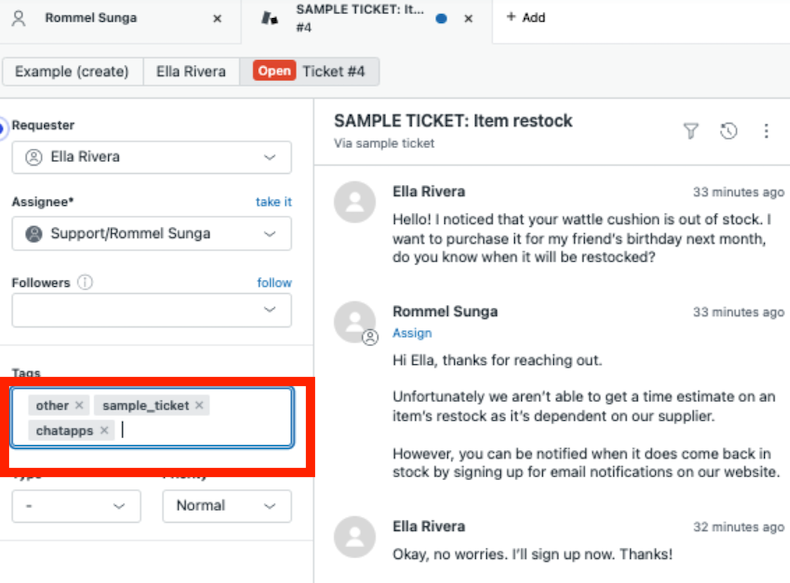
    image

    Queue Setup

    Navigate to the Settings Page, then go to the Admin Center through the link.
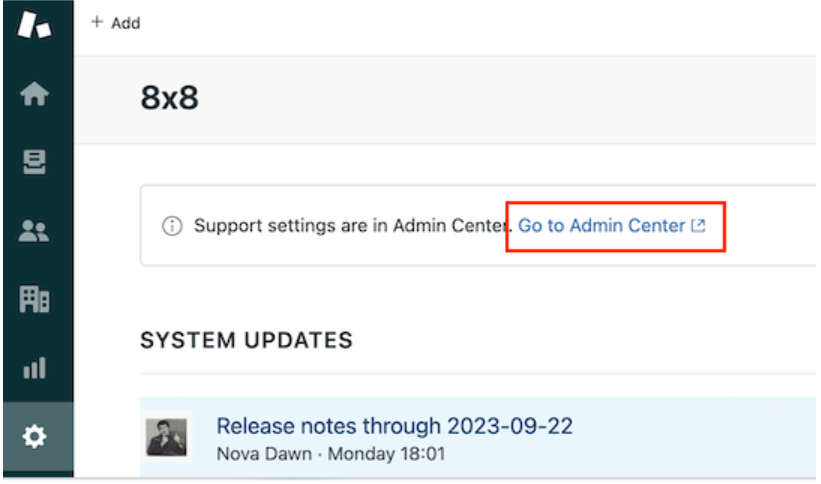
    image

    Once on the Admin Center Page, go to Objects and Rules and then Tickets. In the Tickets menu, go to Settings check Enable tags on tickets.
    image

    Go to Workspaces > Agent Tools > Views. Click on Add View
    image

    Create the queue with the following conditions.

    • Tickets must meet all of these conditions to appear in the view
      • Status Category - Less Than - Solved
    • Tickets can meet any of these conditions to appear in the view
      • Tags - Contains at Least one of the Following - ChatApps
    image

    Webhook Setup

    Once the queue is created, navigate back to the Admin Center. Then in the side menu go to Apps and Integrations > Webhooks, you can search for "webhook" on the left search bar to find this easier. Once on this page, click the Create Webhook button.
    image

    In the next screen, select Trigger or Automation
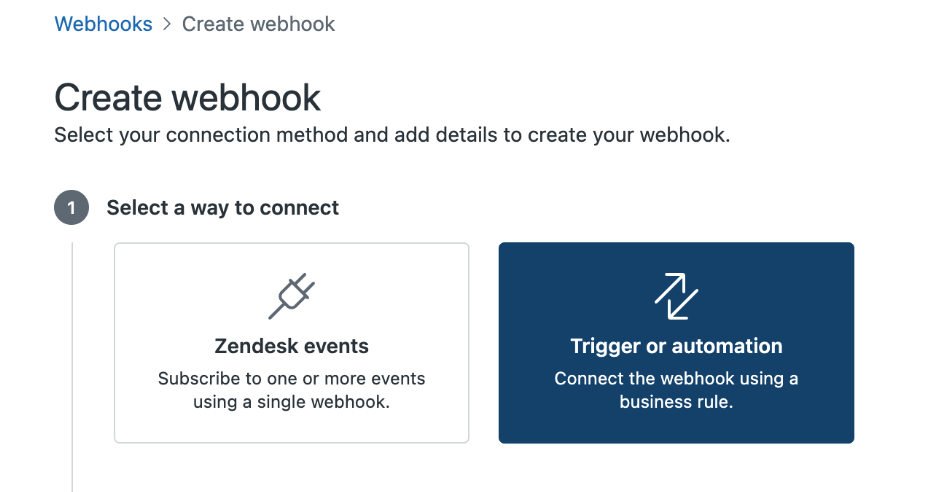
    image

    In the next screen, set the following fields:

    • Name: Any Value
    • Description: Any Value
    • Endpoint URL: https://api.wavecell.com/webhook/zendesk/<Your 8x8 Subaccount>?accessKey= srCUHbcYumHyxLxWmQjYfKWeg0qiRsEXfTHz640tClF032XxFpgnyzge7O

    Please note you will need to substitute your 8x8 subaccount in the URL.

    • Request Method: POST
    • Request format: JSON
    • Authentication: None
    • Headers: None

    You may test the webhook as well and ensure that it is returning a 200 Response Code.
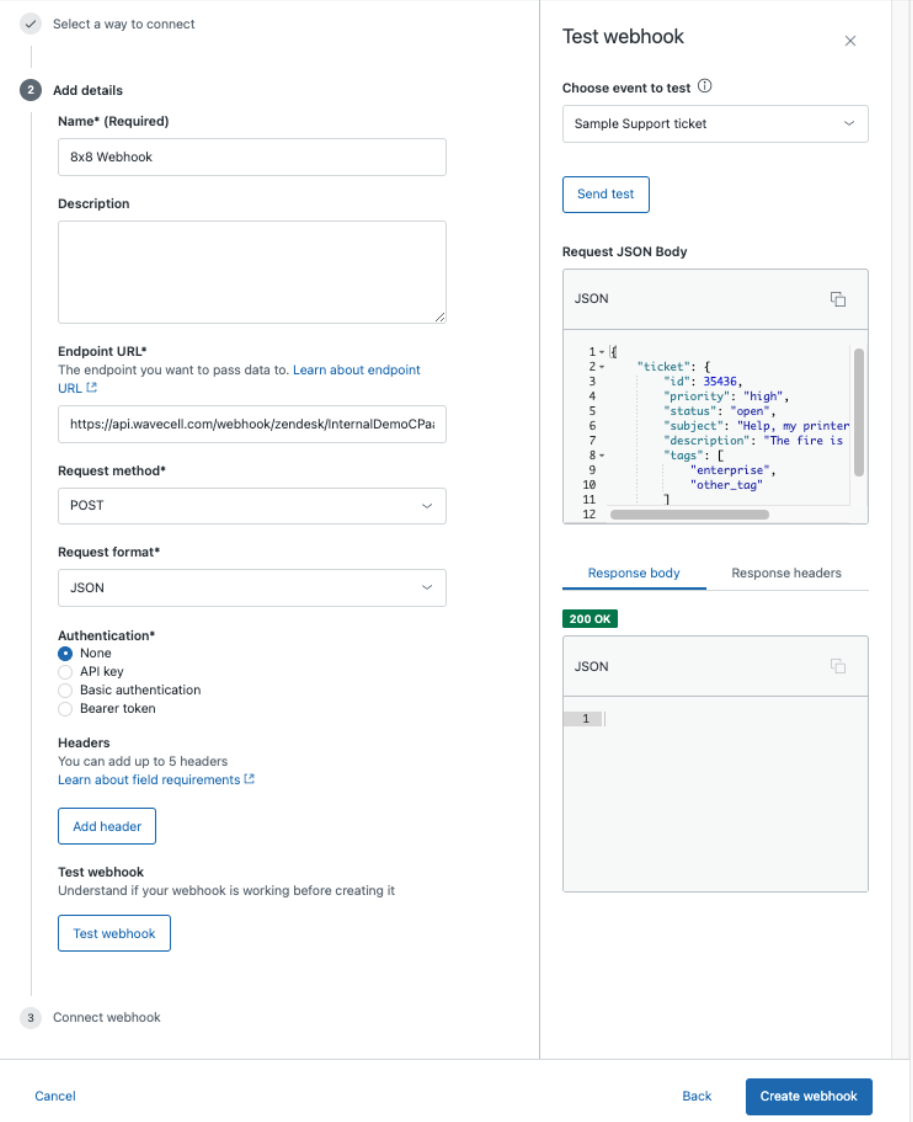
    image

    After adding the webhook, return to the Admin Center again and navigate to Objects and Rules > Business Rules > Triggers.
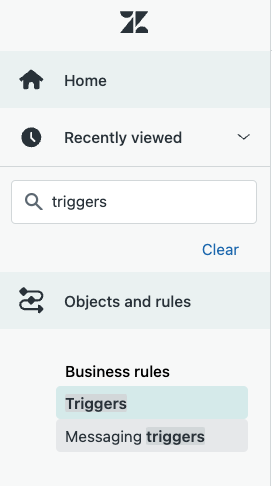
    image

    On the Triggers page, click Add Trigger.
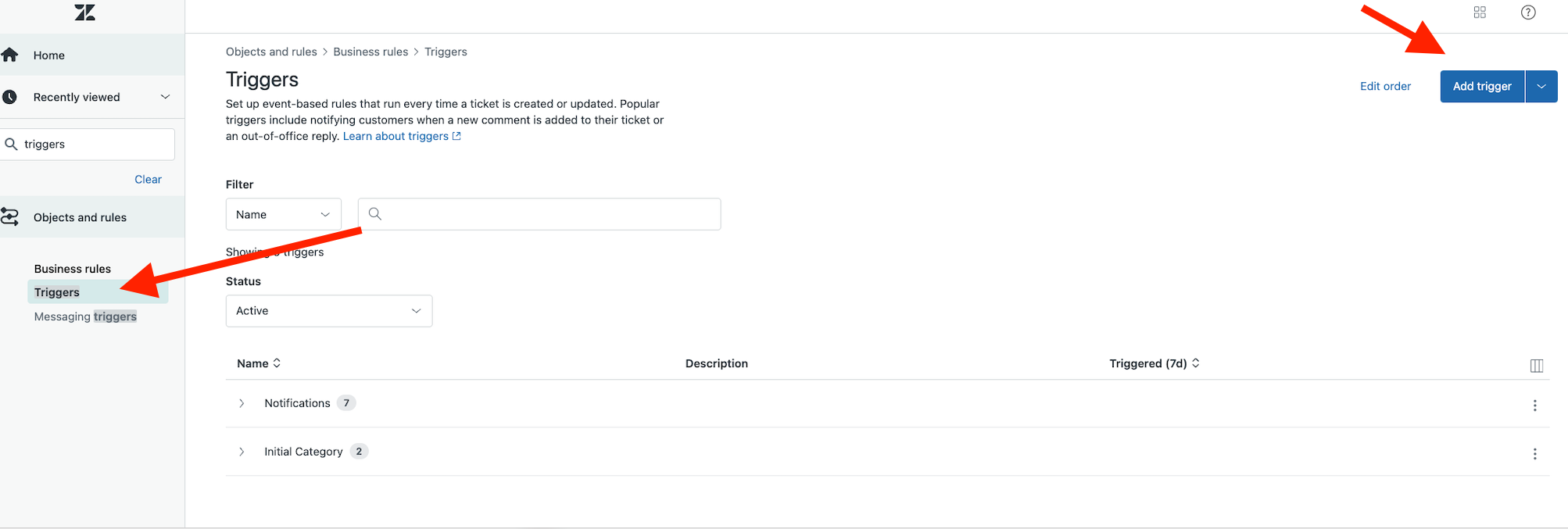
    image

    Configure the new trigger as follows:

    • Trigger Name: Any Value (We use Chatapps new public comment

    • Description: Any Value

    • Category: Add Category

    • Category Name: Any Value (We use Initial Category)

    • Conditions:

      • Meet ALL of the following conditions:
      • Ticket > Tags - Contains at least one of the following - ChatApps
      • Ticket > Comment - Is - Public
    • Actions:

      • Notify by > Active Webhook > (Choose the Webhook you had previously created)
      • Endpoint: https://api.wavecell.com/webhook/zendesk/<Insert your 8x8 Subaccount here>?accessKey=srCUHbcYumHyxLxWmQjYfKWeg0qiRsEXfTHz640tClF032XxFpgnyzge7O.

      Please note you will need to substitute your subaccount in the URL.

      • JSON Body
      {
      "event":"newComment",
      "ticketUrl":"{{ticket.link}}",
      "ticketId":"{{ticket.id}}",
      "ticketStatus":"{{ticket.status}}",
      "ticketExternalId":"{{ticket.external_id}}",
      "createdAt":"{{ticket.created_at_with_timestamp}}",
      "updatedAt":"{{ticket.updated_at_with_timestamp}}",
      "lastPublicComment":{
      "authorName":"{{ticket.latest_public_comment.author.name}}",
      "authorId":"{{ticket.latest_public_comment.author.id}}",
      "authorExternalId":"{{ticket.latest_public_comment.author.external_id}}",
      "createdAt":"{{ticket.latest_public_comment.created_at_with_time}}",
      "text":"{{ticket.latest_public_comment.value}}",
      "attachments":[
      {% for attachment in ticket.latest_public_comment.attachments %}
      {"fileName":"{{attachment.filename}}",
      "url":"{{attachment.url}}"}
      {% if forloop.last == false %},
      {% endif %}
      {% endfor %}
      ]
      }
      }
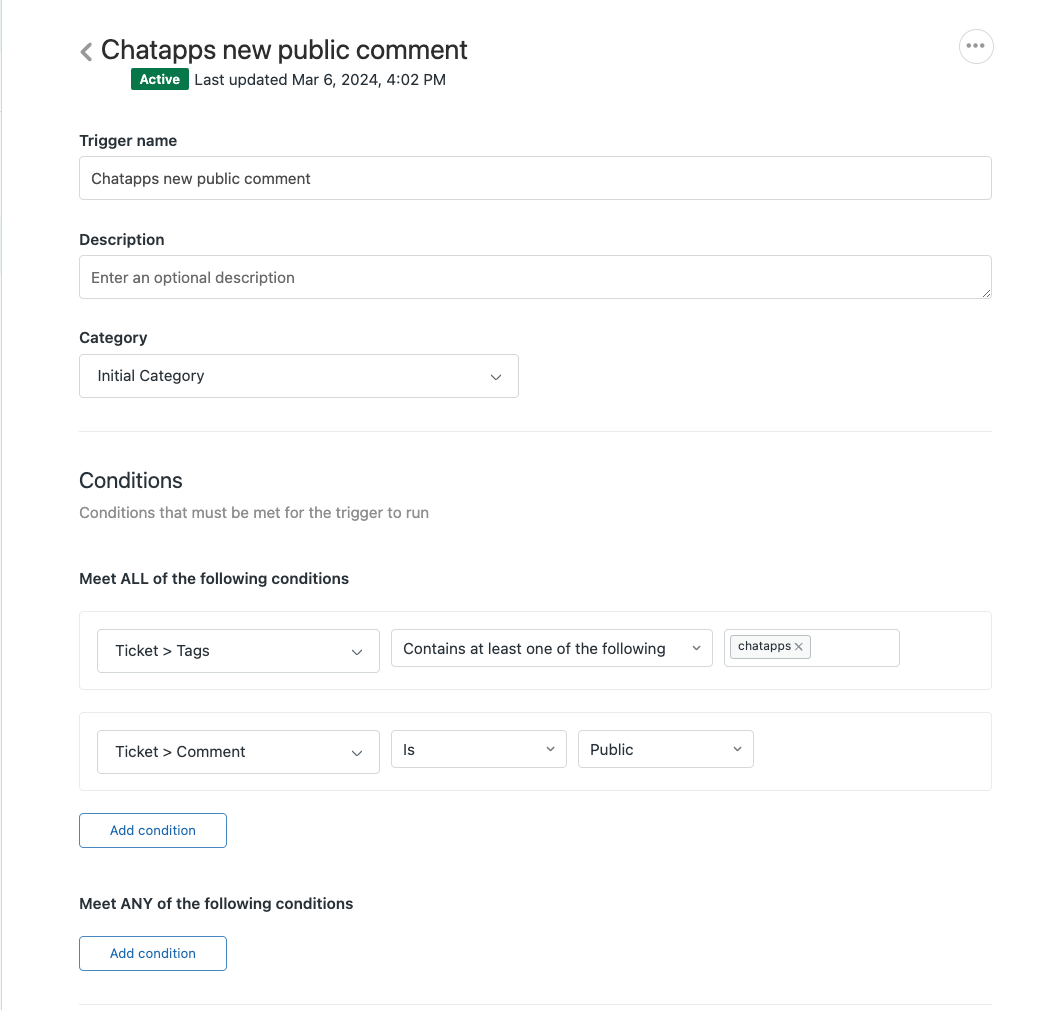
    image image After creating trigger, create another trigger as follows.

    • Trigger Name: Any Value (We use Chatapps status changed)

    • Description: Any Value

    • Category: Add Category

    • Category Name: Any Value (We use Initial Category)

    • Conditions:

      • Meet ALL of the following conditions:
      • Ticket > Tags - Contains at least one of the following - ChatApps
      • Ticket > Ticket Status - Changed
    • Actions:

      • Notify by > Active Webhook > (Choose the Webhook you had previously created)
      • Endpoint: https://api.wavecell.com/webhook/zendesk/<Insert your 8x8 Subaccount here>?accessKey=srCUHbcYumHyxLxWmQjYfKWeg0qiRsEXfTHz640tClF032XxFpgnyzge7O.

      Please note you will need to substitute your subaccount in the URL.

      • JSON Body
      {
      "event":"statusChanged",
      "ticketUrl":"{{ticket.link}}",
      "ticketId":"{{ticket.id}}",
      "ticketStatus":"{{ticket.status}}",
      "ticketExternalId":"{{ticket.external_id}}",
      "createdAt":"{{ticket.created_at_with_timestamp}}",
      "updatedAt":"{{ticket.updated_at_with_timestamp}}"
      }
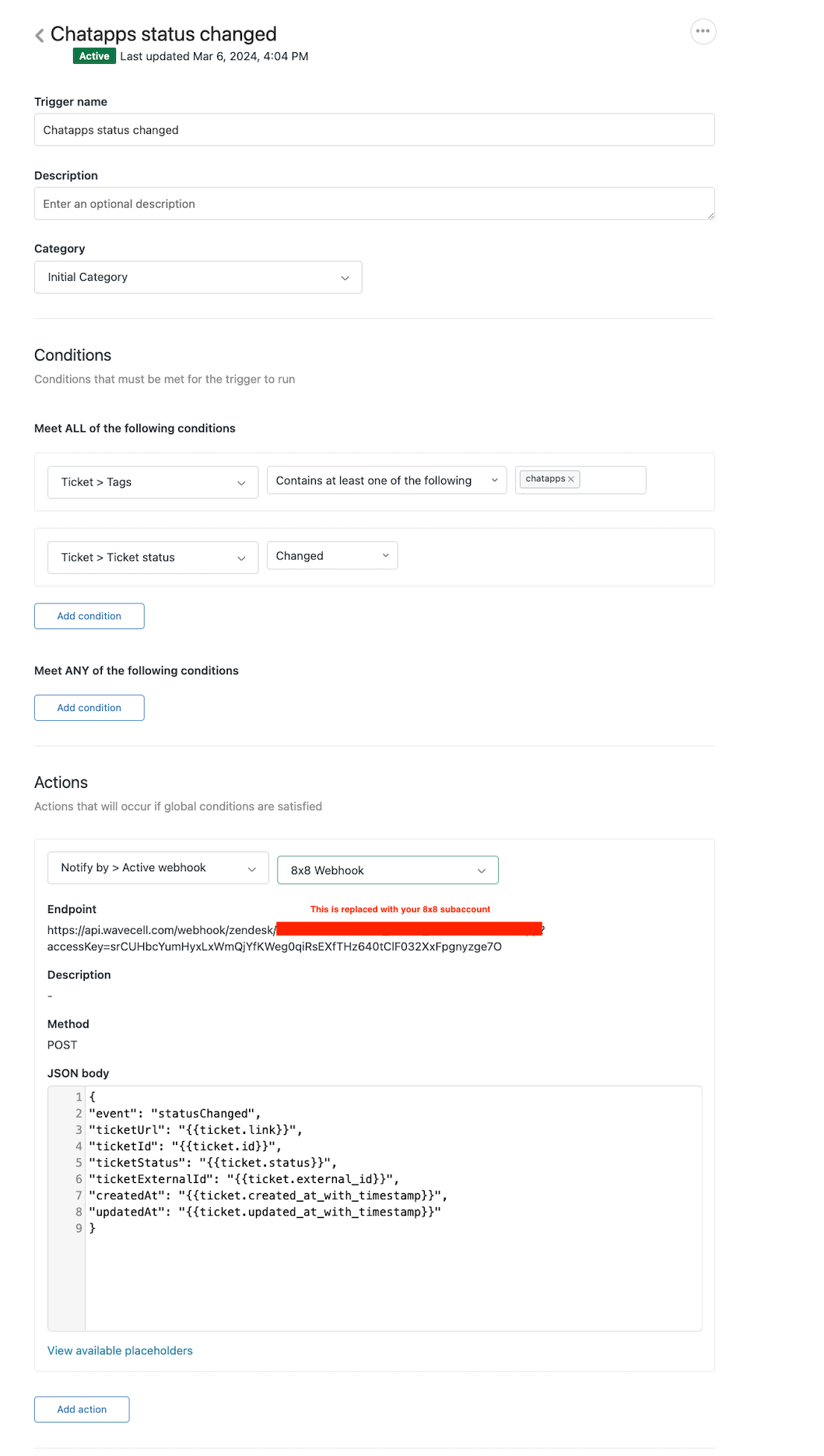
    image

    Create Zendesk API Token

    In order to give 8x8 access to the Zendesk API, you will need to generate an API token. Return to the Admin Center, then in the sidebar navigate to Apps and Integrations > APIs > Zendesk API. In the next screen agree to the Zendesk Terms and Conditions and click Get Started.image
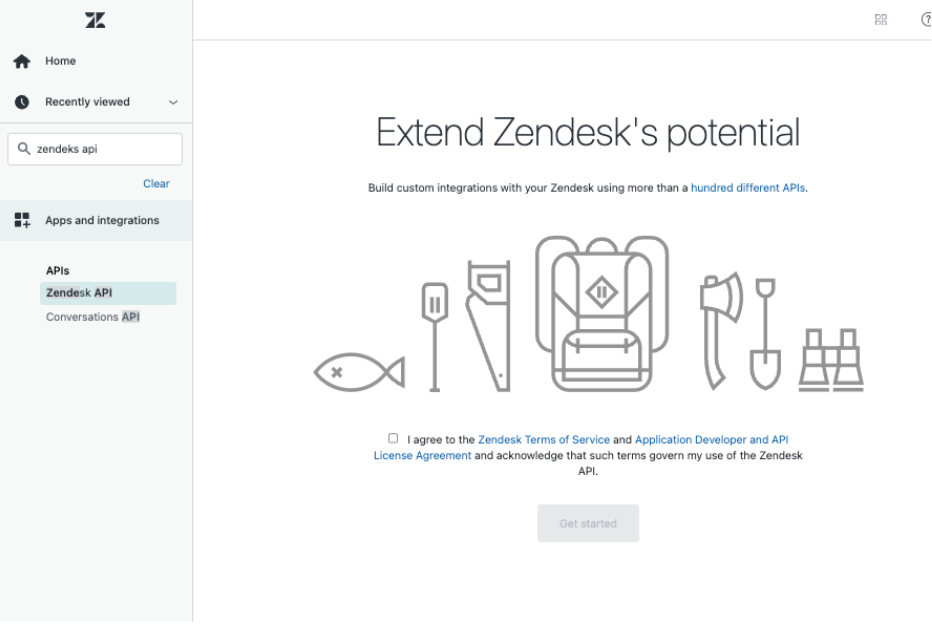
    Once on this screen, check the button for Token Access to enable it. Afterwards click "Add API Token"
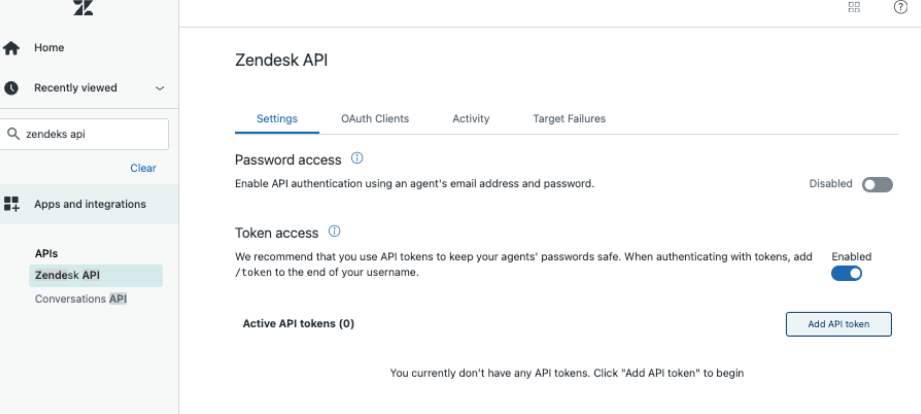
    image

    Once you are shown your API Tokens value, record it as you will need to send this information to our team to enable your Zendesk integration.
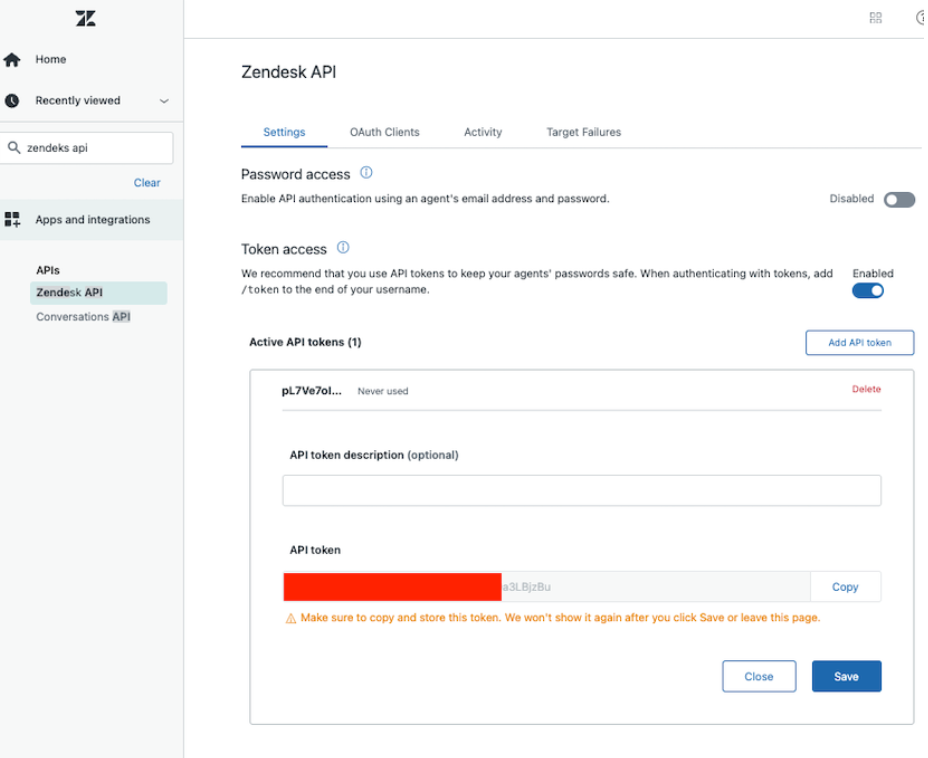
    image

    Send Information to 8x8 to Enable Zendesk Integration

    After completing all of the steps above, the setup should be complete on your end. Now send an email to cpaas-support@8x8.com with the title "Enable Zendesk Integration" and provide the following details:

    a. URL, the path to customer zendesk api: https://{YOUR_SUBDOMAIN}.zendesk.com/api/v2

    b. Email, of user who will be used to access zendesk, required permissions: create and

    update tickets, create end users. This is the email registered in your Zendesk.

    c. ApiToken, your Zendesk ApiToken for the user with the previous email address.

    d. TicketTag, Ticket tag which will be automatically added to tickets created by Zendesk

    broker (chatapps, for instance)

    e. DefaultTicketSubject, the subject which will be used for new ticket when the discussion starts

    from the image, not from the text message.

    Using the Integration

    Once your integration is setup properly, you should be able to receive a message in your ChatApps channel and a ticket with your tag will automatically generated on Zendesk.

    Here is an example WhatsApp message that is sent to the WABA associated with an 8x8 Subaccount.

    image

    To check for the reply, you can view the tickets automatically generated from the view you created.
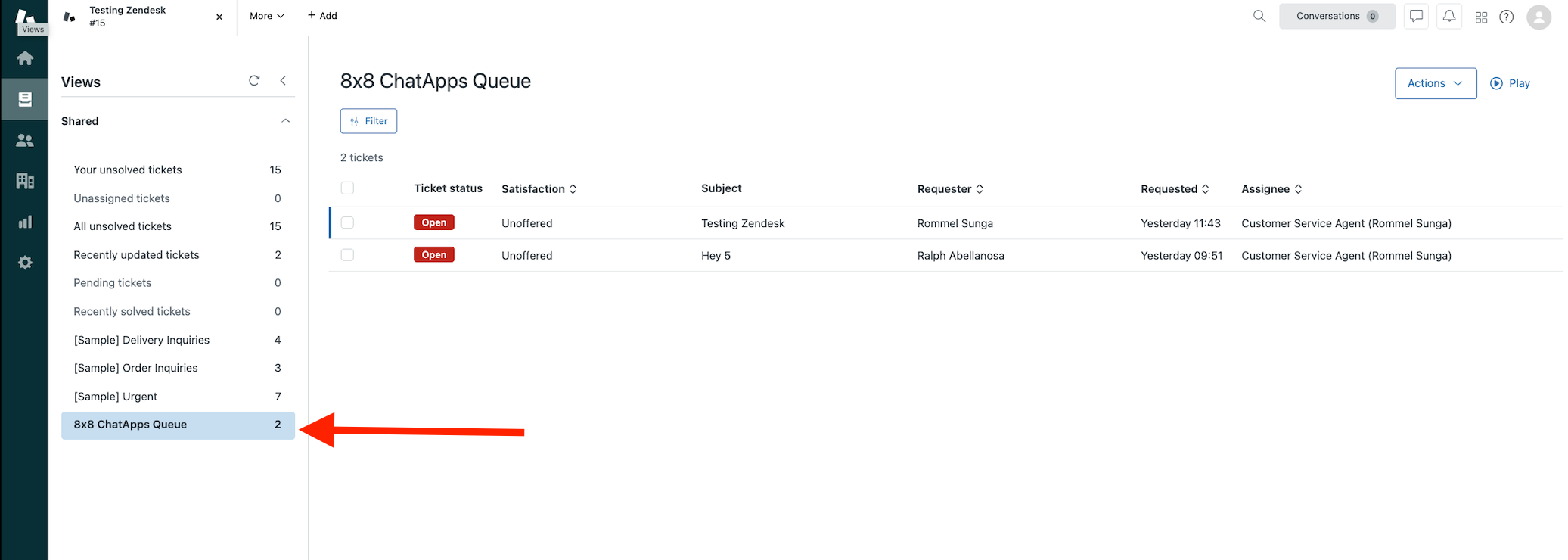
    image

    Here is what the ticket will look like once in a conversation. The messages from the Zendesk Agent are under "Customer Service Agent (Rommel Sunga) and then replies from the customer are under "Rommel Sunga".
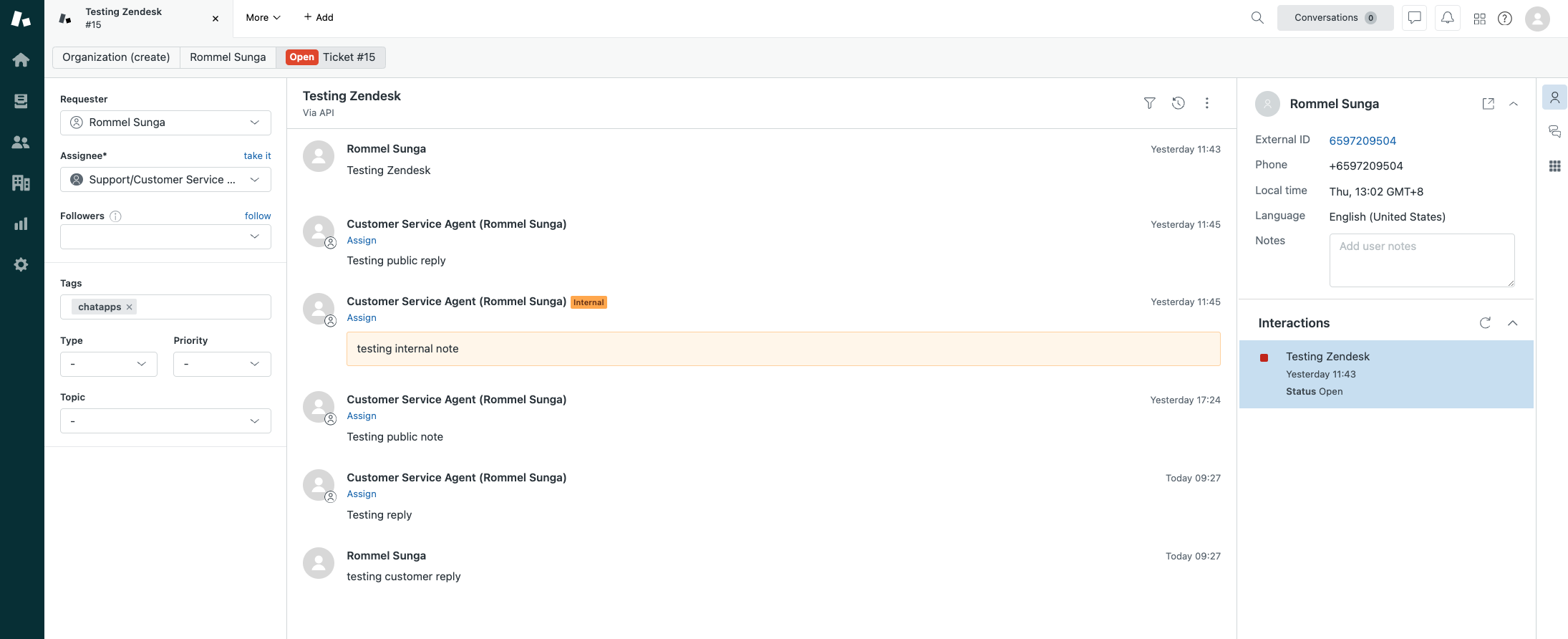
    image

    The customer service agent can send replies as "Public Reply" and those messages will be sent to the customer.
    image

    This will show up as a reply on the customer's WhatsApp.
    image

    Once the issue is resolved, the agent can mark the ticket as solved.image
    📘 Solved Tickets

    Note that by default, when a customer replies again to your WABA, their replies will go to the existing ticket unless the existing ticket even if it is solved.

    You can choose an action as per your requirements, for example to mark the ticket as Open or In Progress when this occurs by creating a Triggers in the Zendesk Admin Center.

    New Message coming into a ticket after the ticket was solved.
    image

    The message comes in from the customer, but the ticket remains solved.
    image

    This example trigger will set all tickets tagged with ChatApps to pending for example, if a new reply comes in after they are solved.
    image


    Source: https://developer.8x8.com/connect/docs/zendesk-support · 8x8 CPaaS Developer Docs. Synced for support deflection.

  • Workato

    Workato

    Workato is an integrations platform that helps you connect and create automated workflows that connect apps to complete tasks composed of you based on a combination of apps, triggers, and actions.

    It is often used by B2B enterprises to connect or integrate different cloud services without requiring any programming skills.

    Some use cases

    • Send an SMS message when you receive a specific email.
    • Send an SMS blast to customers when there's a new post on Instagram.
    • Send an SMS when an invoice in Xero is marked as paid.

    Product scope

    • 8x8 SMS
    • All of Workato's Apps

    What you'll need

    • A Workato account (Paid or Trial)
    • 8x8 Connect account

    Get SMS messages for new email messages

    • Create or use a Gmail account or any apps supported email service by Workato

    Setup your Gmail trigger

    1. Log into your Workato account. Once you are at the dashboard, click Recipes on the menu, and create a new recipe. Select an app and trigger event. The app in our case is Gmail, and our trigger event is “New email” since we want an SMS to be sent with every new email.

    550

    1. Next, you will need to link the trigger to a Gmail account. Either choose your account from the drop-down menu or link a new account. After creating the trigger, you may label it for future use.

    Setup your 8x8 SMS API

    550

    1. On the next page, type and select “HTTP” in the field under App. Then, select “Send request” as your action and click Next.

    720

    1. You will be asked to create a new connection and the authentication type. Name your connection, and select “Header auth” as your authentication type.
    2. Enter the following header details in the space provided under “Header authorization”:
     Authorization: Bearer <Your API key*>
    Content-Type: application/JSON

    You can find your API Key on your 8x8 Connect Create an API key if empty and then keep the API Key value, here: 5DhZxZRILVPKjXuFWsd7QGZ**********31n19pYmgAPI

    1453

    Configure action

    504

    1. Before clicking Finish, you will first need to configure your action by clicking on “Configure action”.
    2. Select “POST” as your method and enter the request URL. The request URL can be found at the Customer Portal under Configuration > API Keys.

    720

    1. Using the default request content type, JSON copies the JSON text, again from your API Keys. You can use your mobile number as a test. Now click Send request, and Apply configuration, and you should receive a text message

    If everything went well, just click finish, and you’ve made your first integration recipe!

    Test your recipe. Your recipe will check for new email and send you an SMS message when you receive any.


    Source: https://developer.8x8.com/connect/docs/workato · 8x8 CPaaS Developer Docs. Synced for support deflection.

  • 1
  • 2
  • ›
  • »
8x8 Logo
  • 8x8 YouTube
  • 8x8 Facebook
  • 8x8 Twitter
  • 8x8 Blog
  • 8x8 LinkedIn
  • 8x8 Instagram

Company

  • About Us
  • Careers
  • Contact Us

Our Products

  • SMS
  • Chat Apps
  • Video Interaction
  • Voice
  • Pricing

Media

  • Customer Success Stories
  • News
  • Events
  • Blog

Resources

  • Documentation
  • Service Status
  • Ask for support
Privacy Policy | Terms of Use | Acceptable Use Policy
© 2025 8x8, Inc. All rights reserved.