Signing LOA
LOA Signing
- An email would be sent to your email address informing you that your ticket has been updated and that your LOA is ready for Signing
- View your LOA submission that is ready for signing by accessing your Sender ID dashboard - https://connect.8x8.com/messaging/sender-id/registration
- Click on
Sign LOAto trigger the signing process
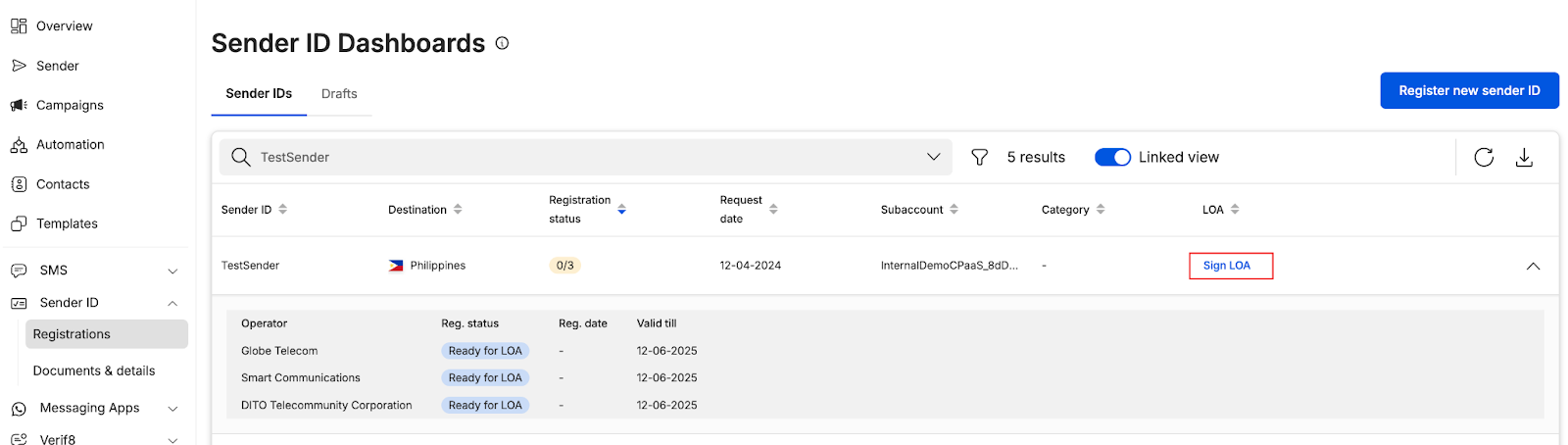
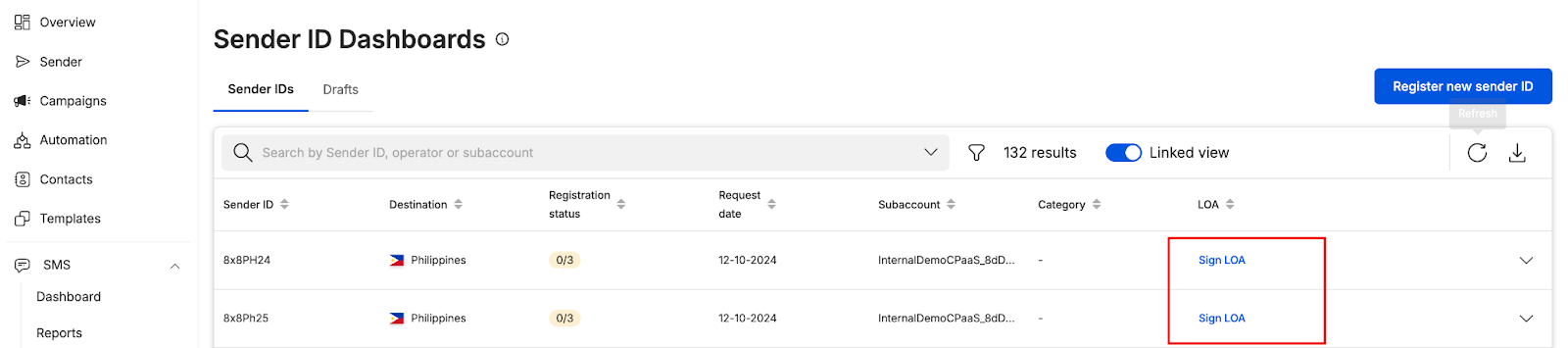
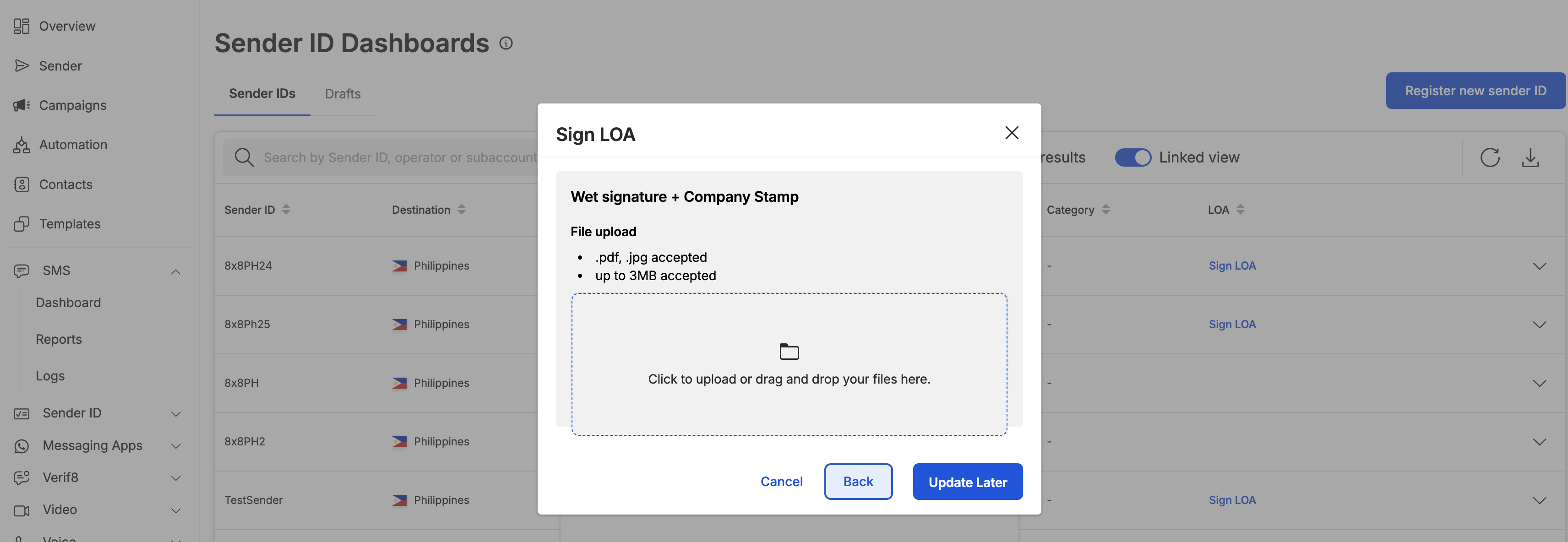
- User has an option to sign via Docusign(where applicable) and Wet Signature (requires user to download the file, sign and upload it back
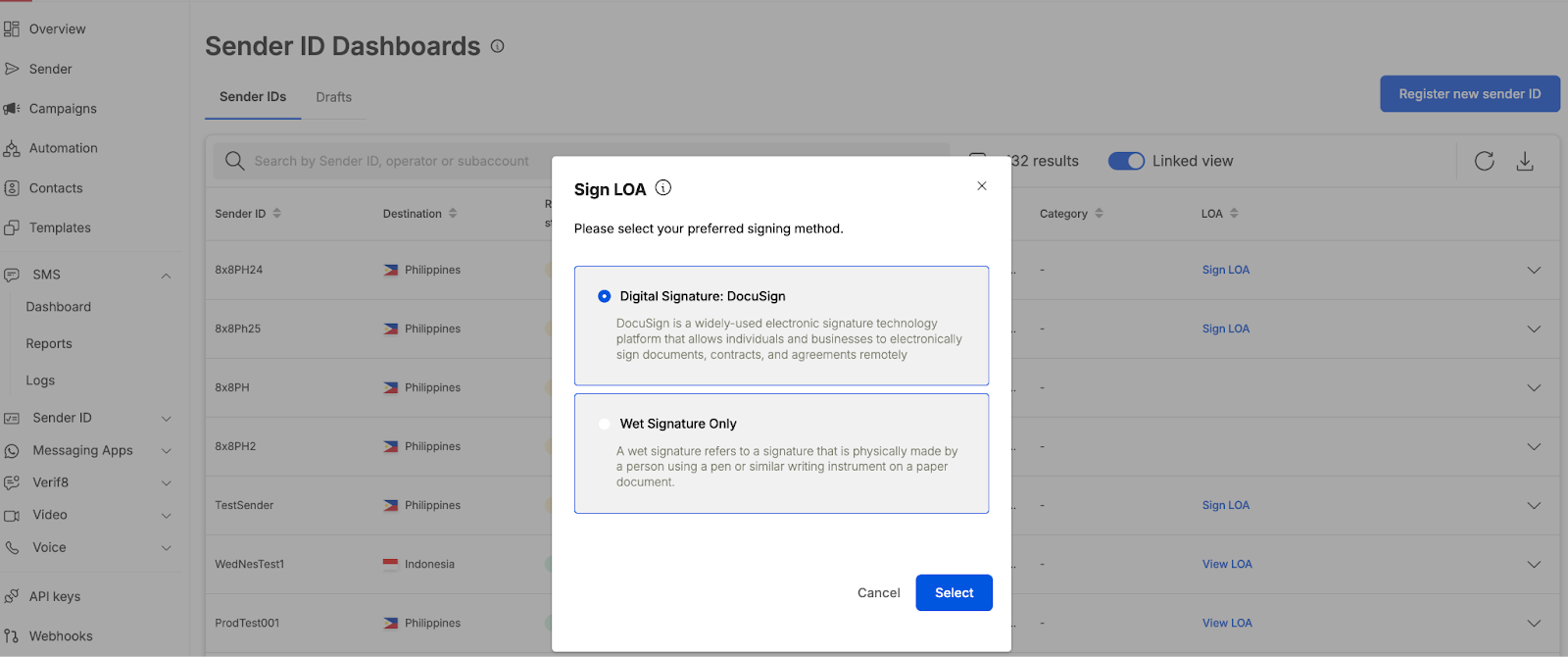
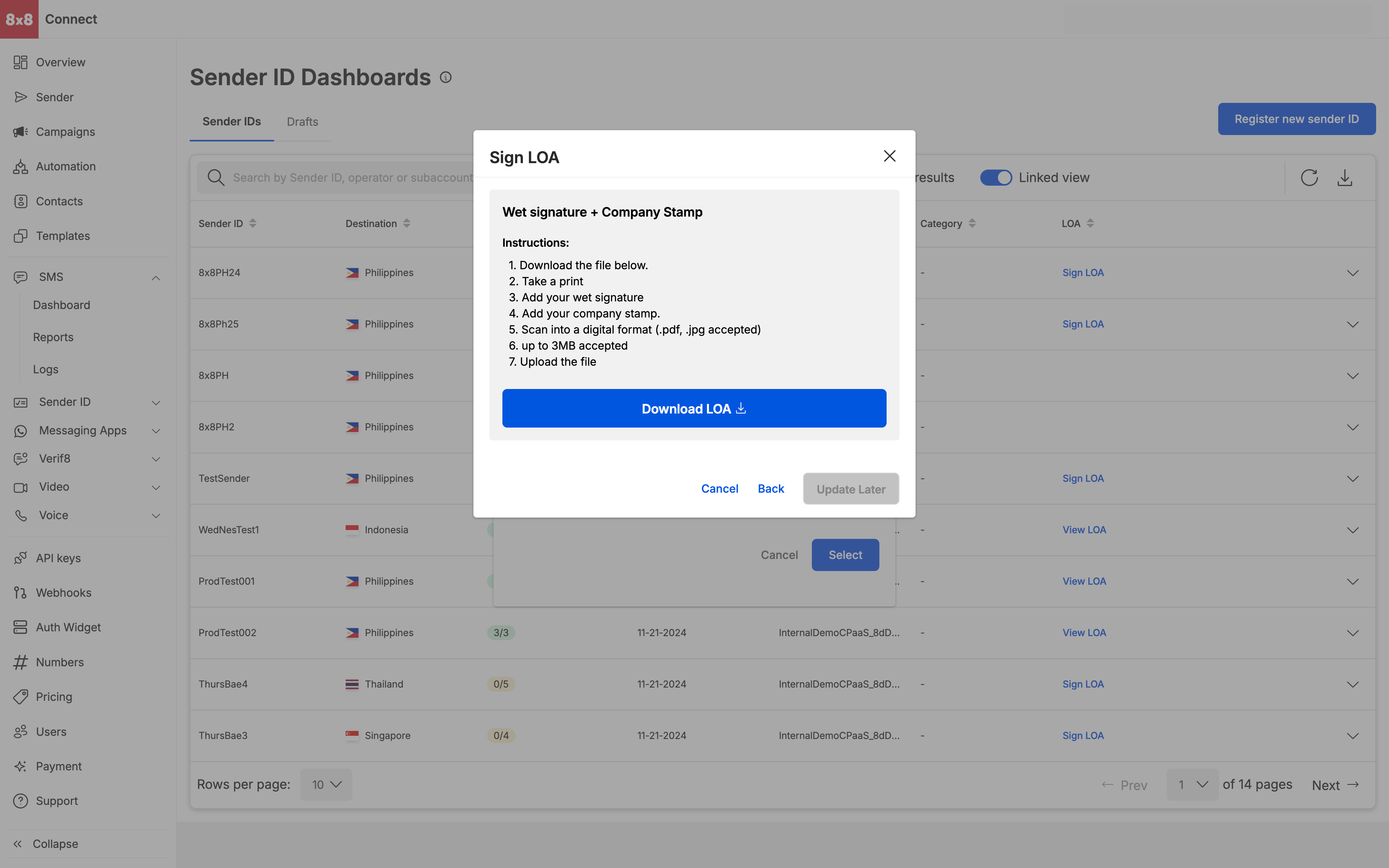
- Wet Signature requires user to download and sign, an uploader will be seen once the user downloads the LOA
Source: https://developer.8x8.com/connect/docs/signing-loa · 8x8 CPaaS Developer Docs. Synced for support deflection.

Please sign in to leave a comment.
0 Comments