Company Details Tab
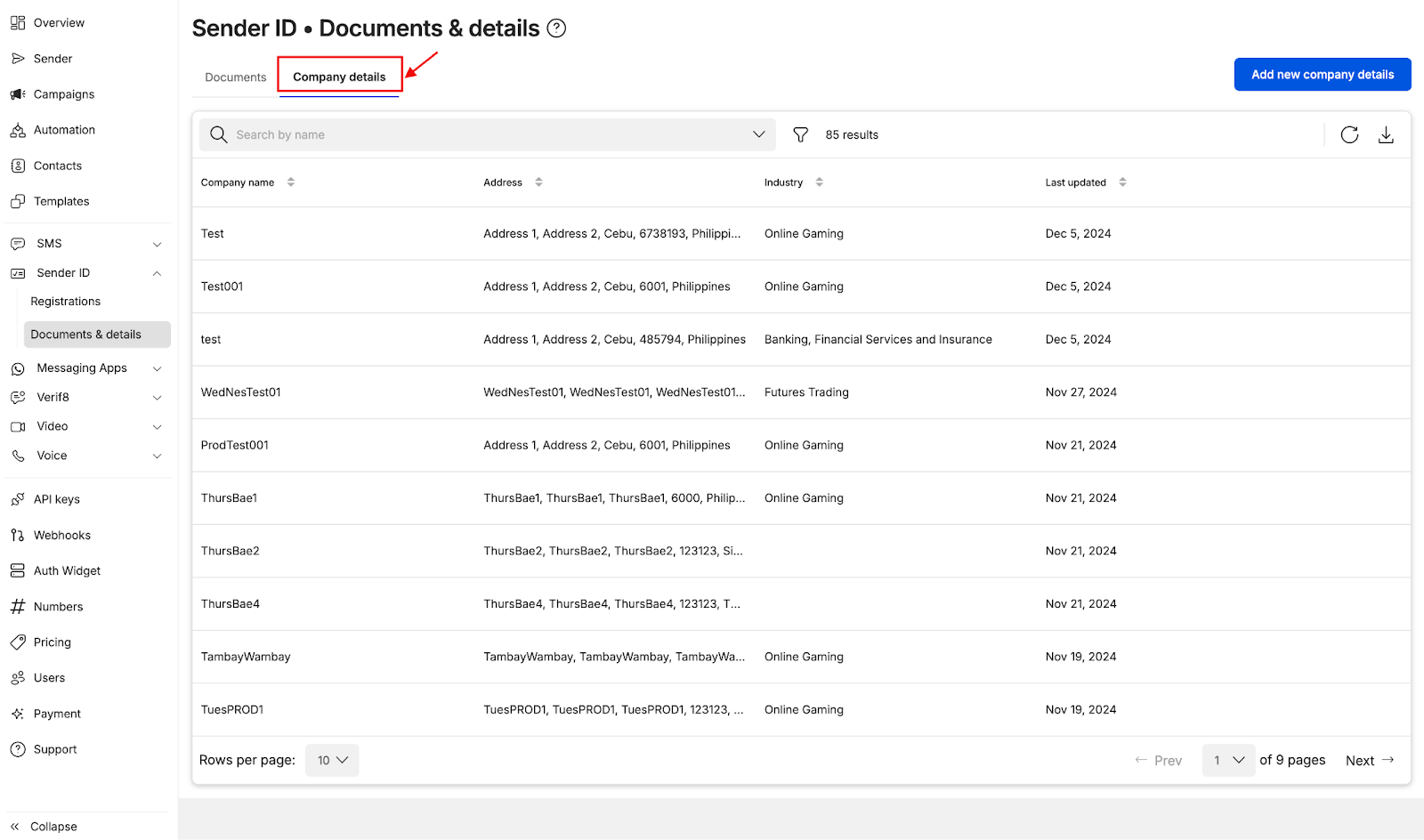
Accessing Company Details Tab
- Add company details ahead of time by selecting
Company detailson the Documents & details module - Alternatively, you can access the
Company detailsmodule via URL: https://connect.8x8.com/messaging/sender-id/documents-details?tab=sender-id-company-details
 Adding Company Details
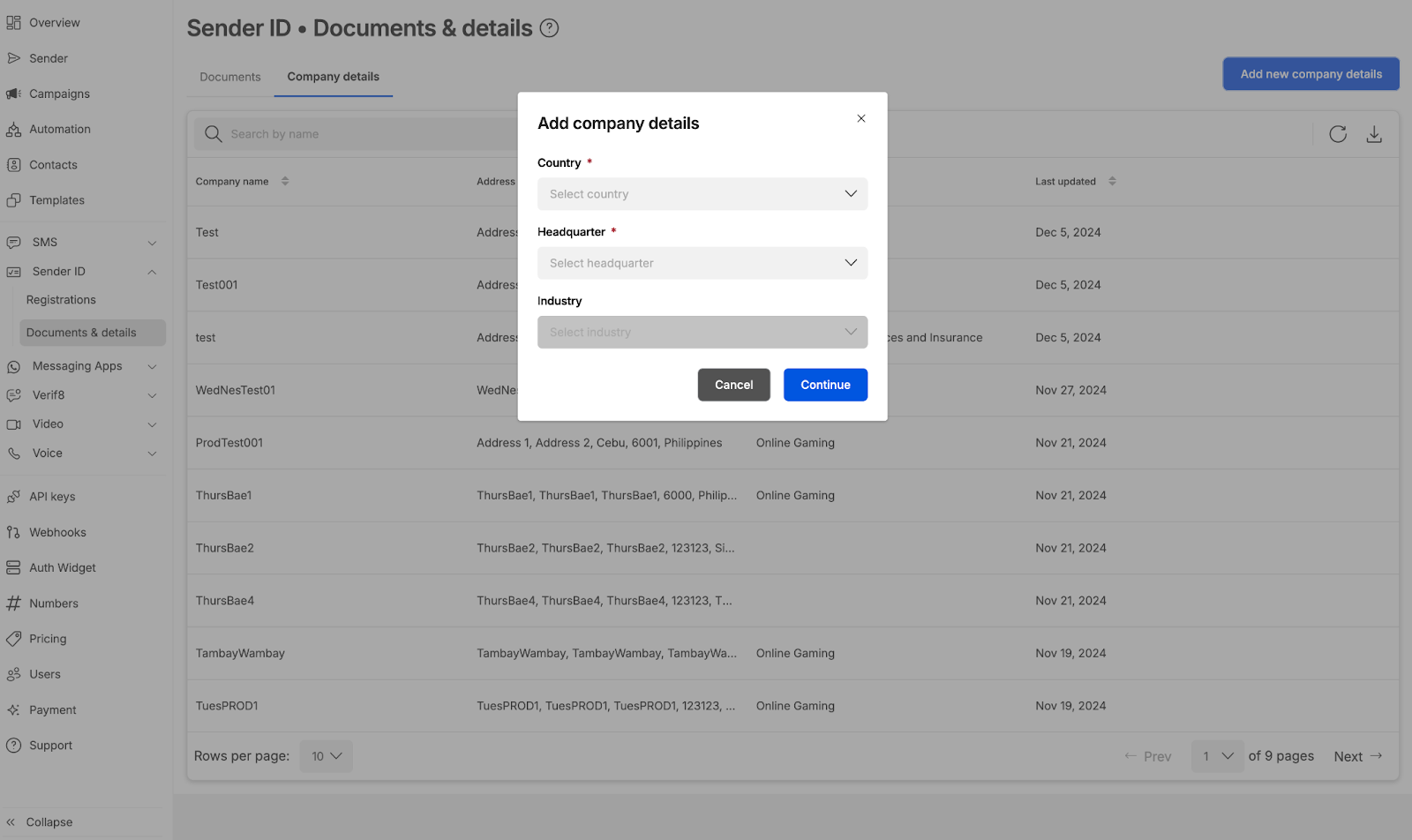
- Select Destination country name (Currently Indonesia, Philippines, Singapore and Thailand are offered)
- Select the Headquarters (this depends if your company has a local entity in the country). For some countries, headquarters is not a required field
- For selected countries, Industry is a required field (this depends on the industry of your company)
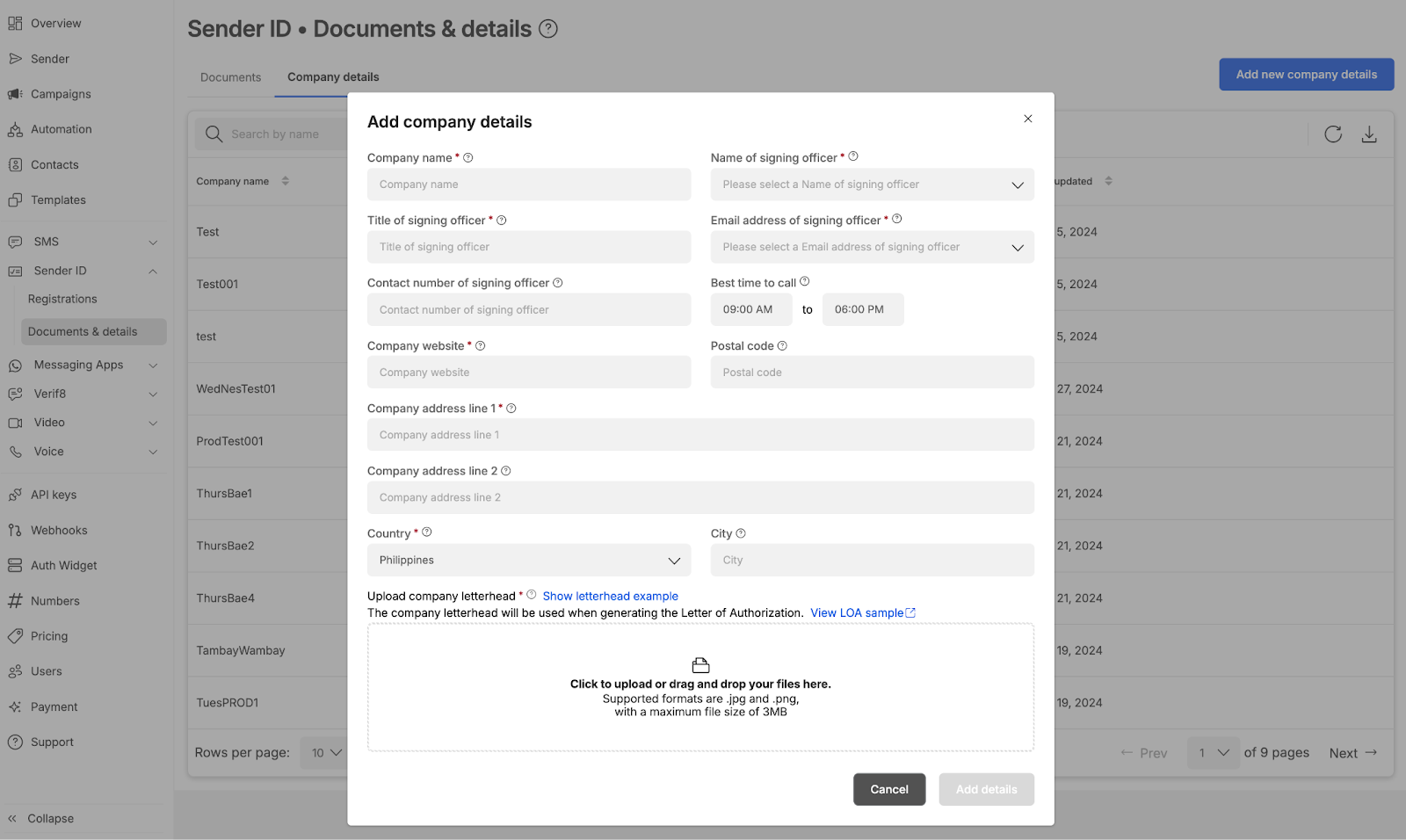
- Fill up relevant details
- Click Save details when done
- It is mandatory to include the company letter hand (sample of a letterhead is shown and is also reflected on how letter head is used in LOA generation)
Source: https://developer.8x8.com/connect/docs/company-details-tab · 8x8 CPaaS Developer Docs. Synced for support deflection.

Please sign in to leave a comment.
0 Comments