Android - Integrating the Voice SDK
SDK Setup
Requirements
To use the Voice SDK you need:
- The latest version of Android Studio
- Android SDK Version 26 or above
- An Android device compatible with Google Play Services
Setup the development environment
Complete the following steps to setup your Android studio development environment:
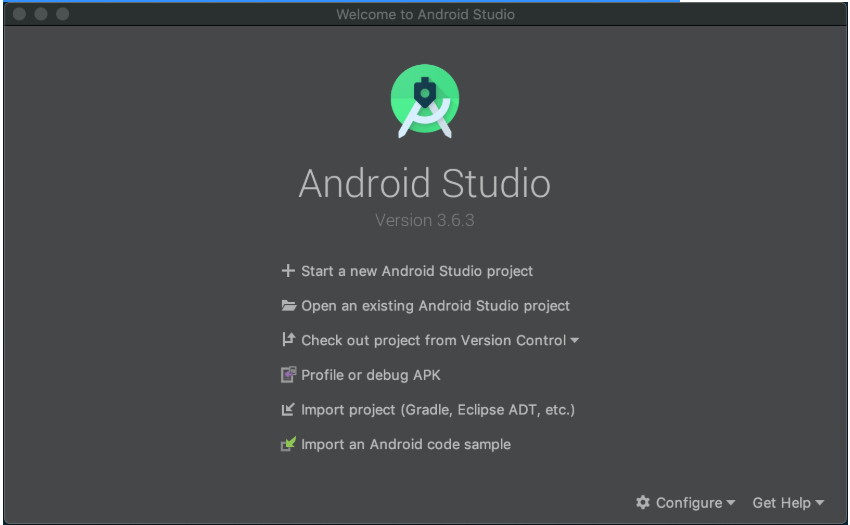
- Open Android Studio and click Start a new Android Studio project.
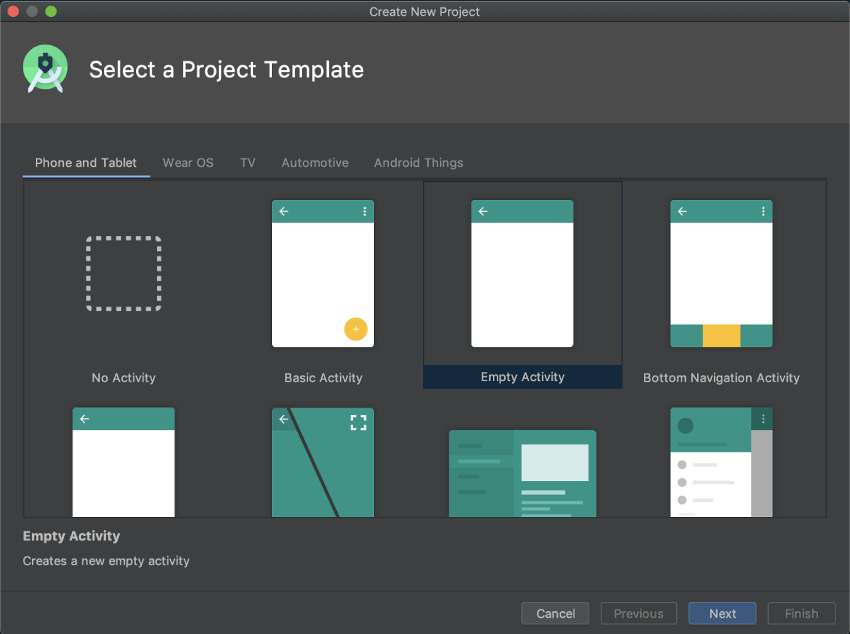
- In the Select a Project Template window, select a template of your choice and click Next.
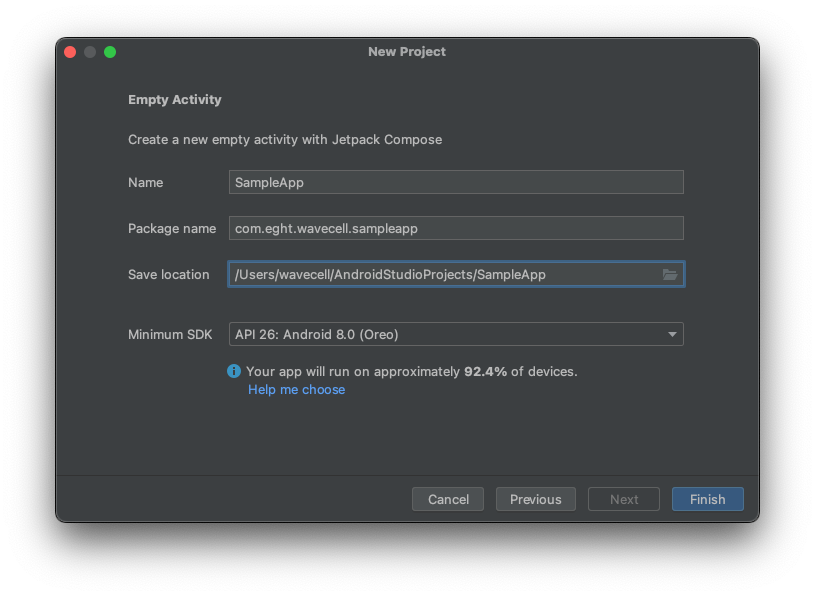
- In the Configure Your Project window:
- Enter the name of your app and your Package name.
- Enter the location of where your project will be saved
- Select either Kotlin or Java as the language
- Select API 26: Android 8.0 (Oreo) as the Minimum SDK and click Finish.
Note:: The Voice SDK APIs expose Kotlin coroutine APIs such as Flows and suspend functions.
Add the Voice SDK as a dependency
Confirm you have the latest dependency version:
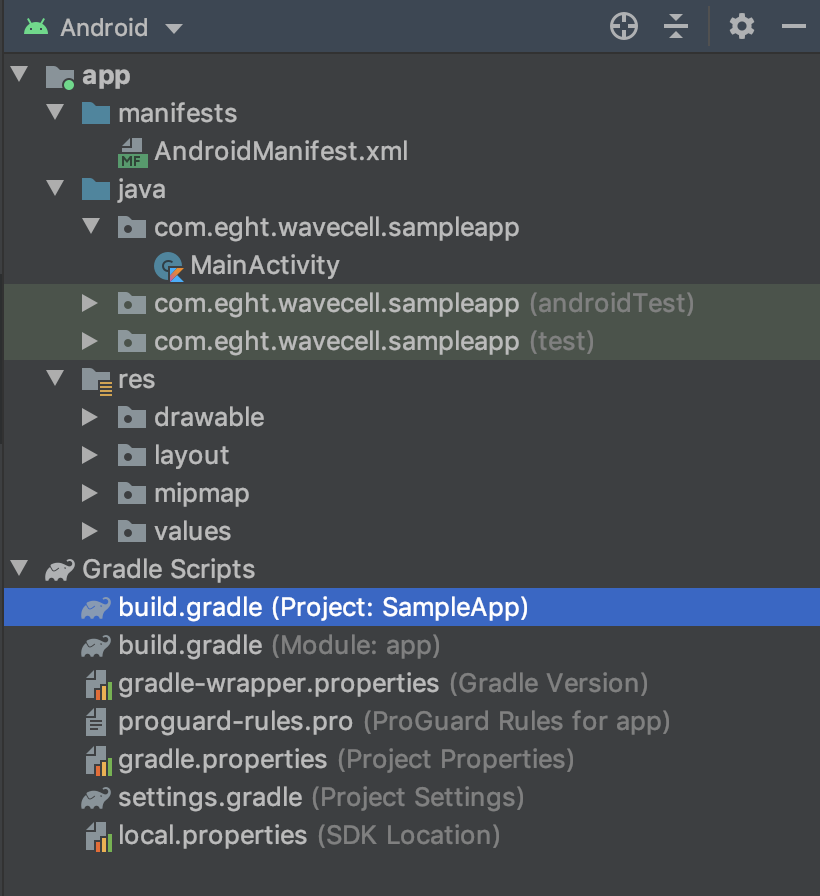
- Add the following to your top-level
build.gradlefile:
allprojects {
    repositories {
...
        maven {
            url "https://github.com/8x8Cloud/voice-sdk-android/raw/master/releases/"
}
}
}
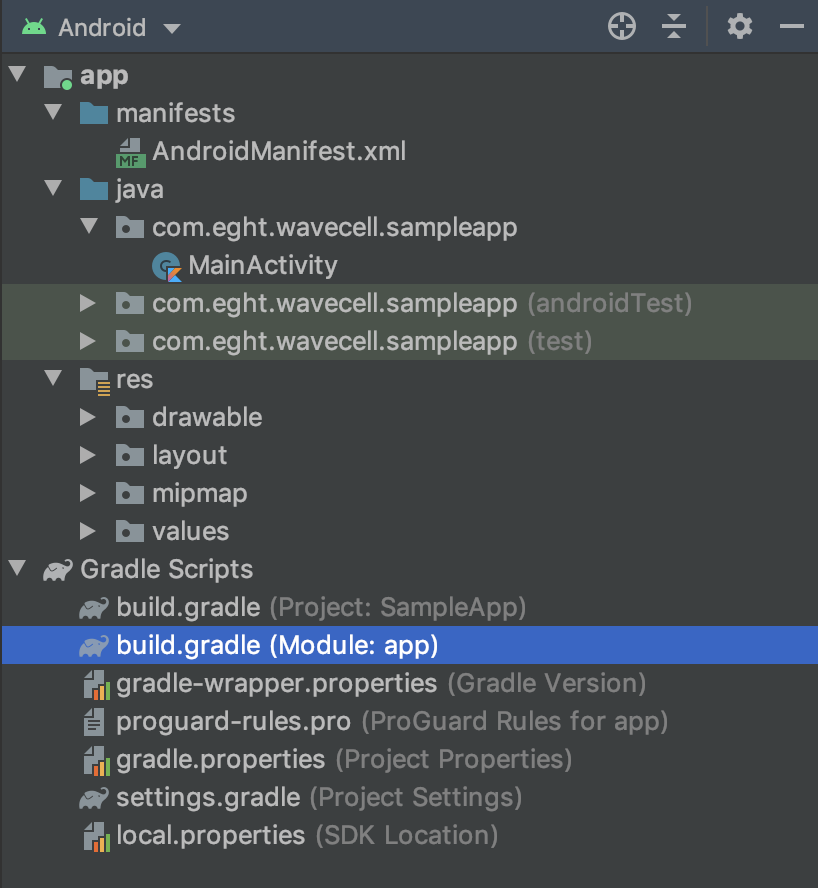
- Add the Wavecell dependency as well as
sourceCompatibilityin your app-levelbuild.gradlefile:
android {
...
   compileOptions {
      sourceCompatibility JavaVersion.VERSION_1_8
      targetCompatibility JavaVersion.VERSION_1_8
}
}
dependencies {
...
   implementation "com.eght:wavecell-voice-sdk:[LATEST_VERSION]"
}
- Click on File > Sync Project with Gradle Files.
You can now use the Voice SDK in your application.
Permissions
Add the following uses-permission elements to your AndroidManifest:
<manifest>
   ...
<uses-permissionandroid:name="android.permission.ACCESS_NETWORK_STATE"/>
<uses-permissionandroid:name="android.permission.ACCESS_WIFI_STATE"/>
<uses-permissionandroid:name="android.permission.FOREGROUND_SERVICE"/>
<uses-permissionandroid:name="android.permission.READ_PHONE_STATE"/>
<uses-permissionandroid:name="android.permission.RECORD_AUDIO"/>
</manifest>
If your application is targeting API level 31+ also include the
<uses-permissionandroid:name="android.permission.READ_PHONE_NUMBERS"/>
Source: https://developer.8x8.com/connect/docs/android-integrating-the-sdk · 8x8 CPaaS Developer Docs. Synced for support deflection.

Please sign in to leave a comment.
0 Comments